


Barcode Tracking Software
Scan Once. Know Everything.
Each scan automatically updates multiple data fields, sends alerts, and triggers business processes without manual entry

AI Enhanced
Improve your efficiency with the power of Asset Panda Intelligence.
Improved Data Accuracy
Reduce manual entry and room for human error with reliable barcode asset tracking.
Streamlined Audits
Leverage barcode asset tracking to complete audits quickly and efficiently.
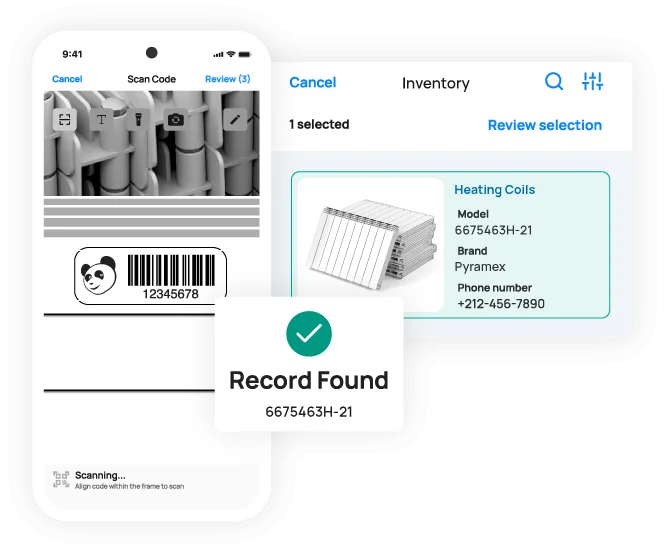
Scan barcodes directly on your mobile device
Boost productivity and save money with built-in barcode scanning
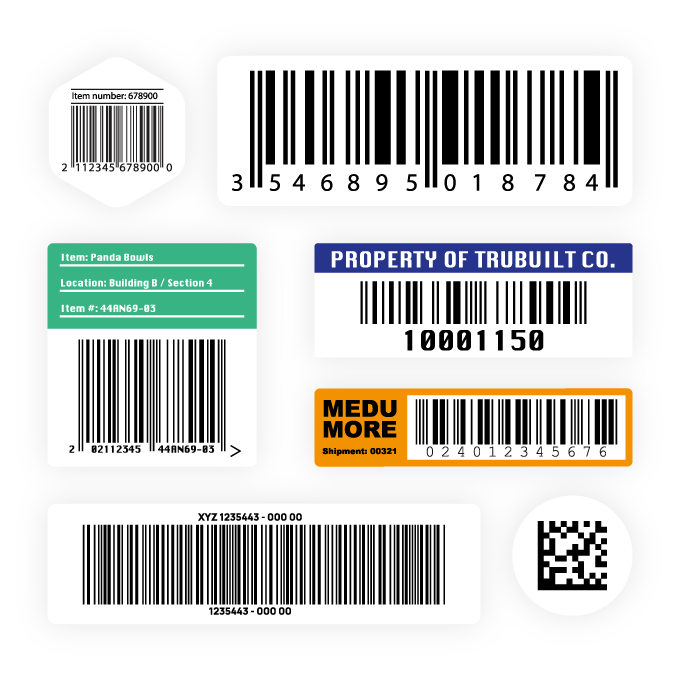
With Asset Panda’s barcode tracking software, your team can scan barcodes and QR codes directly on their mobile devices to instantly find and update asset records. Save money on third-party scanners and barcode label printers with the ability to generate your own unique asset tags right in Asset Panda. Whether you’re tracking computers or construction equipment, our barcode asset tracking experts can help you find the right material for your asset labels.
Speed up everyday workflows
Save time and reduce manual entry with barcode asset tracking
Easily assign assets, create repair tickets, and audit inventory items with a single scan in the Asset Panda mobile app. Built-in barcode tracking empowers your team to conduct workflows from anywhere (even when offline!) and save time doing so.
With the ability to collect accurate data faster, your team can streamline everyday processes and efficiently conduct routine audits.
Make better data-driven decisions
Maximize productivity and avoid potential downtime with reliable data
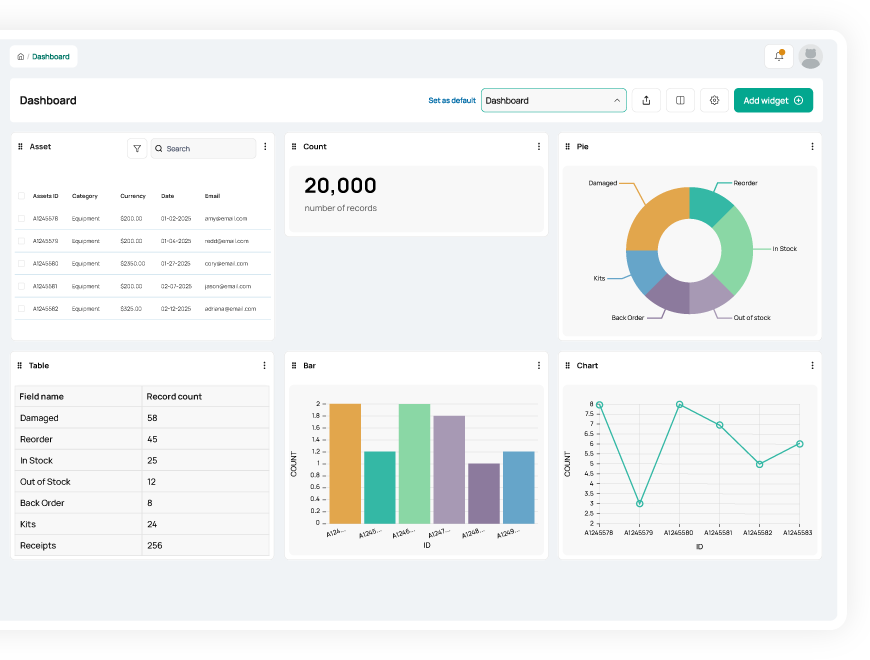
By eliminating manual data entry, barcode asset tracking helps you maintain accurate and reliable data. As you perform audits faster and more often, you can ensure your asset inventory data stays up to date and reduce potential business disruptions.
With reliable insights into the state of your inventory, Asset Panda’s barcode tracking software helps you track assets in real time, optimize asset utilization, and forecast future purchasing needs.
Useful features for barcode tracking

Asset assignment

Barcode tracking

Multi-account structure

Full lifecycle history

Maintenance tracking

Asset inspection

Repair tracking

Signature capture

Asset kitting

Tool tracking

Record-level attachments

Contract management

Unlimited users

Automations

Robust reports

Action-based forms

Notifications

Custom fields

Field requirements

Asset listing view

iOS and Android Compatible

Offline mode

Full integration with web app

Built-in barcode scanning

GPS pindrop

Mobile actions

Reporting access

Quick asset addition

User specific views

Sortable columns

Global & faceted search

Mobile and web apps

Data import

Easy record replication
Unlimited users

Bulk asset reallocation

Amazon AWS hosting

TLS 1.2 Encryption

Robust roles and permissions

RISE™Robotics uses Asset Panda as their single source of truth
"Almost every company that I could see myself working for in the future would benefit from something like Asset Panda if they don't already have it."
Tom Rufo
Lab Manager
Hendrix Enterprises manages inventory 5X faster
“We are contractors that are using Asset Panda to track our customer's assets and consumables which were not being tracked at all before we implemented the program. Every single person we have that uses to software absolutely loves it, and we would highly recommend it to anyone looking to track inventory.”
Jayna Hendrix
Project Specialist

Texas Tech eliminates their confusing inventory paper trail
“The mobile app has come in handy when we are away from our desks to keep track of computer assignments in faculty/staff offices. We are also finding it useful to scan barcodes for printer ink to better keep track of what’s being used.”
Paul Terrell
Specialist III
Related asset tracking resources

Frequently asked questions
How does barcode scanning help enforce accountability and verify the chain of custody for high-value equipment?
Barcode scanning improves accountability by ensuring staff always access the correct asset record before performing updates such as check-outs, returns, or reassignments. When the user submits a form or updates a field after scanning, Asset Panda’s Activity Stream automatically records who made the change, when it occurred, and what was updated. This creates a clear, traceable chain of custody for high-value equipment and eliminates guesswork around “who has what.”
How can I track lost gym equipment or other items where accountability is missing?
Asset Panda helps you track potentially lost items by providing real-time visibility into each record and a complete Activity Stream showing who last updated or checked out the item. When used with a dedicated check-out form that records fields like Assigned To, Status, or Location, you can easily identify the last known user or custodian. Saved Views and filters can highlight assets marked as “Checked Out,” “Missing,” or overdue based on your internal processes, helping you quickly identify and recover lost gym equipment or other items.
Can I require a signature capture directly within the mobile app workflow upon check-in/check-out?
Yes. Asset Panda supports digital signature capture on both mobile and web forms. To require a signature during check-in or check-out, you simply add a required Signature field to the appropriate form. When the user signs on their smartphone or tablet, the signature is saved with the form submission and recorded in the asset’s Activity Stream as part of the audit history, providing verifiable proof of the transaction.
What is the best way to prevent duplicate entries when manually entering asset data during initial setup?
The best way to prevent duplicate asset entries is to mark a key identifier—such as Asset ID or Serial Number—as a Unique field. When this is enabled, Asset Panda automatically blocks the creation of any new record that uses a duplicate value during manual entry or data import. This ensures clean, reliable data from day one, something spreadsheets cannot guarantee.
Is it possible to track items at a sub-location level within a single building or department?
Yes, Asset Panda's flexibility allows for granular location tracking via custom fields. While the main Location may be the building or department, you can configure additional fields like "Room," "Shelf," or "Cabinet." These fields can be used in filters and audits to pinpoint an asset's sub-location with precision.
Learn more from a solution specialist
Schedule a demo to find out how you can transform your workflows with Asset Panda Pro
Contact our team at (888) 928-6112
