


How to Manage Depreciation in Asset Panda Pro
Blog

Table of Contents
Take Control of Your Assets
A personalized demo is just one click away.
For public sector agencies across the United States, depreciation reporting isn’t just important for administrative purposes—it’s a compliance requirement tied directly to audit readiness, capital planning, and regulatory standards like GASB 34.
Yet many cities, counties, and agencies still rely on spreadsheets or fragmented ERP systems to track asset depreciation. The result? Delayed reporting, increased audit risk, and limited visibility into asset value over time.
In this guide, we’ll walk through why Asset Panda Pro depreciation reporting is critical for government teams, and how to build accurate, audit-ready reports inside the platform.
Why Depreciation Reporting Matters for Public Sector Agencies
Whether you're managing assets for a municipality in Texas or a school district in California, depreciation reporting plays a central role in your agency’s regulatory compliance and ability to secure future funding. Depreciation tracking is typically considered most important for:
- Compliance with GASB 34: Government entities are required to maintain accurate capital records to comply with accounting standard GASB 34. These records must include information such as asset acquisition cost, estimated useful life, current book value, and depreciation method.
- Audit Readiness: A proper depreciation tracking system should maintain a clear, irrefutable asset register that is easily accessible to auditors.
- Budgeting and Capital Planning: Depreciation reporting not only helps with external audits but also with internal planning and budgeting. Tracking assets’ values throughout their useful life helps agencies forecast upcoming replacement needs and justify funding requests with clear documentation.
Common Challenges with Depreciation Tracking
Many agencies struggle to comprehensively track depreciation with manual solutions or ERP modules. Without a purpose-built system like Asset Panda Pro in place, government agencies may face challenges such as:
- Spreadsheet Mishaps: Leveraging spreadsheets to track asset depreciation comes with various difficulties, including version confusion, a lack of change history, and a high chance of human error.
- ERP Limitations: Asset tracking modules within legacy ERP systems lack the flexible fields and reports needed for comprehensive depreciation tracking.
- Disconnected Departments: Each department may use its own spreadsheet or ERP module, making it difficult to compile depreciation data into one cohesive audit trail.
Why Use Asset Panda Pro for Depreciation Reporting
While spreadsheets or ERP modules may be simple to set up initially, they cannot solely support the detailed audit trails you need for regulatory compliance. You may find yourself supplementing these tracking methods with additional systems, creating extra work for your team and potentially losing data along the way.
With Asset Panda Pro, however, public sector agencies can track every granular detail about their assets—including depreciation—in one convenient system. What’s more, Asset Panda fully automates depreciation calculations based on your desired schedule and your chosen depreciation method.
Asset Panda Pro helps agencies gain:
- A complete lifecycle view from acquisition to disposal.
- Accurate financial insight with consistent, up-to-date depreciation values.
- Reduced manual work thanks to automations and report scheduling.
- Audit-ready documentation backed by clear, historical records.
3 Steps to Calculate Depreciation in Asset Panda Pro
1. Turn on Depreciation
The first step to setting up depreciation within your Asset Panda Pro account is to activate it at the Collections level. This means you’ll navigate to:
Settings → Collections → Manage → Toggle “Depreciation” On
Once you’ve enabled depreciation within your desired Collection(s), you’ll see depreciation fields such as depreciation type, cost, salvage value, and useful life automatically appear. From there, you can manually populate these fields directly in your account or bulk import the data using a spreadsheet. This flexibility makes it easy for any organization to tailor their depreciation tracking to fit their existing processes, all without the need for custom coding or complex setup.
2. Choose Your Depreciation Method
Once depreciation has been turned on, the next step is to go into your Collection(s) and select which depreciation method you’d like to use for each asset. Asset Panda supports five industry-standard depreciation types, giving finance and operations teams exactly what they need for accurate and compliant records.
- Straight-Line Depreciation: Evenly spreads cost over the asset’s useful life.
- Declining Balance: Applies a fixed percentage each year, accelerating early-life depreciation.
- Sum of the Years’ Digits: Another accelerated method for assets that lose value quickly.
- Units of Production: Depreciation based on usage or output, perfect for equipment and machinery.
- Double Declining Balance: A faster version of the declining balance method.
To select your desired depreciation method, simply click on an asset and scroll down to the Depreciation Type field. When you choose which depreciation type you’d like to use, Asset Panda dynamically adjusts which input fields appear. For example, choosing “Units of Production” adds estimated units and units produced fields, making data entry intuitive and precise.
Once these details are entered, Asset Panda automatically calculates depreciation over time, showing the current month’s expense, booked value, last depreciation expense, and total accumulated depreciation.
3. Filter, Report, and Create Custom Views
Beyond streamlining your depreciation calculations, Asset Panda Pro makes it simple to slice and report on your data. For example, you can filter by certain fields like:
- Depreciation type (e.g., Straight Line)
- Book value thresholds (e.g., assets under $20,000)
Users can also create custom depreciation views to streamline recurring reporting by only showing relevant fields such as ID, purchase date, current book value, depreciation expense, and accumulated depreciation. This can be done by simply hiding the fields you don’t need in a report and saving your view to easily access the same data in the future.
Automated and Historical Depreciation Reports
While Asset Panda Pro makes it easy to save data views and manually export reports in various formats (PDF, Excel, and CSV), automations help you take efficiency and time savings one step further.
For example, you can schedule a monthly depreciation report to be generated and delivered to your accounting team on the first Monday of each month. By doing so, Asset Panda will automatically calculate your assets’ depreciation expense and then send that report directly to your team’s inbox.
For reports you may not have automated yet, or simply missed a few months of reviewing, you can seamlessly run historical depreciation reports for any date range (e.g., the past 6 months) to instantly calculate your total and monthly depreciation. This feature is invaluable for closing periods, audits, and compliance reviews.
Start Streamlining Depreciation with Asset Panda Pro
Asset Panda isn’t a simple asset tracker; it’s a no-code platform for full asset lifecycle management, including financial intelligence. Whether you’re managing vehicles, IT hardware, or heavy equipment, you can easily configure, automate, and analyze depreciation your way — without ever leaving the platform.
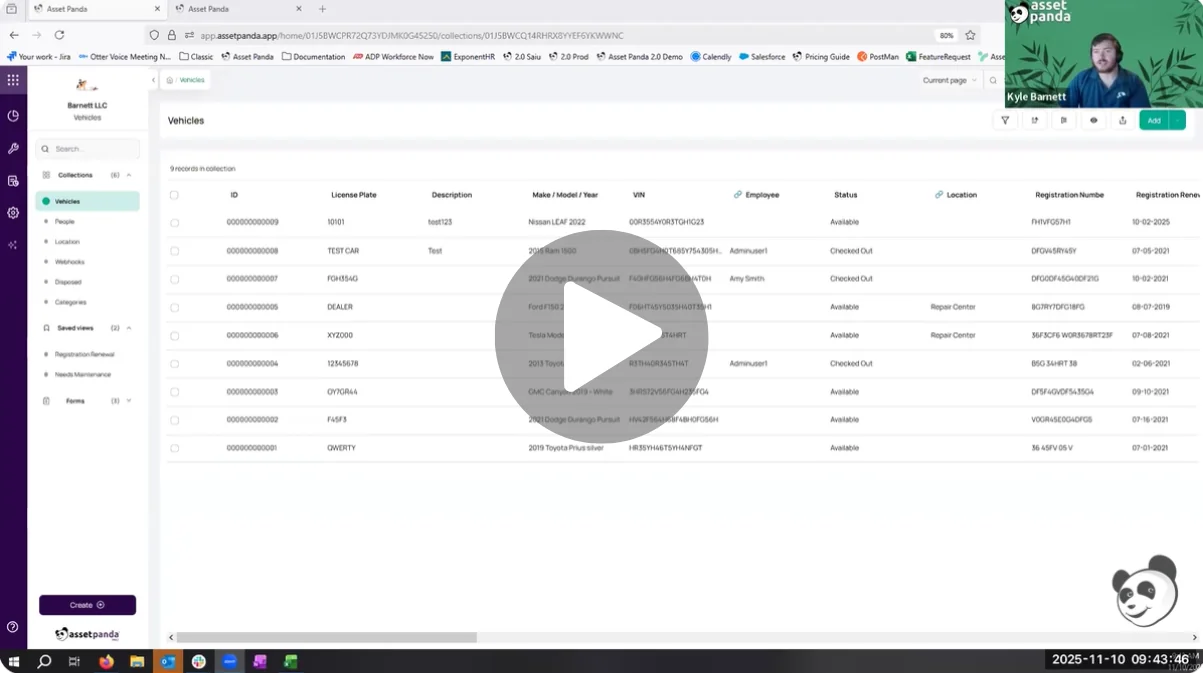
Watch a full tutorial of Asset Panda Pro’s depreciation functions in our YouTube video.
If you’re an existing customer looking to add depreciation functionality to your account, reach out to your Account Manager or [email protected].
Not yet a customer? Schedule a meeting with a solution specialist to see how Asset Panda Pro can help you save time and boost compliance.
Take Control of Your Assets
A personalized demo is just one click away.
Related Resources



Learn more from a solution specialist
Schedule a demo to find out how you can transform your workflows with Asset Panda Pro
Contact our team at (888) 928-6112
