
SCHOOL DISTRICT ASSET MANAGEMENT SOFTWARE
Defend Funding Integrity. Maintain 1:1 Device Accountability. Enter Audit Prepared.
Asset Panda centralizes 1:1 device assignments, grant-funded inventory, and lifecycle documentation into one defensible system built for district oversight. When auditors, finance, or the board request answers, your records are ready.



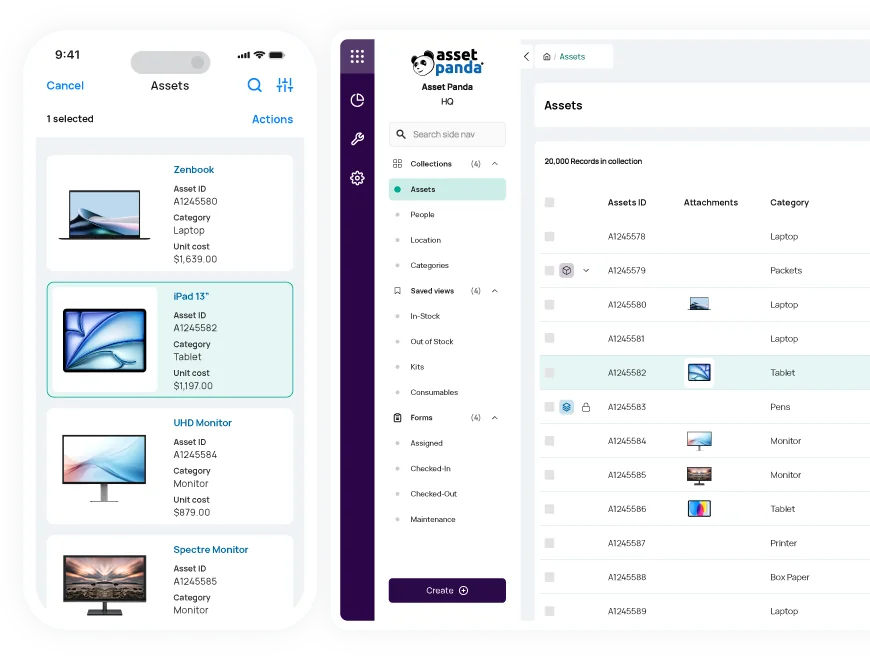
Trusted by Public School Districts from Coast to Coast




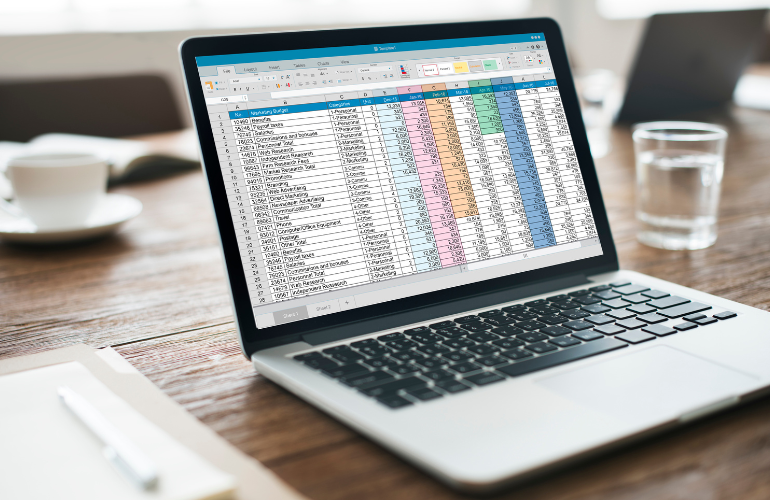
Why School Districts Move Beyond Spreadsheets
Most districts didn’t choose complexity. It evolved.
- A master inventory spreadsheet
- Repair notes inside a ticketing system
- Device transfers handled by email
- Building totals rebuilt at year-end
- Grant documentation stored separately
It works — until visibility is required.
When oversight demands documentation, every device must be traceable from assignment through lifecycle history. That’s when scattered records become exposure.
District technology and finance leaders don’t just need inventory. They need:
- Verifiable 1:1 device custody history
- Multi-campus visibility in real time
- Grant-funded asset tracking
- Documented repair and condition logs
- Time-stamped audit trails
- Lifecycle reporting by school and funding source
Asset Panda creates one documented record per device — automatically updated as assignments, transfers, repairs, and inspections occur.
District-Wide Visibility Across Every Campus

Know Where Devices Actually Are

Grant Lifecycle & Funding Accountability

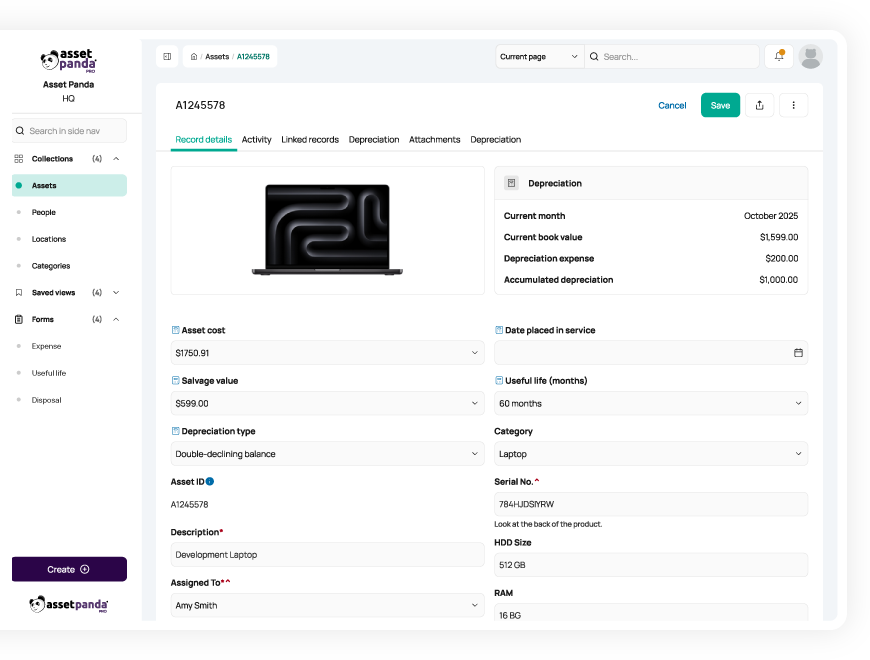
Maintain Complete Device & Assignment History

Capital Asset & Budget Oversight
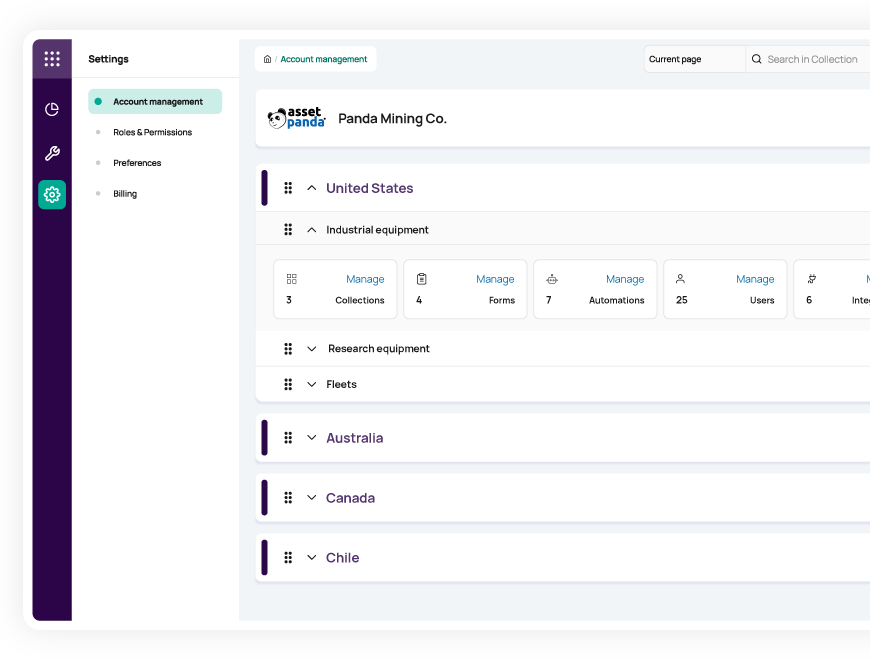
Built for Campus Environments, Not Just Central Office
Technology management doesn’t happen in one building.
Asset Panda includes:
- Mobile apps for iOS and Android
- Barcode and QR code scanning
- Photo-supported documentation
- Customizable assignment and inspection forms
- Role-based permissions by school or department
Update device records in the classroom.
In the library. At a different campus.
The audit trail builds itself as work happens.
Works Alongside Your Existing Systems
Asset Panda does not replace your:
- Student Information System (SIS)
- Ticketing or help desk platform
- ERP or finance system
It complements them.
- Import current inventory lists
- Export reports for finance and compliance
- Align with district reporting structures
- Connect via API workflows
Implementation adapts to district workflows — not the other way around.
No IT overhaul required.
From Spreadsheet Dependency to District-Level Control
| District Oversight Requirement | Asset Panda | Spreadsheets |
| 1:1 device assignment history | ✔ Time-stamped, user-attributed custody logs | Manual updates |
| Multi-campus visibility | ✔ Real-time dashboards by school | Separate files |
| Grant-funded asset tracking | ✔ Funding source tied to device record | Manual compilation |
| Repair & condition documentation | ✔ Complete, timestamped service history | Split systems |
| Audit-ready documentation | ✔ Automatic change logs & exportable reports | None |
| Capital planning support | ✔ Lifecycle reporting by school & funding source | Rebuilt annually |
| Device custody & existence verification | ✔ Documented assignment & transfer history | Guesswork |
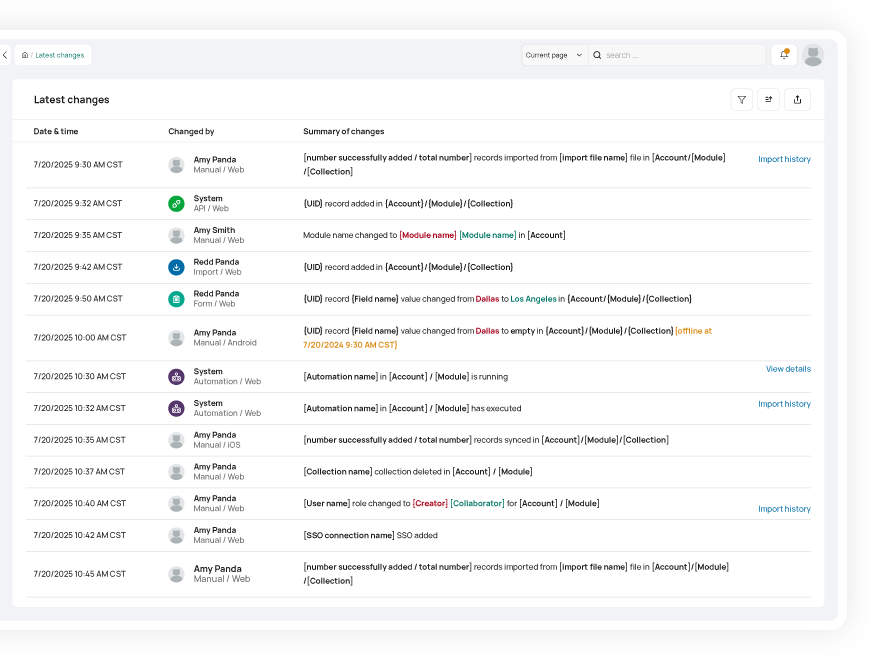
When Oversight Questions Come, You’re Ready
When auditors sample devices across campuses.
When grant monitors request funding documentation.
When finance reviews technology spend.
When the school board asks, “Can we defend this?”
You won’t be rebuilding spreadsheets.
You’ll be retrieving records.
Complete. Traceable. Defensible.
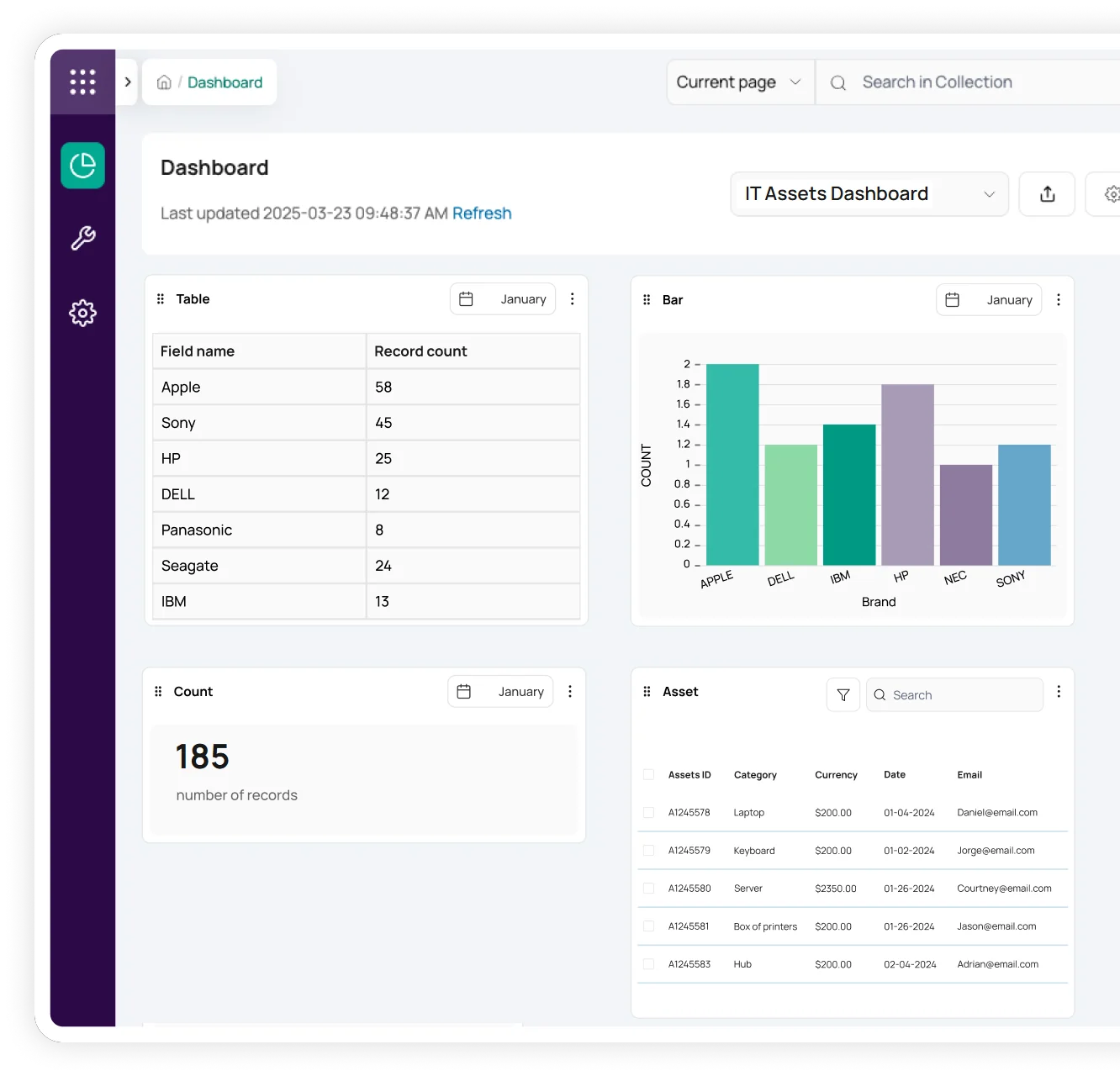
Smarter Visibility with Ursa AI
Asset Panda includes Ursa AI to help school districts:
- Identify missing device assignment records
- Surface funding inconsistencies across campuses
- Highlight aging devices nearing replacement thresholds
- Flag incomplete repair or condition documentation
- Retrieve asset answers instantly without digging through reports
Ursa AI strengthens oversight and visibility — it does not replace district decision-making.
When documentation gaps exist, you see them before auditors do.
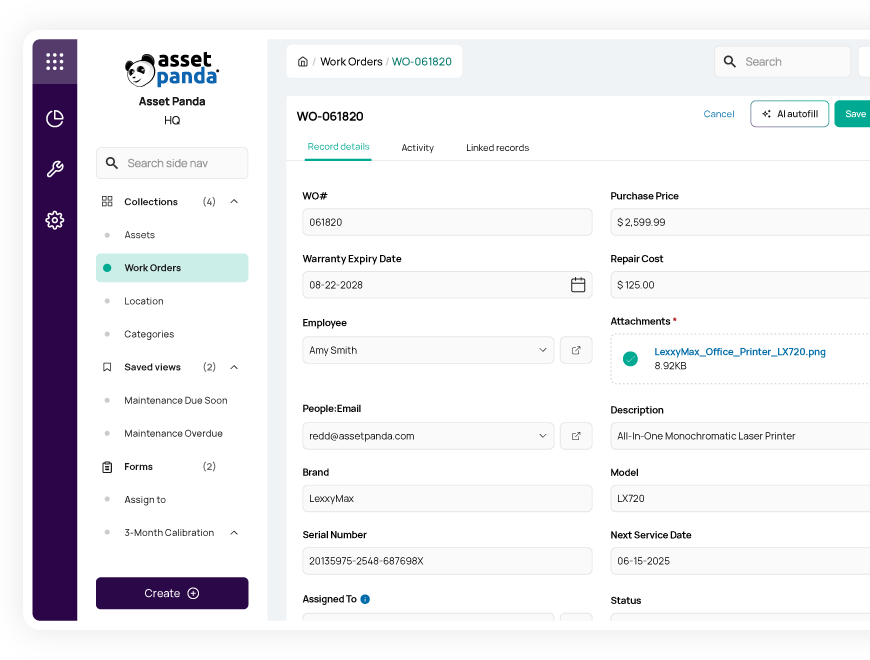
Designed for District Accountability
School districts operate under:
- Federal and state funding oversight
- Public transparency expectations
- School board budget review
- Multi-campus operational complexity
- Community trust
District leaders don’t just manage devices. They safeguard funding integrity.
Asset Panda helps you maintain documented control — so when auditors, finance, or the board request answers, your records are ready.
The Gold Standard for K-12 Asset Management

Hockinson School District can check asset status in real time
“When staff is out in the field, we can check on the status of any asset no matter where we are. It’s also helpful when moving from campus to campus and checking out items to students”
Austin Webberley
IT Support Technician I

Creston Community School District gets 3 hours back per day
“I have a wealth of data right in the palm of my hands about all of our district’s assets. I can even scan an asset on the spot and see if it’s in our inventory or not. If it isn’t, then I can add it right in instantly...and Asset Panda will track its entire lifecycle moving forward.”
Brendalee Lyell-Keate
Technology Department

Aiken County Public School District uses barcode feature to enhance accountability
“The added capabilities of being able to take pictures of our equipment and attach it to our assets provide more accountability for all involved. Barcodes affixed to assets allow us to link them to any student, teacher or school in our district.”
LeAnn Reinholt
Assistive Technology Lead

Arbor Park School District 145 boosts efficiency to satisfy superintendent
“My Chief Technical Officer says Asset Panda is top-notch and just what we need. My teachers love it. My Board of Education is impressed. And that makes me a happy superintendent!”
Andrea Sala
Superintendent
Frequently asked questions
Does Asset Panda support 1:1 device program accountability?
Yes. Each device can be assigned to a student or staff member with documented assignment dates, transfer history, and condition records. Every change is time-stamped and attributed to a user, creating a defensible custody trail.
Can we track devices funded by ESSER, E-Rate, or other grants?
Yes. Devices can be tagged by funding source, school allocation, and compliance period. Funding data remains tied to the asset record, allowing you to generate funding-specific reports during audits or grant reviews.
How does this help during audits?
Every assignment, repair, inspection, and transfer creates a time-stamped record. When documentation is requested, export reports instantly rather than reconstructing history from multiple systems.
Does this replace our SIS or help desk platform?
No. Asset Panda complements your SIS and ticketing systems by centralizing device-level history and custody documentation while supporting imports, exports, and API workflows.
Can we track inventory across multiple campuses?
Yes. Devices can be organized by school, department, classroom, or funding source — with centralized district-wide visibility and role-based permissions.
Does this support capital planning and replacement forecasting?
Yes. Track acquisition cost, repair spend, device age, and lifecycle trends by school to support data-driven capital planning and replacement justification.
Is implementation disruptive?
No. Most districts begin by importing existing spreadsheets and layering in assignment tracking and grant documentation. Implementation can be phased by campus or department.
Learn more from a solution specialist
Schedule a demo to find out how you can transform your workflows with Asset Panda Pro
Contact our team at (888) 928-6112
