

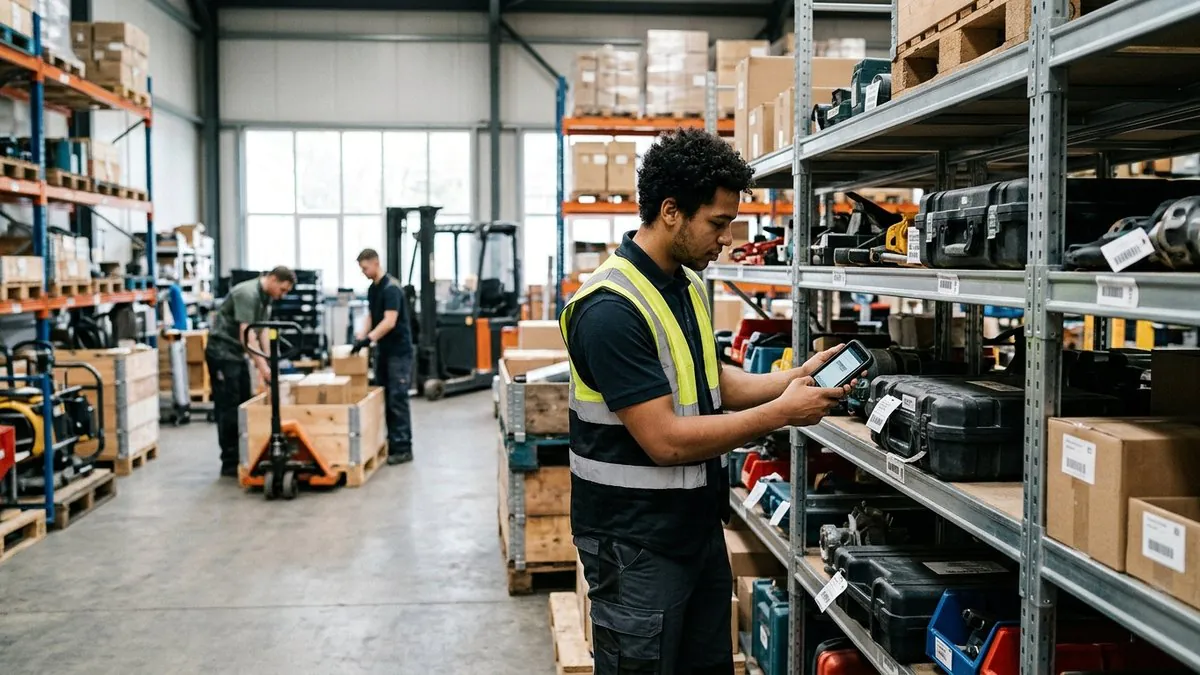
Quick Answer: Mobile asset tracking lets your team scan, update, and manage assets from any smartphone or tablet in real time. Asset Panda’s mobile app works on Android and iOS, requires no desktop, and gives every authorized user instant access to asset records, check-out workflows, maintenance alerts, and audit trails from wherever they are.
Asset Panda’s mobile asset management app will transform the way you track assets for the better. Access robust mobile asset tracking on your tablet or smartphone whenever and wherever you need it.
Mobile Asset Management Solutions for Every Industry
Organizations of all sizes trust their valuable assets to Asset Panda’s complete asset management solution. Mobile asset managers across the globe are ditching pen and paper and other outdated products and opting for proper life cycle asset management that fits in the palm of their hands.
The easiest way to solve problems, gain accountability, and record reliable asset data is to enable team members to update information in real time. And the most efficient way to control this real-time data entry process is by granting authorized access to those who regularly interact with your organization’s assets.
In today’s thriving digital age, most employees and workers already have a mobile phone in their pockets, and whether they have an Android or iPhone, Asset Panda’s mobile asset management software application is available on virtually any smartphone or tablet.
From small businesses to large corporations, every organization has something of value they want to keep tabs on. Mobile asset tracking solutions meet this need regardless of your industry or the stuff you’re tracking.
Education
Schools, universities, and other educational institutions manage a huge variety of assets and inventory both onsite and remotely. Being chained to a desktop can interfere with record-keeping processes, especially when your school’s assets are on the move.
By making your asset tracking software available on the web and as a fully configurable mobile app, you’ll avoid wasting time and money that decreases your school’s asset performance and effectiveness.
Construction
If you work in the construction industry, you know that your ‘office’ on a given day can include multiple worksites and locations, with your tools and equipment spread across them at any given time. Our mobile app allows you to track your tools and equipment from one convenient location, fully cloud-enabled for access wherever you are, whether you have internet access or not.
Reduce downtime by accessing real-time data from your mobile device, and make better use of your existing assets while ensuring better purchasing decisions in the future. With Asset Panda’s tool tracking software, you will always know which tools are on your job sites. Quickly and easily schedule equipment maintenance, book employees or equipment to jobs, and find asset information in our mobile app with built-in barcode scanning.
Healthcare
The ability of healthcare organizations to effectively manage assets doesn’t just affect their bottom line. It could also impact people’s lives. When managing the location, use, and maintenance of lifesaving medical equipment, fast access and dependable tracking are vital. That’s why Asset Panda’s healthcare asset tracking software has become a worldwide go-to choice for healthcare facilities.
Our comprehensive medical inventory mobile application tells you exactly where devices are located at a given time so that you can provide the best possible care for your patients, anytime, anywhere.
Government
Government asset management software isn’t just crucial for effectiveness and efficiency. It’s also vital for compliance. Government organizations must adhere to the most stringent compliance standards regarding asset use, which is why many asset tracking apps can slow government agencies down.
Not Asset Panda, which provides a streamlined yet robust web-based and mobile asset management app that helps you:
- Keep up-to-date records on assets
- Conduct audits smoothly
- Make repairs more quickly
- Extend the lifespan of your equipment
- Stay fully compliant at all times
First Responders
First responders know that properly functioning equipment saves lives, so there’s no industry where proper maintenance, replacement schedules, and other asset tracking data are more critical. And with first responders constantly on the go, mobile asset tracking is essential.
Asset Panda provides complete visibility into the unique information you need at a moment’s notice about the specific gear first responders need to be effective, stay safe, and save lives. And when equipment does fail, you can know instantly and remove that gear from service until it can be repaired or replaced.
Non-Profits
Non-profits have unique asset management needs because many regularly take donations that must all be properly tracked and accounted for, and that’s where an asset tracking app is essential.
The moment assets are sent, Asset Panda accounts for them in the cloud database so that anyone you grant access to can have the necessary visibility. Generally, a better non-profit asset tracking solution with a mobile asset management app means reduced repair costs and lower waste.
Religious Institutions
Churches and religious institutions must empower volunteers and staff to track the assets needed to serve their congregations. Live AV equipment, musical instruments, and other assets all track differently, which is why Asset Panda’s fully configurable church asset tracking app is an essential tool for churches nationwide. Stay up to date when staff check out equipment, make new purchases, and scan barcodes to check assets in or out.
Other Industries
We’ve listed some of the most common industries where asset tracking software excels. But there’s really no limit to the types of organizations that can benefit from mobile, cloud-based asset tracking. With a fully configurable system that lets you track the information that matters most about your unique assets, any company can maximize the efficiency of its asset tracking system for any industry with Asset Panda.
A common question from finance and operations teams is where to draw the line on what gets tracked. Small items are often left off the books, but anything above a set dollar threshold, or items that could add up to meaningful loss if they walk out the door, are worth tagging. Asset Panda lets you set your own threshold and configure the fields that matter, so you can decide whether to track only high-value equipment or extend coverage to smaller items that still carry replacement cost.
How Asset Panda’s Mobile Asset Management Software Works
Want to understand how Asset Panda’s asset management software makes tracking your organization’s assets easier than ever? It’s simple!
Step 1: Assign Barcodes or QR Codes
When you begin tracking an asset, you can instantly generate a barcode or QR code that serves as that asset’s unique identifier. Asset Panda makes this process straightforward and simple, directly from your asset tracking app on your mobile device. You can assign a series of configurable information fields to that barcode and associated item, making tracking even more powerful.
Step 2: Scan Codes for Info and Check-in/Check-Out
Want information on an asset, from its service history and maintenance records to when it has been reserved and by whom? Simply scan the code, and all of that asset’s information instantly appears on your mobile device. You can also use this process to make reservations on assets, check them out, or check them back in again when you’re finished using them.
Step 3: Stay on Top of Your Inventory with Advanced Reporting
Asset Panda goes beyond the ability to check items in or out and search for their current location. It’s also designed to provide advanced reporting and insights into how your assets are used, moved, and maintained. You can instantly call up reports on an item’s service and usage history, as well as any maintenance alerts that may be attached to it. That way, your assets aren’t just where they’re meant to be. They’re also in great working condition at all times, especially when they’re needed most.
Every interaction with an asset creates an audit trail. When an item is transferred to a new employee, marked as damaged and routed to a repair technician, or moved between locations, Asset Panda logs the change against that asset’s record. That means IT and operations teams can look up any asset and see who touched it, when, and what state it is in right now, without chasing down emails or spreadsheets.
Asset Panda’s Asset Tracking App Features
Here are some features that make Asset Panda’s mobile app so unique – the same features that have resulted in rave reviews from countless clients in every conceivable industry.
Custom Configuration
Every company is different, and they all manage unique asset types. That means that the metrics and parameters that matter most to one business may not matter to another. That’s why Asset Panda’s mobile asset tracking app is designed to be as configurable as possible. Create your own specific fields and layouts for asset tracking to put your organization on the path to efficiency.
Unlimited Users
There’s no limit to how many users can access the Asset Panda app, ensuring that everyone in your company can track, maintain, and use your most important assets when they’re needed.
Assignable Permissions
Worried about granting too many people access to your company’s most valuable assets? Asset Panda makes assigning specific permissions to a wide range of users and groups easy. For example, you may assign a specific organization within your company to only be able to check out assets that are relevant to their duties.
Mobile Signature Capture
Want to require a signature for access to specific assets? No clipboard or pen required. Asset Panda lets you capture signatures digitally from a smartphone or other mobile device.
Barcode Generation and Scanning
Instantly generate and scan barcodes or QR codes so that tracking your assets is as simple as taking a photo with your cell phone.
Mobile Check-out and Returns
Even if a user isn’t physically present to scan an asset for check-out, they can reserve that asset remotely from their mobile device and see whether another user has already claimed it. This keeps your entire company organized and aware of which assets are being used at which time, and which ones are in need of maintenance, from anywhere.
Full Cloud Access
Full remote access is essential for a truly mobile experience in an asset tracking app, which is why Asset Panda’s mobile platform is fully cloud-enabled.
Intuitive Interface
Asset Panda’s mobile experience is clean, simple, and easy to use because it was designed specifically for mobile users on the go. Never deal with a confusing, frustrating mobile interface again.
Streamline Your Mobile Asset Tracking with Asset Panda
Buyers tell us the same thing on nearly every call: if the mobile experience is not easy, field staff will not use it. Asset Panda’s mobile app is built around that reality. Scanning a code, updating a field, transferring an asset, or logging damage all happen in a few taps on the phone your team already carries, so tracking becomes part of the daily workflow instead of an extra task.
Are you ready to discover what Asset Panda’s mobile asset tracking app can do for your company? Schedule a call with your solution specialist today.
Frequently Asked Questions
What is mobile asset tracking and how does it work?
Mobile asset tracking is the process of recording, monitoring, and managing physical assets using a smartphone or tablet instead of a desktop computer or paper log. With Asset Panda, you assign each asset a barcode or QR code, then scan it from the mobile app to pull up records, check items in or out, log maintenance, or transfer ownership. All data syncs to the cloud so every authorized user sees the same up-to-date information in real time.
Does Asset Panda's mobile app work on both Android and iPhone?
Yes. Asset Panda’s mobile asset management application is available on virtually any smartphone or tablet, covering both Android and iOS devices. Your team can use the phones they already carry, with no specialized hardware required.
Can my team use the app without an internet connection?
Asset Panda is fully cloud-enabled, and the app is designed to support field use in environments where connectivity can be inconsistent. Teams in industries like construction regularly use the app across job sites regardless of internet availability. Contact the Asset Panda team for specifics on offline functionality that fits your workflow.
How do permissions work for different users?
Asset Panda lets administrators assign specific permissions to individual users or groups. For example, a field crew might only be able to check out equipment relevant to their role, while a manager has full visibility across all asset records. This keeps sensitive data protected while still giving everyone the access they need to do their jobs.
Is Asset Panda suitable for small organizations, or is it built for large enterprises?
Asset Panda is built to scale. Small businesses, non-profits, schools, and religious institutions use it alongside large corporations and government agencies. Because the system is fully configurable, you set the fields, thresholds, and workflows that match your organization’s size and needs, whether you’re tracking a few dozen items or tens of thousands.