


Asset Inspection Software
Simplify Your Asset Inspections
Seamlessly create and assign inspections to keep your assets in working order with our asset inspection software.

AI Enhanced
Improve your efficiency with the power of Asset Panda Intelligence.

Fast Time to Value
Achieve high user adoption and ROI with our intuitive interface.

Streamlined Inspections
Easily create custom inspection checklists and assign them to available team members.
Optimize your inspection workflows
Streamline inspections with customizable checklists and barcode scanning
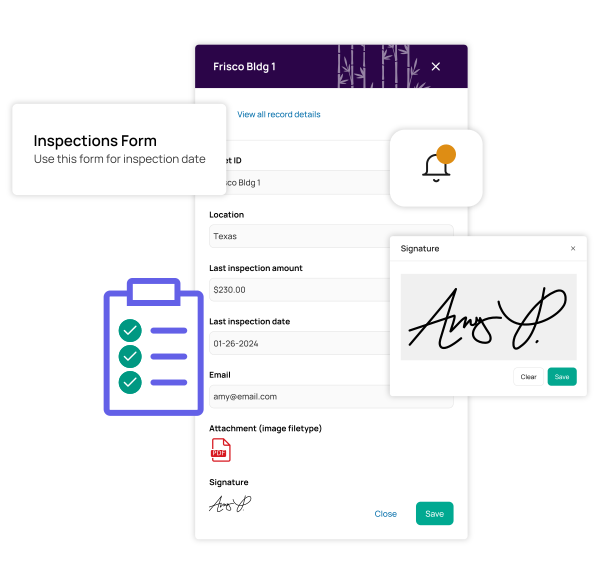
Create custom inspection checklists to boost efficiency and compliance with our easy-to-use asset inspection software. Attach the correct asset to your inspections and enforce your processes with required fields like signatures and photos.
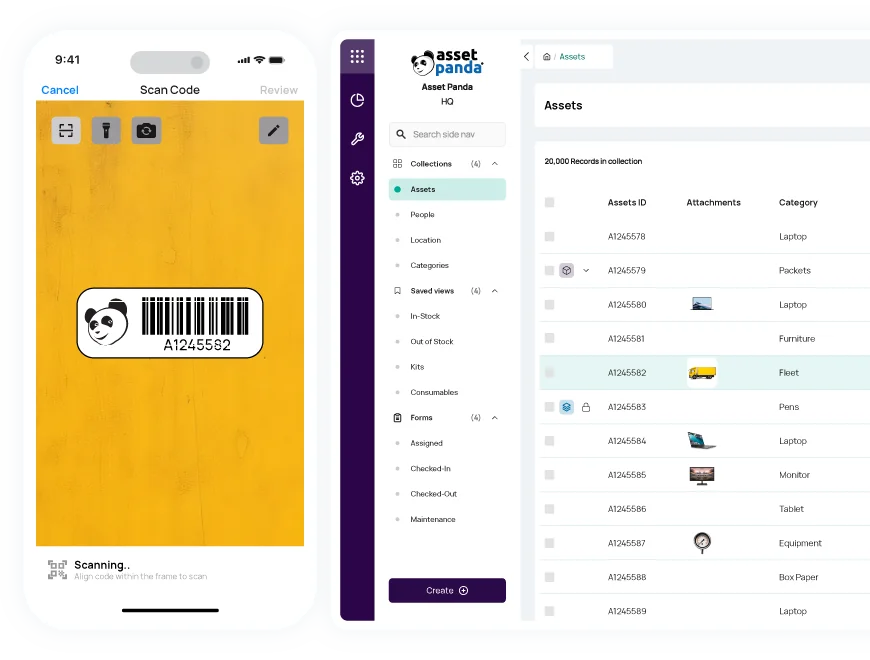
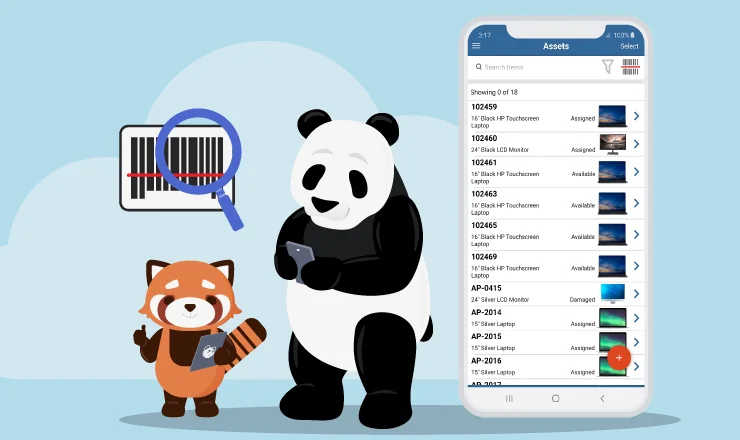
Enable your team to conduct asset inspections from anywhere using our mobile app with built-in barcode technology. Generate and print your own asset tags and scan them with your mobile device’s camera to save time and improve data accuracy.
Gain actionable insights
Make more informed decisions with real-time notifications and reports
Review completed asset inspections and stay ahead of upcoming ones with our asset inspection software. Create custom notifications to alert you of approaching inspection dates or failed inspections to maximize productivity and uptime.
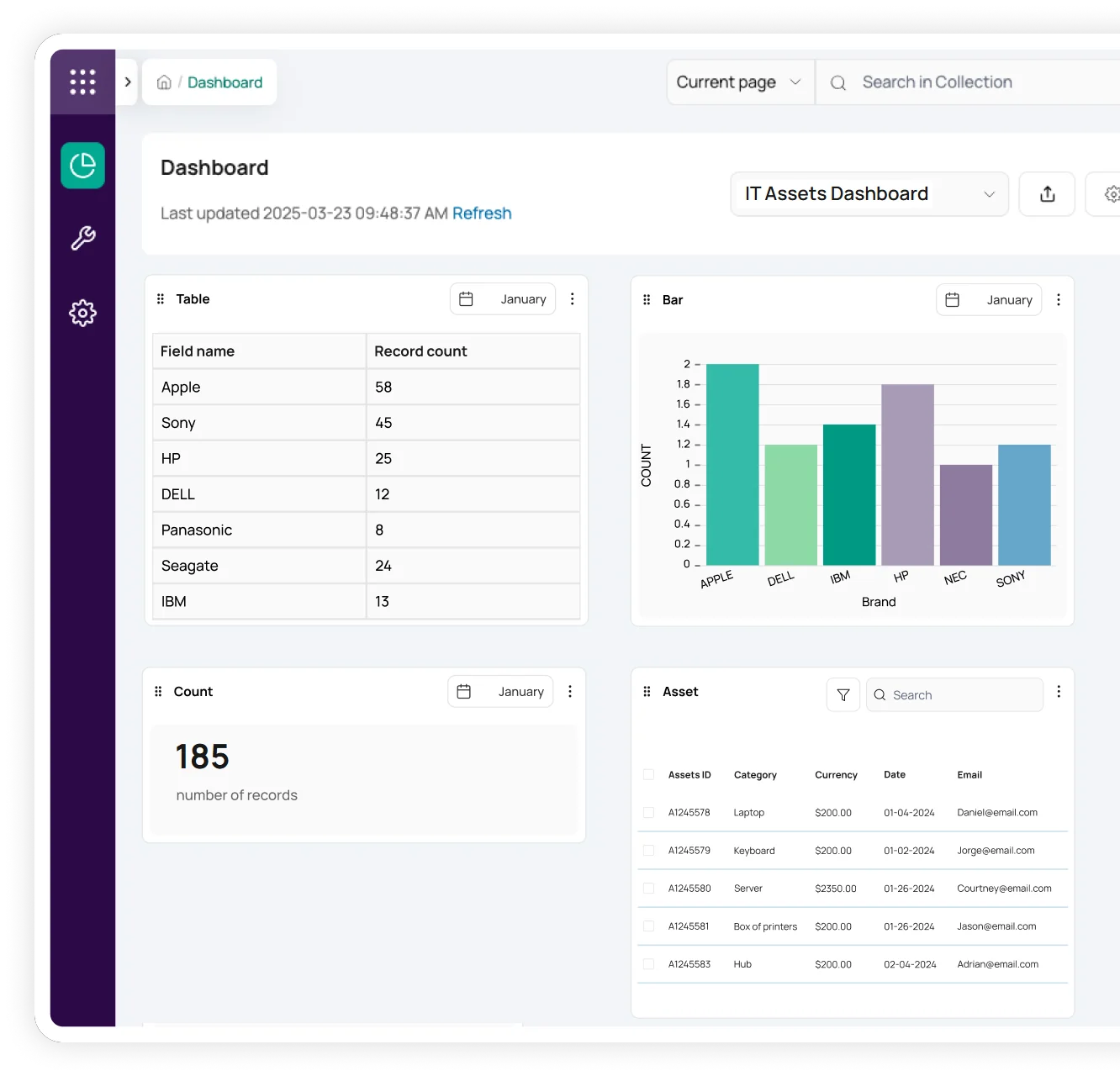
Easily review asset inspection progress with our robust reports and visual dashboards. Customize reports with virtually unlimited filters and create automated reporting schedules so you can routinely review completed or past-due inspections and optimize future asset inspection scheduling.
Effortlessly manage inspection schedules
Assign inspections to available technicians for increased efficiency
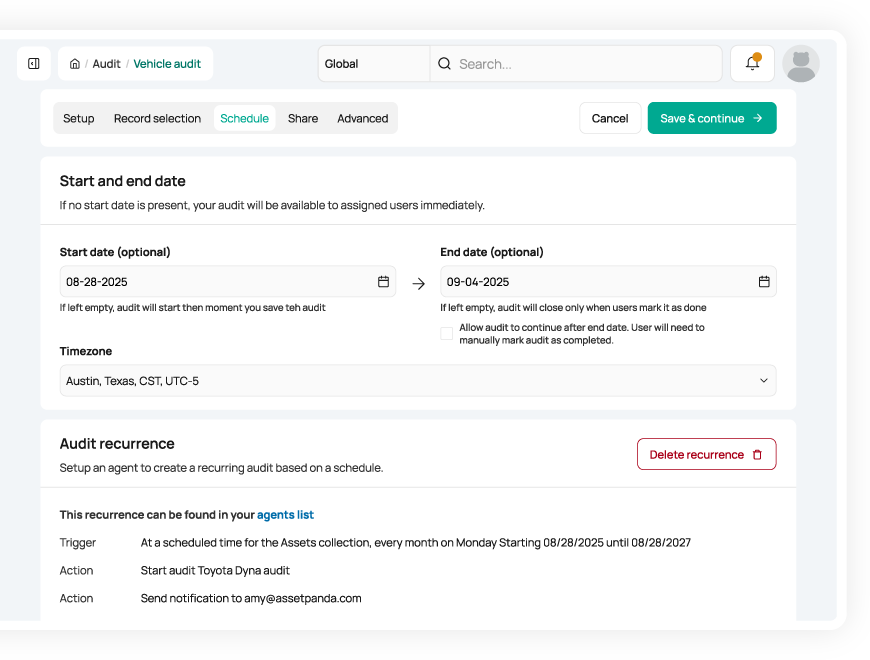
Monitor and assign upcoming asset inspections to available team members to stay on track and prevent bottlenecks. Our centralized asset inspection software not only tracks all your assets and inspection checklists but also allows you to add users with customized permissions.
With streamlined asset inspection scheduling, you can effectively manage workloads and increase accountability and compliance.
Useful features for asset inspections

Asset assignment

Barcode tracking

Multi-account structure

Full lifecycle history

Maintenance tracking

Asset inspection

Repair tracking

Signature capture

Asset kitting

Tool tracking

Record-level attachments

Contract management

Unlimited users

Automations

Robust reports

Action-based forms

Notifications

Custom fields

Field requirements

Asset listing view

iOS and Android Compatible

Offline mode

Full integration with web app

Built-in barcode scanning

GPS pindrop

Mobile actions

Reporting access

Quick asset addition

User specific views

Sortable columns

Global & faceted search

Mobile and web apps

Data import

Easy record replication
Unlimited users

Bulk asset reallocation

Amazon AWS hosting

TLS 1.2 Encryption

Robust roles and permissions
Related asset inspection resources


Frequently asked questions
How can I enforce a mandatory safety inspection checklist before equipment checkout?
You can enforce safety inspections operationally by creating a required “Inspection” form that must be completed before staff perform a checkout. The inspection form can include mandatory checklist fields, and the checkout itself is handled through a separate update form. While Asset Panda does not enforce form sequencing automatically, you can use permissions, required fields, and automations to ensure staff complete inspections before checking out equipment.
How does the Asset Panda mobile app's 'offline mode' function during remote inspections?
The mobile app’s offline mode allows staff to perform inspections and audits in areas without an internet connection, provided the user downloads the necessary asset data first while still connected to a network. By syncing the relevant records before heading to a remote location, users can update asset information, capture photos, and collect signatures, all of which are stored locally on the device. Once the device regains connectivity, these updates automatically synchronize with the main cloud database to ensure all records are current.
How does Asset Panda prevent data errors or duplicate entries during the manual inspection process?
Asset Panda reduces inspection errors by using barcode scanning to pull up the correct asset record, eliminating manual typing mistakes and preventing accidental duplicate creation. Forms can also enforce required fields, dropdown lists, and data validation rules to ensure consistent, accurate data entry. When combined with unique-field configurations (e.g., unique Serial Number or Asset Tag), the system prevents duplicates and maintains clean inspection data.
Can I generate a printable PDF form or receipt from an inspection workflow for signature proof?
Yes—after an inspection form is submitted, Asset Panda can email a receipt containing all submitted details, including signatures. While the system does not automatically generate a PDF, you can open the submitted form in the web application and use your browser’s print-to-PDF option to save or print a PDF version of the inspection record whenever needed.
How can I generate an 'unlisted items' report during an audit to flag assets in the wrong location?
Asset Panda’s Audit tool identifies items that were scanned but not included in the audit’s expected list, labeling them as “Outside List.” This allows you to quickly spot assets found in an unexpected location or not assigned to the current audit. You can then export the audit or use in-audit filters to generate a report showing Outside List and Not Audited items, helping you investigate misplaced or missing assets.
Can I track multiple sensors or components with different maintenance schedules within a single piece of equipment?
Yes. To track multiple sensors or components with their own maintenance schedules, you can create a separate collection for components and link them to the main equipment record using a Pull-From-Collection relationship field. Each component is stored as its own record, allowing it to have independent maintenance schedules, warranty dates, and component-specific fields while still being associated with the parent asset.
Learn more from a solution specialist
Schedule a demo to find out how you can transform your workflows with Asset Panda Pro
Contact our team at (888) 928-6112
