The Ultimate Guide to GASB-Compliant Asset Management for Public Administration

State and local government agencies often find financial audits to be stressful, disruptive events. But with the right approach to GASB-compliant asset management – adhering to Governmental Accounting Standards Board (GASB) rules for tracking and reporting assets – an audit can transform from a high-stress fire drill into a routine validation of the good work your agency does every day.
This comprehensive guide breaks down what GASB compliance is, identifies key audit risks of using spreadsheets and ERP modules, and provides a step-by-step checklist to help your agency master your next audit rather than merely survive it. Throughout, we’ll highlight why modern solutions like Asset Panda empower public sector teams – from CFOs to IT Managers – to maintain a perfect audit trail in real time through extreme configurability and user-friendly design. Let’s dive in.
What Is GASB 34?
GASB 34 is a Governmental Accounting Standards Board statement requiring state and local governments to report on capital assets, infrastructure, and depreciation in their financial statements.
For public agencies, this means maintaining:
- A complete capital asset register
- Consistent depreciation schedules
- Infrastructure asset reporting
- Impairment and disposal documentation
- Audit-ready supporting records
The goal of this pronouncement is to improve transparency so stakeholders can clearly see the true value and condition of public assets. GASB 34 actually expects agencies to conduct a physical inventory of capital assets and record any additions or disposals, ensuring that what’s on your books matches reality. Keeping up with these details might sound tedious, but it’s fundamental to GASB-compliant asset management – and it pays off by preventing unpleasant surprises during an audit. Agencies that don’t independently maintain transparent, up-to-date asset records may find a state auditor stepping in to do it for them.
Why GASB Compliance Becomes Difficult at Scale
Most agencies begin tracking their capital assets with spreadsheets or basic ERP modules. These systems work until:
- Asset counts exceed 500+ items
- Multiple departments maintain separate records
- Capital projects increase infrastructure complexity
- Auditors request historical change documentation
- Reconciliation between finance and operations becomes manual
Where Spreadsheets and ERP Modules Fall Short
Decentralized tracking methods at scale can lead to duplicate or inaccurate data, poor audit trails, and ghost assets. All of these put your audit and your GASB 34 compliance at risk.
The most common audit risk factors when tracking your public administration assets with spreadsheets include:
- No immutable audit trail
- Manual depreciation formulas
- Version control issues
- Limited cross-department visibility
ERP asset modules also pose their own set of risks:
- Primarily financial, not operational
- Limited chain-of-custody visibility
- Minimal lifecycle tracking
- Often disconnected from department-level updates
What a GASB-Compliant Capital Asset Register Must Include
Creating a centralized capital asset register is vital for achieving GASB 34 compliance. Instead of juggling multiple spreadsheets or disparate systems (and worrying about which one is correct), a single source of truth for your asset data greatly helps your agency increase accuracy, efficiency, and accountability in government operations. Here are 5 tenets to consider when setting up your compliant capital asset register.
1. Asset Classification
- Asset category or class
- Department ownership
- Infrastructure designation
2. Financial Details
- Acquisition cost
- Funding source
- Capitalization threshold
- Placed-in-service date
- Expected useful life
3. Depreciation Data
- Depreciation method (e.g., straight-line)
- Accumulated depreciation
- Net book value
- Depreciation expense reporting
4. Lifecycle Events
- Maintenance history
- Impairment documentation
- Disposal method
- Gain or loss calculations
5. Audit Support
- Change history logs
- Exportable reports
- Supporting documentation attachments
How to Prepare Your Agency for Its Next Audit: A Step-by-Step Checklist
Even with a centralized system in place, proper planning and execution are key to a smooth audit. Below is a step-by-step checklist to ensure your agency is prepared for its next asset audit. By following these steps, you can confidently demonstrate GASB-compliant asset management practices and master your audit with ease:
Conduct a full fixed asset inventory
At its core, an audit is the process of verifying whether the assets on your books exist and in the location and condition they’re supposed to be in. To effectively prepare for an audit and ensure your records are up to date, first perform a comprehensive physical inventory of all capital assets. This means verifying each physical item on your asset register (and conversely, ensuring there are no significant assets present that aren’t on the list). It’s also your opportunity to identify any ghost assets in your inventory and remove or archive them.
GASB standards explicitly encourage regular physical inventories as part of good stewardship, and many auditors expect to see evidence that you’ve done one recently. Barcode or RFID labels can help speed up the inventory process, especially if you have a mobile asset management app to scan these tags directly on your mobile device.
Reconcile physical inventory with financial records
Once your physical count is complete, it’s time to reconcile your findings with your financial asset records. All discrepancies must be investigated and resolved. Did the inventory team find an extra laptop that wasn’t on the books? Did they discover that five old vehicles listed in the ledger were actually auctioned off last year? Record any discrepancies with the ultimate goal in mind of making your physical asset inventory matches your ledger. This reconciliation is critical for GASB compliance as auditors will compare these records.
Verify depreciation schedules
Ahead of your audit, it’s vital to verify that your depreciation schedules are accurate and up to date. Review the useful lives and depreciation methods assigned to each asset category (IT devices, vehicles, equipment, etc.) and ensure they align with your state’s policies and GASB guidelines. Check that new acquisitions are added to the schedule and start depreciating in the correct month, and that disposed of or fully depreciated assets are handled properly reflected in your records.
Any errors here can lead to misstated expenses or asset values, which auditors will catch by recalculating sample items.
Generate required reports
Finally, prepare the key reports and documentation that auditors typically request. Being proactive here not only speeds up the audit but also showcases your agency’s control over asset data. Common reports include a detailed fixed asset register (listing each asset with its ID, description, location, acquisition date and cost, accumulated depreciation, and net book value), a roll-forward schedule reconciling beginning-of-year to end-of-year asset balances (with additions, disposals, and adjustments listed), depreciation expense by asset class or function, and any reports of asset impairment or write-downs if applicable. By generating and reviewing these reports before the auditor asks, you can catch any last-minute inconsistencies and show that your GASB-compliant asset management processes are fully under control.
Following this checklist will leave your organization well-prepared and confident as audit day approaches. Essentially, you’re doing an internal audit before the external auditor arrives, aiding in a smoother and faster process to achieve GASB compliance.
How Asset Panda Supports GASB 34 Compliance
Asset Panda functions as a centralized capital asset register with automated compliance tracking. All your asset records – from acquisition details and location to maintenance history and depreciation status – are stored in one place, so everyone can be confident they're working with the most up-to-date information. This dramatically improves collaboration and transparency across departments (finance, IT, facilities, etc.) by breaking down data silos.
Structured Asset Records
Asset Panda's dedicated public administration asset management software automatically tracks user actions, including when someone edits a record, conducts an inventory scan, or disposes of an asset, the system logs the who/what/when details. This creates a clear audit trail that demonstrates accountability. Come audit time, you can easily provide evidence of every change in the asset register throughout the year—a level of transparency is virtually impossible to achieve with ad-hoc spreadsheets.
Plus, asset record fields can be customized to track all the metrics important to your agency, such as:
- Custom capitalization thresholds
- Category-based fields
- Department-level ownership

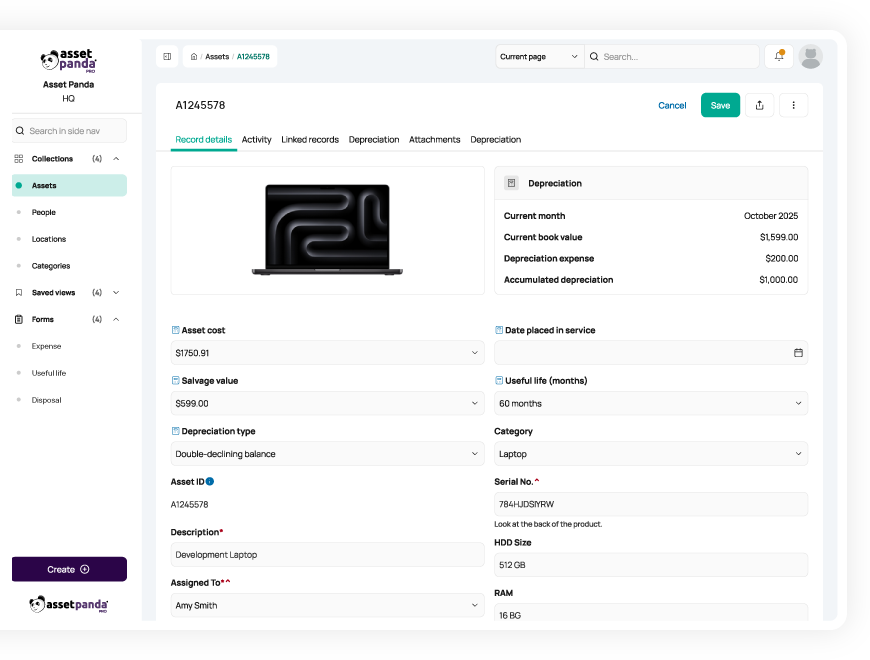
Automated Depreciation
From vehicles to computers, the majority of your fixed assets have what’s called a useful life. Throughout each item’s useful life, it depreciates in value and, in turn, lowers your tax liability and insurance premiums. Properly tracking depreciation is vital to avoid spending more than necessary on taxes and insurance and ensures that your records paint an accurate financial picture. Clear financial reporting is essential for any government organization to prove grant compliance and secure necessary funds in the future.
Asset Panda not only enables you to easily track the full lifecycle of your assets but also automatically calculates their depreciation using your chosen method. Whether you use the classic straight-line method, accelerated options like declining or double-declining balance, or usage-based methods like units of production, Asset Panda’s got you covered. Our system makes it easy to track other depreciation-related metrics, such as:
- Accumulated depreciation tracking
- Net book value reporting
- Exportable depreciation summaries
Infrastructure Tracking
Calling Asset Panda a single source of truth is no exaggeration—our platform not only tracks IT devices and vehicle fleets, but also vital infrastructure like facilities, roads, and work orders. This allows you to get a clear view of every asset your agency relies on and the tasks your team is working on. Asset Panda helps you seamlessly assign service requests or routine inspections to ensure you're serving your community to the best of your ability.
Complete Lifecycle Management & Audit Trail
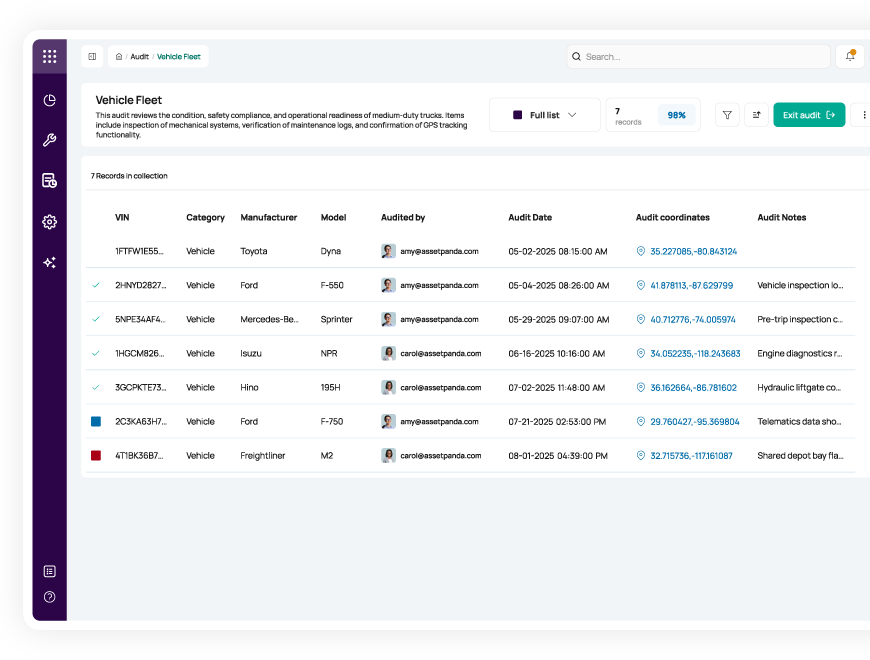
Asset Panda not only allows you to track an asset’s full useful life from acquisition to disposal, but all other relevant data points throughout its lifecycle. Whenever an item is checked out, moves locations, or has an inspection performed, each action is automatically logged and includes time and date stamps as well as which user made the change. This robust recordkeeping helps your agency keep clear audit trails for GASB compliance.
Audit-Ready Reporting
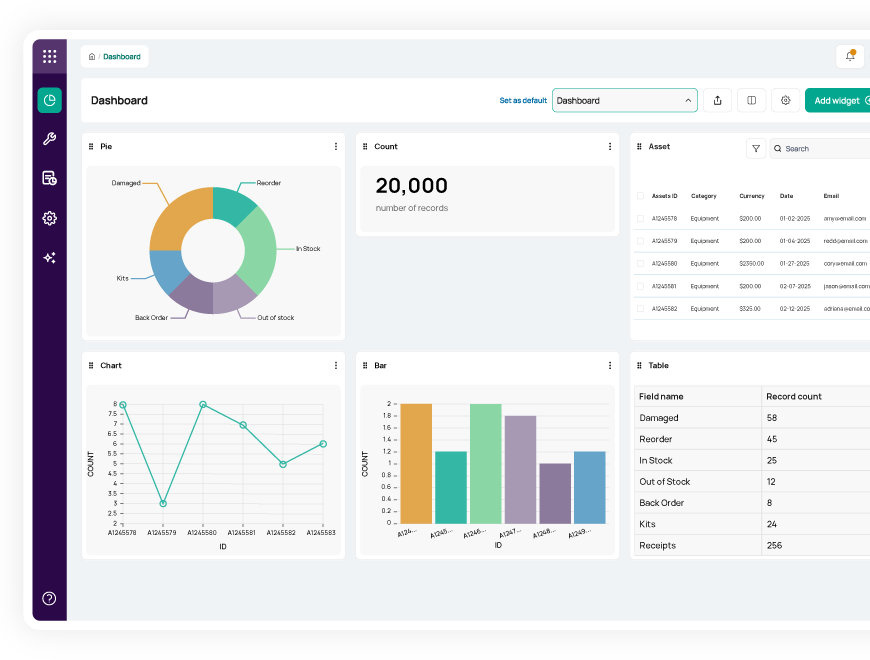
Beyond tracking every update to your asset records, Asset Panda enables you to maintain readily available documentation rather than reconstructing it during audit season. Easily export necessary data in minutes, and track other vital reports like:
- Capital asset roll-forward reports
- Depreciation summaries
- Disposal logs
- Activity history tracking
Seamless ERP Integration
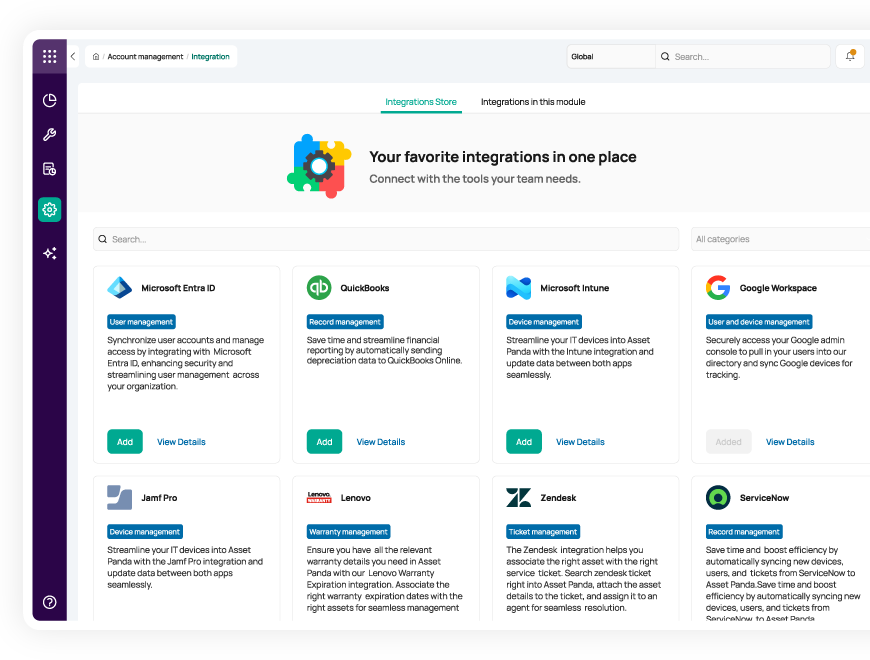
Although Asset Panda can house all your asset data in one centralized system, integrating with the other applications you already use is an essential element of creating a single source of truth. When connected to your ERP or accounting system, Asset Panda can:
- Serve as the operational asset subledger
- Automatically send depreciation calculations to your ERP
- Preserve required accounting workflows
- Improve compliance and reduce duplicate work
From Surviving to Mastering Your Audit: The Asset Panda Advantage
By now, it’s clear that effective asset management and audit readiness go hand in hand. With the right asset management system, audits are not crises to survive but opportunities to prove the integrity of your controls. Instead of scrambling each year, your agency can reach a point where audits become a simple, predictable process of validating data that you already know is accurate. This is where leveraging a modern compliance platform like Asset Panda makes all the difference.
Asset Panda helps cities, counties, and agencies maintain a centralized, audit-ready capital asset register aligned to GASB 34 requirements. Every movement, maintenance action, or inventory check on an asset is logged automatically, creating a continuous audit trail without extra work.
If your agency has more than 500 assets, increasingly complex audit cycles, or needs better operational tracking than your ERP alone can offer, it's time to transition to a dedicated asset management software.
See how Asset Panda’s public administration asset management software can help you increase transparency, efficiency, and compliance. Connect with a solution specialist today.
Additional resources to help you stay audit-ready



Learn more from a solution specialist
Schedule a demo to find out how you can transform your workflows with Asset Panda Pro
Contact our team at (888) 928-6112
