


Equipment Management Software
Stop Searching, Start Working
Get real-time equipment tracking, work order creation, and more with a solution designed for uptime

AI Enhanced
Improve your efficiency with the power of Asset Panda Intelligence.
Streamlined Work Orders
Easily create and assign work orders for increased efficiency.
Customizable Workflows
Configure the platform to match the way you already work.
Get real-time visibility into your equipment
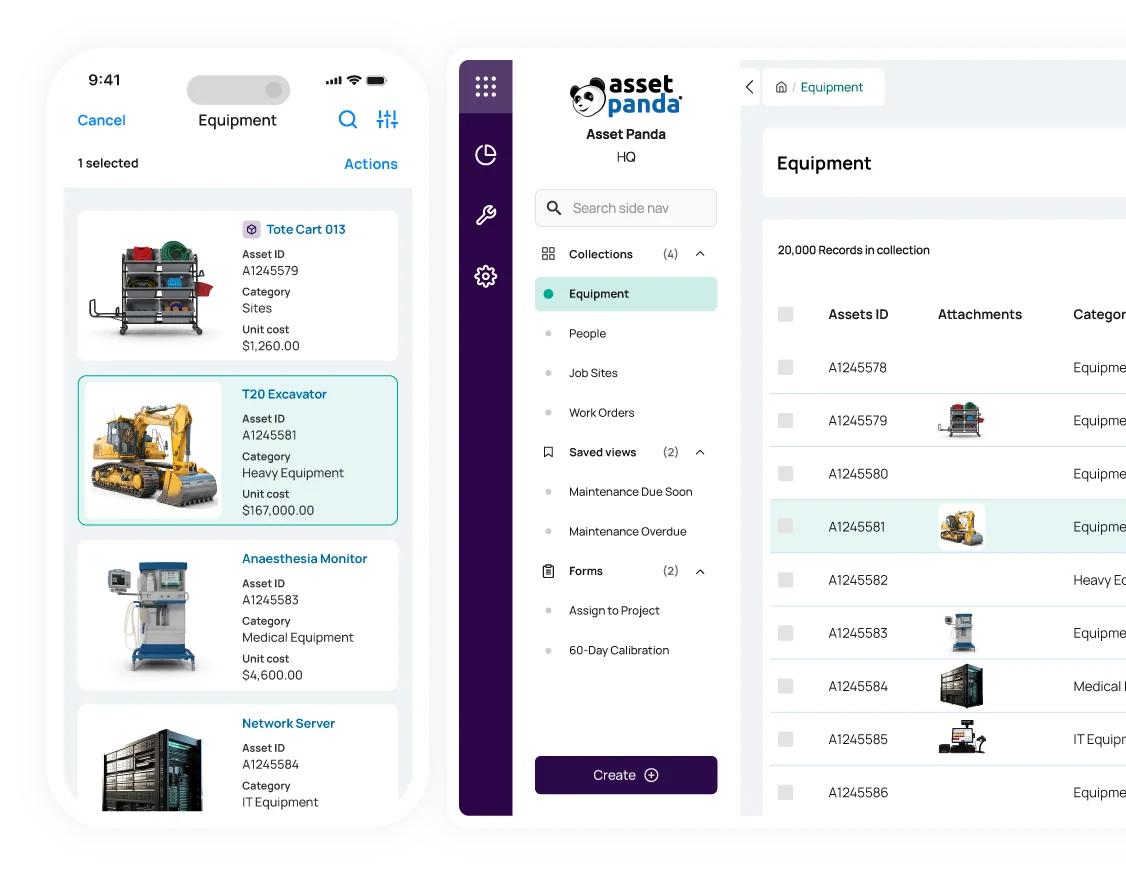
Easily track and manage your equipment on the web or on mobile
Monitor the status, location, and condition of your assets with our real-time equipment management software. Plus, empower your team to check out equipment or request repairs from anywhere with our mobile app with available offline mode.
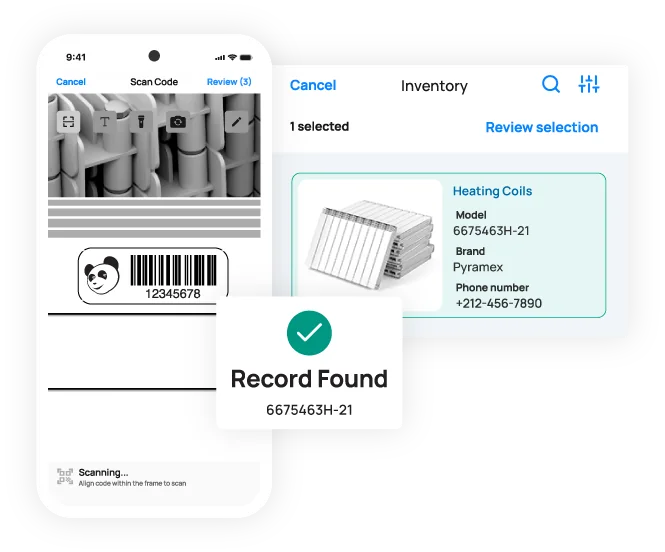
Generate and print your own unique barcodes or QR codes and scan them directly on your mobile device – no third-party scanners required.
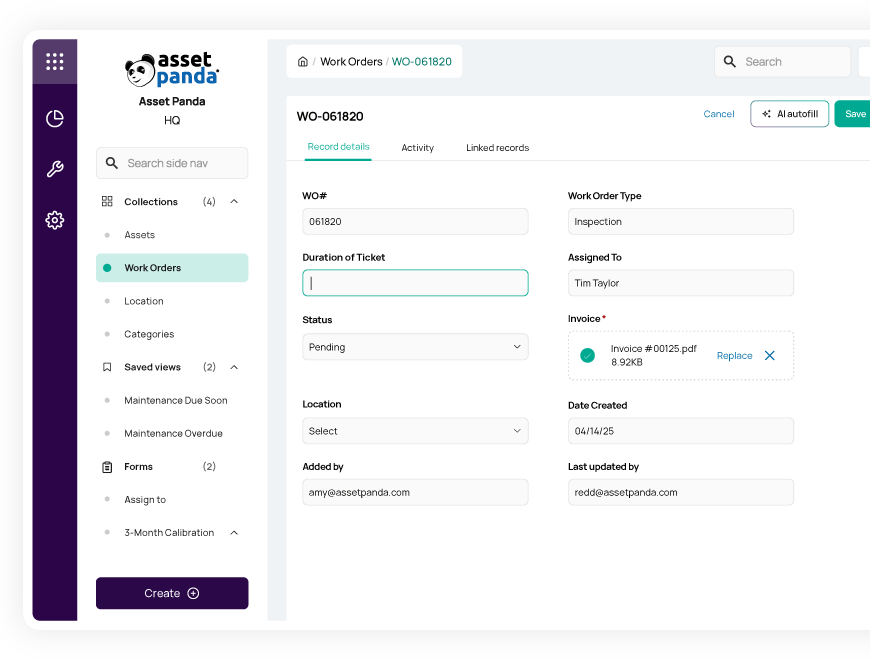
Stay ahead of equipment maintenance
Create and assign work orders in one easy-to-use system
Streamline preventive maintenance and work orders with our comprehensive equipment maintenance software.
- Accurately forecast and schedule upcoming maintenance tasks
- Create custom work orders and automatically assign them to available team members
- Increase productivity and reduce potential equipment downtime
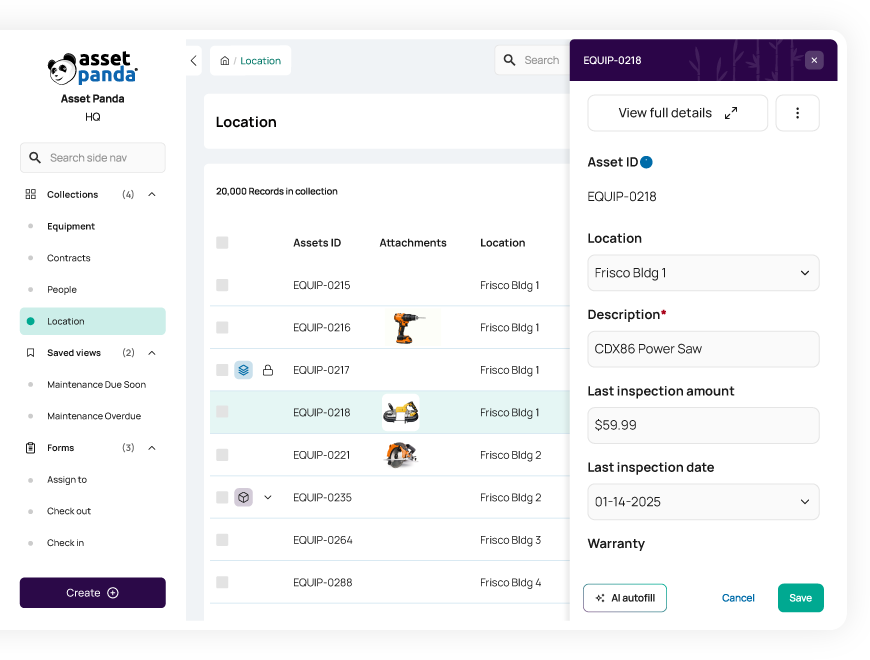
Track the full lifecycle of your equipment
Optimize equipment utilization and reduce costs
Access the entire lifecycle history of your equipment from acquisition to disposal with our robust equipment maintenance software. Track every update in our detailed asset records, including assignment and repair history, recommended maintenance dates, and current depreciated value.
By giving you full insight into an item’s current condition and value, our equipment management software helps you optimize asset utilization and improve cost savings.
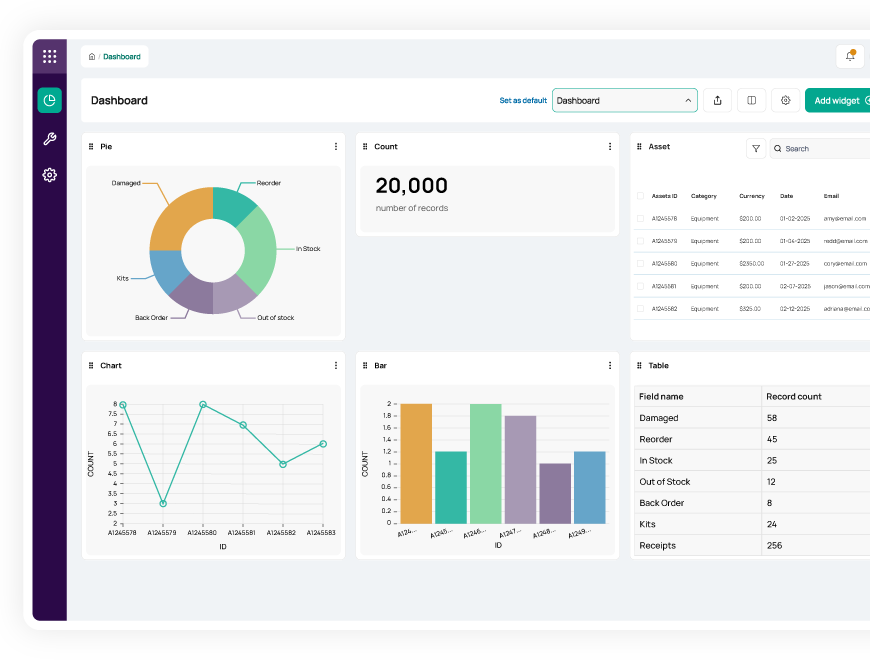
Make better data-driven decisions
Increase productivity and uptime with custom alerts and reports
Gain the actionable insights you need to keep your team productive with our equipment management software.
- Generate reports with virtually unlimited filters and set automated reporting schedules
- Create custom notifications to alert you of work order requests, status changes, and more
- Optimize asset utilization and forecast upcoming purchasing needs
Useful features for equipment management

Asset assignment

Barcode tracking

Multi-account structure

Full lifecycle history

Maintenance tracking

Asset inspection

Repair tracking

Signature capture

Asset kitting

Tool tracking

Record-level attachments

Contract management

Unlimited users

Automations

Robust reports

Action-based forms

Notifications

Custom fields

Field requirements

Asset listing view

iOS and Android Compatible

Offline mode

Full integration with web app

Built-in barcode scanning

GPS pindrop

Mobile actions

Reporting access

Quick asset addition

User specific views

Sortable columns

Global & faceted search

Mobile and web apps

Data import

Easy record replication
Unlimited users

Bulk asset reallocation

Amazon AWS hosting

TLS 1.2 Encryption

Robust roles and permissions
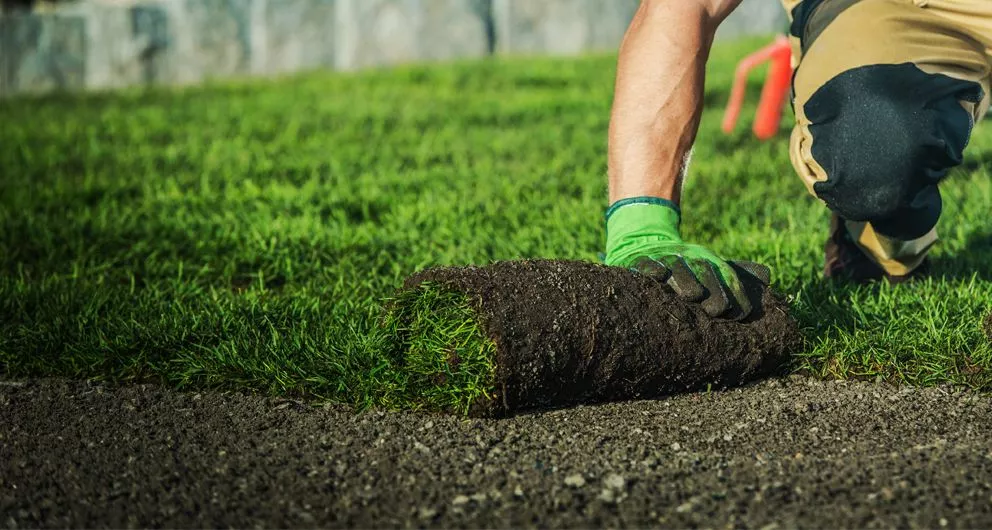
The Budd Group gives employees easy access to vehicle info
“Depending on their level of access, employees and managers can find everything they need about a vehicle in one place, from training to a location to a vehicle inspection history and maintenance needs.”
Dale Christensen
Operations Manager

RISE™Robotics Uses Asset Panda as Their Single Source of Truth
"Almost every company that I could see myself working for in the future would benefit from something like Asset Panda if they don't already have it."
Tom Rufo
Lab Manager

Electrical Construction Company Saves Several Hours of Work per Day with Asset Panda
"As a team, we're constantly putting our heads together and saying, 'What are we doing now and how can we do it better? The flexibility of what we can do in Asset Panda makes it attainable for us to push the software even further."
Implementation Specialist
Related equipment resources



Frequently asked questions
How do I track the entire lifecycle of a piece of equipment, from purchase to disposal?
Asset Panda supports full lifecycle tracking by centralizing all asset information in one place. You can store purchase details, maintenance and repair records, depreciation data, location changes, and disposal documentation within the asset record and its related forms. The system’s immutable Activity Stream logs every update—showing who made the change, what was changed, and when—providing a complete chronological history from acquisition through retirement or disposal.
Can I customize checkout forms to show different fields based on the type of equipment being tracked?
Yes. Asset Panda’s forms support conditional fields, allowing you to customize checkout forms based on the asset’s type or category. You can configure an Update Form (used for checkout) to show or require different fields—such as safety checklists for machinery or license details for laptops—ensuring the correct information is captured for each type of equipment.
How can I manage items that are returned for disposal versus returned to stock inventory?
You can manage this by using asset Status fields and dedicated Update Forms. A “Return to Stock” form can update the asset’s Status to “Available,” while a separate “Disposal” form sets the Status to “Disposed” or “Retired.” You can then use form-visibility rules and permissions to ensure that disposed items can’t be checked out or returned to active inventory. This keeps retired assets separate from stock that is ready for use.
How do I handle the issue of duplicate entries and data corruption during bulk equipment data import?
You can prevent duplicate entries during bulk import by marking a key field—such as Serial Number or Asset ID—as a Unique field. When this is enabled, Asset Panda will reject any rows in the import file that contain duplicate values for that identifier, ensuring only clean, non-duplicated data is added. This protects data integrity from the start and prevents inconsistencies that often occur with spreadsheet-based imports.
How does the system enforce accountability for the chain of custody during equipment transfers?
Asset Panda enforces chain-of-custody accountability through its immutable Activity Stream and customizable checkout forms. When a technician checks out equipment using an Update Form, the system logs who performed the action, when it occurred, and what fields were changed. If the form includes a required Signature field, that signature is stored in the Form Submission History, creating verifiable proof of who took possession of the asset and at what time.
How can Asset Panda provide the clear documentation needed to satisfy external auditors and mitigate liability?
Asset Panda supports audit and compliance needs by centralizing all documentation within each asset record— including photos, manuals, contracts, and service documents. The system’s immutable Activity Stream logs every update to the asset, showing who made the change, when it occurred, and what was modified. Using Saved Views, exports, and dashboards, you can produce reports that summarize an asset’s location, maintenance history, and chain of custody, giving auditors clear and verifiable documentation.
Learn more from a solution specialist
Schedule a demo to find out how you can transform your workflows with Asset Panda Pro
Contact our team at (888) 928-6112
