Asset Panda vs Microsoft Access — Full Comparison Guide (2026)
Compare Asset Panda
Table of Contents
Take Control of Your Assets
A personalized demo is just one click away.
Summary
This guide compares Asset Panda vs Microsoft Access, two asset management approaches with fundamentally different architectures. Microsoft Access is a desktop database tool used to build custom, manual asset tracking databases. While powerful for technical users, Access requires ongoing maintenance, custom development, and is limited in collaboration, mobile capabilities, and long-term scalability.
Asset Panda is a configurable, cloud-based asset management platform offering mobile workflows, automation, audits, inspections, check-in/check-out, reservations, reporting, integrations, and multi-team governance—all without requiring database development work.
This guide clarifies when Access is enough—and when an organization should transition to a modern asset management system.
| Feature | Asset Panda | Microsoft Access |
| Deployment | Cloud | Desktop |
| Mobile features | Yes | No |
| Workflows | Configurable | Custom-coded |
| Reporting | Built-in | Query-based |
| Scalability | High | Low |
After reading this Asset Panda vs Microsoft Access comparison guide, you can expect to understand:
- Whether Access is sufficient for asset management
- The limitations of homegrown databases
- How Access compares to cloud-based asset tracking
- Whether they need mobile capabilities, automation, or audits
- How to reduce technical overhead
Microsoft Access Overview
Microsoft Access is a relational database tool used to create custom solutions for:
- Tracking small datasets
- Generating reports
- Basic form-based input
- Constructing simple relational structures
Strengths
- Highly customizable (for technical users)
- Can be tailored to niche needs
- Low cost
- Good for one-person database maintenance
Limitations
- No mobile access
- No offline mobile workflows
- No audit or inspection workflows
- No integrations without development work
- Requires technical design and maintenance
- Not scalable across departments or locations
- Risk of corruption and version conflicts
Access is suitable only for small, static databases managed by a single technical owner.
Asset Panda Overview
Asset Panda is a cloud-based platform offering:
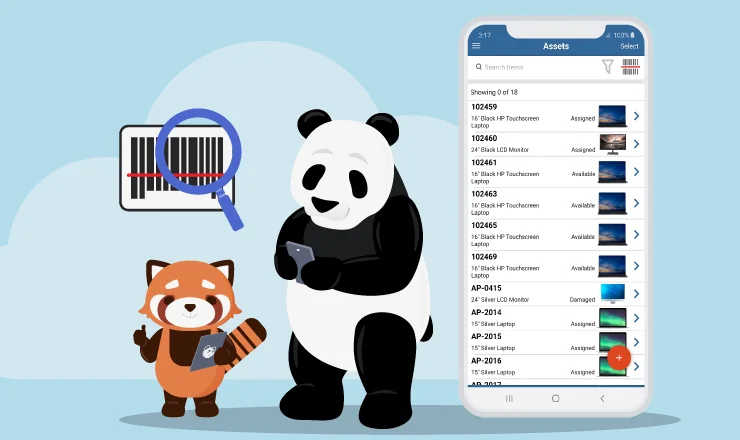
- Mobile scanning (barcode/QR) + offline mode
- Inspections & audits
- Check-in/check-out & reservations
- Automation
- Reporting dashboards
- Multi-team permissions
- Configurable workflows
- Integrations with ITSM, identity, MDM, finance, SFTP
- Asset lifecycle management
This eliminates the need to build or maintain a custom database internally.
| Capability | Asset Panda | Microsoft Access |
| Deployment | Cloud-native | Desktop-based |
| Multi-user collaboration | Strong | Limited, prone to conflicts |
| Mobile usage | Full app | None |
| Offline mode | Yes | No |
| Scanning | Yes | No |
| Forms | Configurable | Must be custom-built |
| Automation | Yes | Must be coded |
| Reporting | Dashboards & exports | Query/report builder |
| Inspections | Yes | No |
| Audits | Yes | No |
| Check-in/check-out | Yes | Must be built manually |
| Reservations | Yes | Not native |
| Integrations | Broad | Require custom scripts |
| Scalability | High | Low-medium |
Deep-Dive Comparisons
Customization vs Configurability
Access can be customized heavily—but only by someone with database and form design skills.
Asset Panda provides no-code configuration, reducing internal dependency on technical staff.
Collaboration & Multi-Team Governance
Access databases are prone to:
- Conflicting edits
- Versioning issues
- Corruption
Asset Panda supports:
- Team-based permissions
- Audit logs
- Multi-location visibility
- Cloud syncing
Mobile Capabilities
Access:
- Not mobile
- Not field-friendly
- Cannot scan assets
Asset Panda:
- Scanning, offline mode, mobile updates
- Audits, inspections, attachments
Workflow & Automation
Access requires manual coding for workflows.
Asset Panda includes:
- Automated routing
- Reminders
- Lifecycle automation
- Notifications
Maintenance Burden
Access requires continual internal development and cleanup.
Asset Panda requires no local maintenance or hosting.
Scalability
Access databases often break down under:
- Higher row counts
- Large attachments
- Multi-user concurrency
- Complex relational needs
Asset Panda supports enterprise-level scalability.
Use Case Fit
Choose Microsoft Access if:
- You have a small, technical team
- You track a limited number of assets
- You prefer building and maintaining your own database
- You don’t need mobile, audits, reservations, or automation
Choose Asset Panda if:
- You need mobile field usage
- You require inspections or audits
- You want automated workflows
- You need check-in/out or reservations
- You require reporting dashboards
- Multiple teams manage assets
- You want a cloud-based, scalable system
- You need integrations across IT and operations
Pros & Cons of Each Solution
Microsoft Access Pros:
- Highly customizable for technical users
- Low cost
- Good for small, self-contained databases
Cons:
- No mobile support
- No built-in asset workflows
- No automation without coding
- Not scalable across departments
- High maintenance burden
Asset Panda Pros:
- Cloud-native
- Mobile scanning + offline mode
- Audits & inspections
- Reporting dashboards
- Check-in/out & reservations
- Workflow automation
- Multi-team scalability
Cons:
- More advanced than single-user Access databases require
Final Recommendation
Microsoft Access is best suited for small, technical teams that want to build a custom database and maintain it themselves. However, organizations that need...
- Mobile asset tracking
- Automation
- Check-in/check-out
- Inspections and audits
- Multi-user collaboration
- Reporting dashboards
- Cross-department workflows
...should adopt Asset Panda for a scalable, cloud-first approach.
See how Asset Panda can level up your asset tracking
Take Control of Your Assets
A personalized demo is just one click away.
[addtoany]
Related News & Press


Learn more from a solution specialist
Schedule a demo to find out how you can transform your workflows with Asset Panda Pro
Contact our team at (888) 928-6112
