
IT Asset Management Software
Our Form Follows Your Function
An automated, centralized, and user-friendly ITAM system that only grows when you're ready
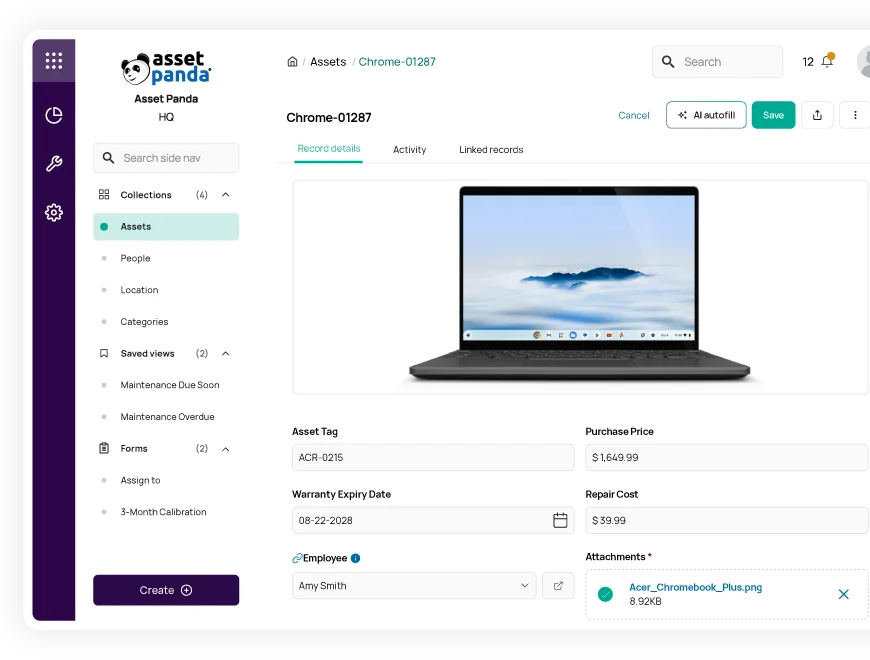

AI Enhanced
Improve your efficiency with the power of Asset Panda Intelligence.

Fast Time to Value
Achieve high user adoption and ROI with our intuitive interface.
Seamless Ticketing
Easily create and respond to service tickets directly in Asset Panda.
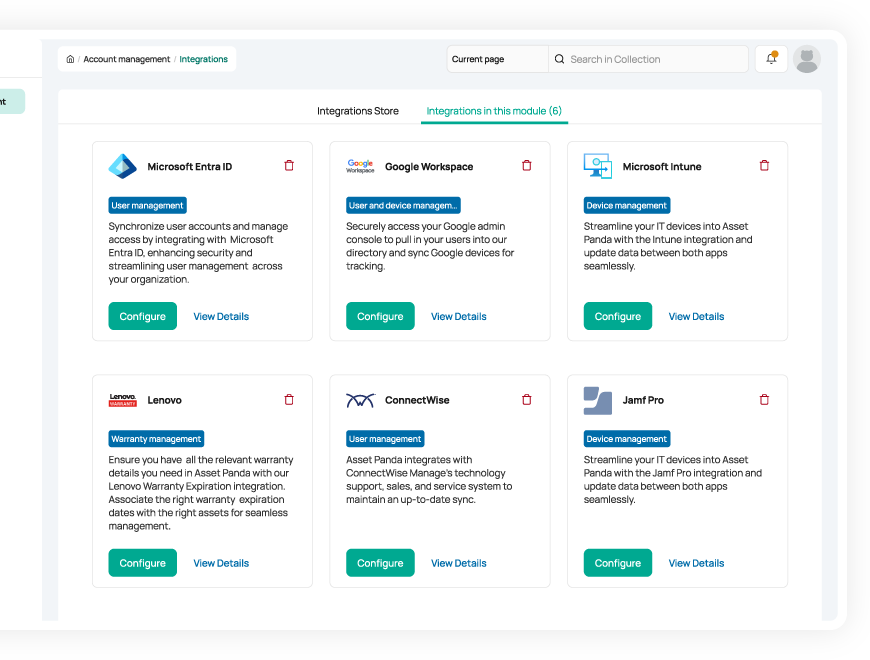
Unify your asset data
Create a centralized knowledge base for your IT device information with 18+ integrations
Automatically sync device information directly to Asset Panda to centralize your data, avoid duplicate work, and save time. Connect our ITAM software with top applications like Slack, Zendesk, Okta, Microsoft Entra ID, and Google Workspace.
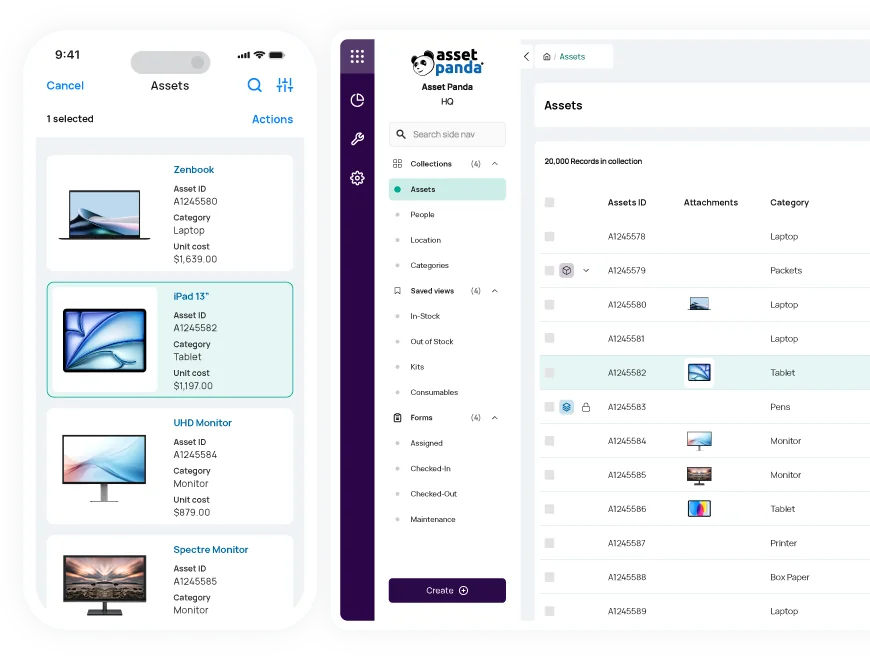
Speed up everyday workflows
Quickly checkout devices, respond to service requests, and more with our real-time ITAM software
Save time and boost efficiency with real-time asset data at your fingertips.
- Assign IT devices, perform audits, and view service tickets in one place
- Create custom barcode labels to quickly search and update asset records
- Manage devices from anywhere using our mobile app with offline mode
Track everything in one cohesive platform
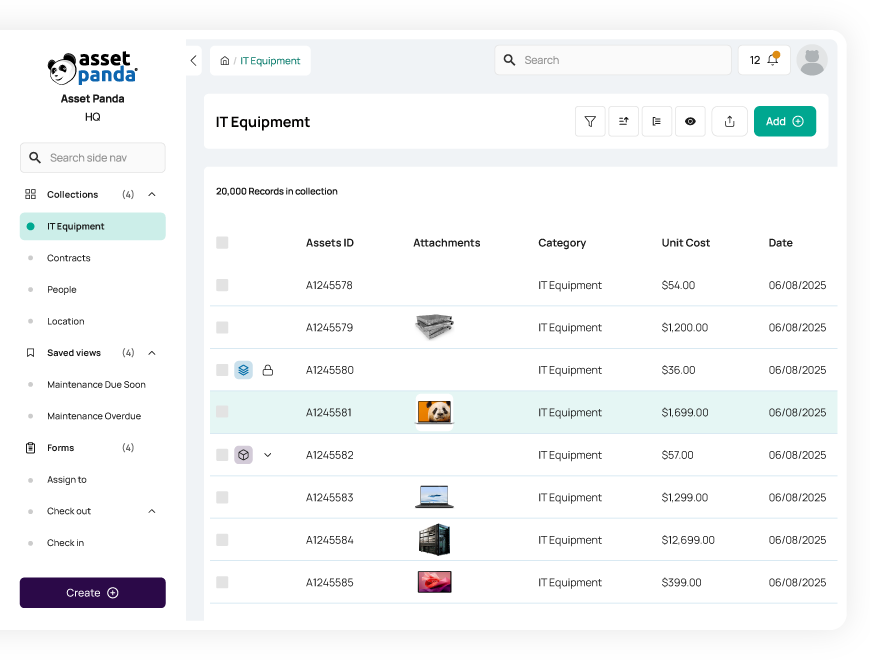
Manage all your assets, workflows, and employees in one cohesive system
Keep tabs on all the things that matter to your business with our highly configurable ITAM software.
- Create unique accounts for each department, location, or client
- Set up modules within accounts for different use cases and asset types
- Maintain an up-to-date employee directory and assign custom user roles
Gain actionable insights
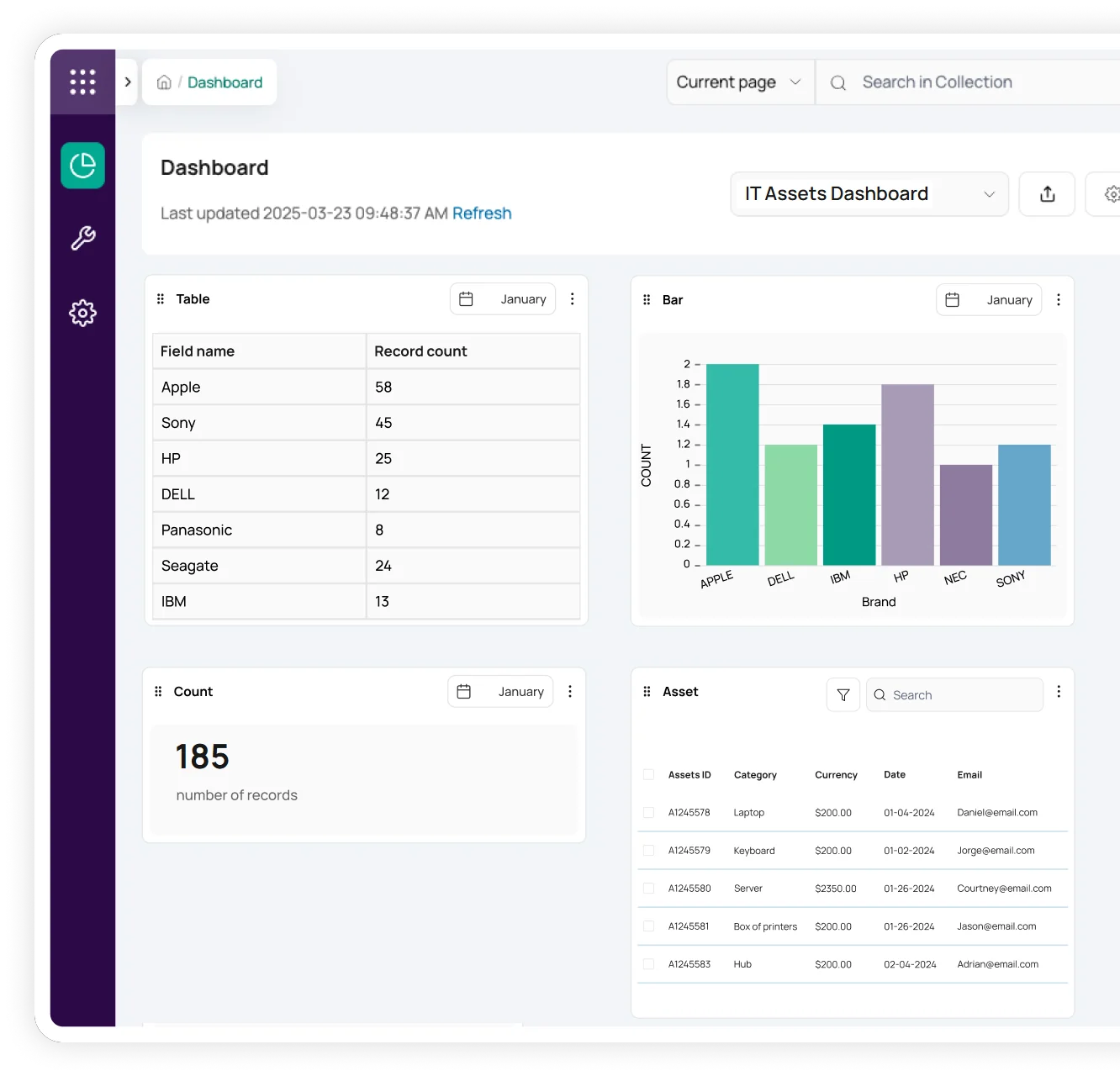
Make better business decisions with full IT asset lifecycle tracking
Maintain clear visibility into your IT asset inventory with customizable reports and dashboards.
- Track each device’s repair history and warranty information
- Automatically calculate depreciation on your chosen schedule
- Create custom reports unique to each user or team
Useful features for IT asset management

Asset assignment

Barcode tracking

Multi-account structure

Full lifecycle history

Maintenance tracking

Asset inspection

Repair tracking

Signature capture

Asset kitting

Tool tracking

Record-level attachments

Contract management

Unlimited users

Automations

Robust reports

Action-based forms

Notifications

Custom fields

Field requirements

Asset listing view

iOS and Android Compatible

Offline mode

Full integration with web app

Built-in barcode scanning

GPS pindrop

Mobile actions

Reporting access

Quick asset addition

User specific views

Sortable columns

Global & faceted search

Mobile and web apps

Data import

Easy record replication
Unlimited users

Bulk asset reallocation

Amazon AWS hosting

TLS 1.2 Encryption

Robust roles and permissions

Asset Panda Saves Logicforce from Spreadsheets
“We were spending approximately 3-4 hours a week updating our Excel sheets and accounting software. Now we got that down to 30 minutes to one hour per week and that’s something I can be happy about.”
Doug Lukonen
Senior Accountant

JAMF Integration Streamlines Ripple IT's Processes
“Our ticketing system is much more organized and transparent with the help of Asset Panda. In the comments feed of Asset Panda we add our ticket numbers and can refer back to the system type and specs to make IT diagnosing a breeze.”
Miguel Equina
Ripple IT

Cross-Campus Efficiency for Richmond Community Schools' IT Team
“Having a teacher do front-line troubleshooting, including attaching photos of problems means our IT guy has to make fewer trips and can make more efficient trips to the building.”
Christopher Blinn
Exceptional Education Teacher

Clear End-Of-Life Hardware Management for WuXi NextCODE
“The asset tracking and management platform gives me an accurate account of what assets I have on hand...and whether or not particular assets are getting ready for being swapped out due to age.”
Sigurður (aka Siggi) Örn Gunnarsson
System Administrator
Related IT resources


Frequently asked questions
How does the Microsoft Entra ID (Azure AD) sync work for managing IT user permissions?
Asset Panda integrates with Microsoft Entra ID (formerly Azure Active Directory) to automate user provisioning and keep employee information current. The integration performs a one-way sync from Entra ID into Asset Panda, importing user details such as email, department, title, and manager. Once users are synced, IT administrators assign their Roles within Asset Panda to control permissions and access. Combined with optional SSO, this streamlines identity management while keeping user records accurate and up to date.
How do I integrate Asset Panda with Apple Business Manager for device enrollment?
Yes. Asset Panda integrates directly with Apple Business Manager (ABM) to support automated Apple device enrollment and inventory synchronization. When devices are enrolled through ABM, their key metadata—such as serial number, model, device class, enrollment status, and assigned user—syncs into Asset Panda, creating or updating the corresponding asset records automatically. IT teams can also use supplemental MDM integrations (such as Jamf, Intune, or Kandji) to enhance this data with compliance status, profiles, and configuration details. This ensures your Apple device inventory in Asset Panda always reflects accurate, real-time enrollment and assignment information.
How can I set up an automated alert for when a low-stock threshold is hit for new laptops or network equipment?
You can create low-stock alerts in Asset Panda by using Automations tied to a quantity field. Create a numeric field representing the current stock level, then configure either a Record Updated automation or a Scheduled Automation to check when that value falls below your defined threshold. When the condition is met, Asset Panda automatically sends an email or in-app notification to the procurement or IT team so they can reorder inventory on time.
How can IT staff add a new employee directly from within a device checkout form?
Asset Panda does not support creating a new employee record from inside a device checkout form. If the required user is missing from the People collection, IT staff must first add the new employee using a separate Create Form. Once the employee record exists, the checkout form can reference them through a Pull-From-Collection field. This ensures clean, accurate data and prevents accidental creation of incomplete employee records.
Can I run a report of all assets (laptops, monitors, licenses) currently assigned to a specific employee?
Yes. You can report on all assets assigned to a specific employee by filtering each relevant collection—such as laptops, monitors, or software licenses—using the “Assigned To” field. Saved Views allow you to quickly pull all items assigned to that employee in each collection, and dashboards can combine these views into a single screen for a complete picture of their assigned assets.
How can Asset Panda ensure compliance with software licensing and vendor agreements across all devices?
Asset Panda supports software licensing compliance by allowing you to track license keys, expiration dates, seat counts, and vendor details in dedicated fields. You can then create Saved Views and Scheduled Automations that run daily and notify managers when licenses are approaching expiration or require renewal. This ensures your IT team stays ahead of vendor requirements and maintains clear documentation across all licensed devices.
Learn more from a solution specialist
Schedule a demo to find out how you can transform your workflows with Asset Panda Pro
Contact our team at (888) 928-6112
