Repair Tracking Software
Repair Tracking That Reacts Back
Other solutions force customers to adapt to their processes, we adapt to how you actually work

AI Enhanced
Improve your efficiency with the power of Asset Panda Intelligence.

Seamless Ticketing
Easily create and assign repair tickets for increased efficiency.

Full Lifecycle Management
Track the full history of your tools with comprehensive records and reports.
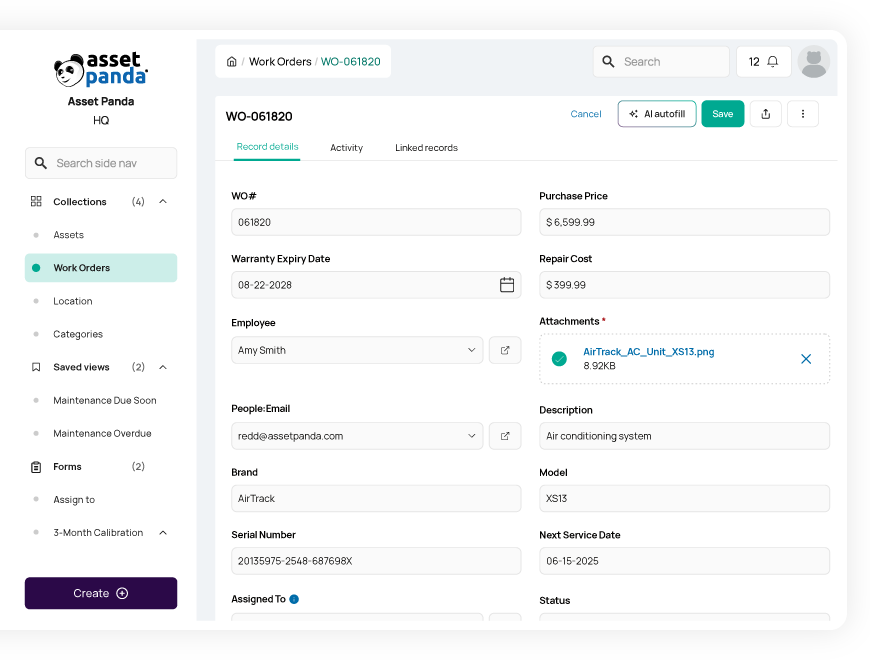
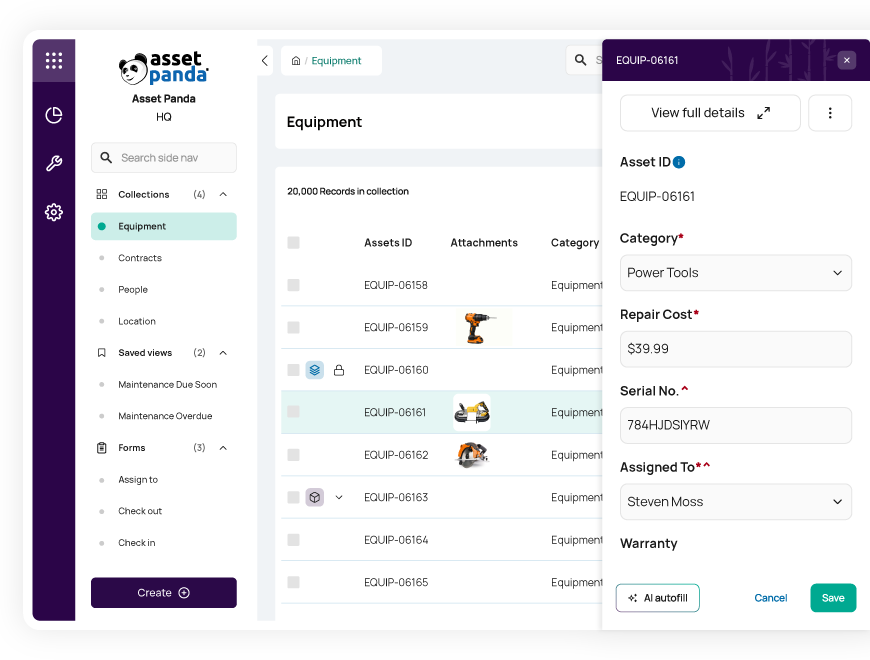
Streamline repair schedules
Seamlessly create and assign repair tickets for increased efficiency
Monitor and schedule asset repairs in real time with our repair tracking software. Create and assign repair tickets to available team members, and ensure the right asset is attached to the right ticket to prevent bottlenecks.
With full visibility into your workforce and repair tickets, you can effectively manage workloads for maximum productivity.
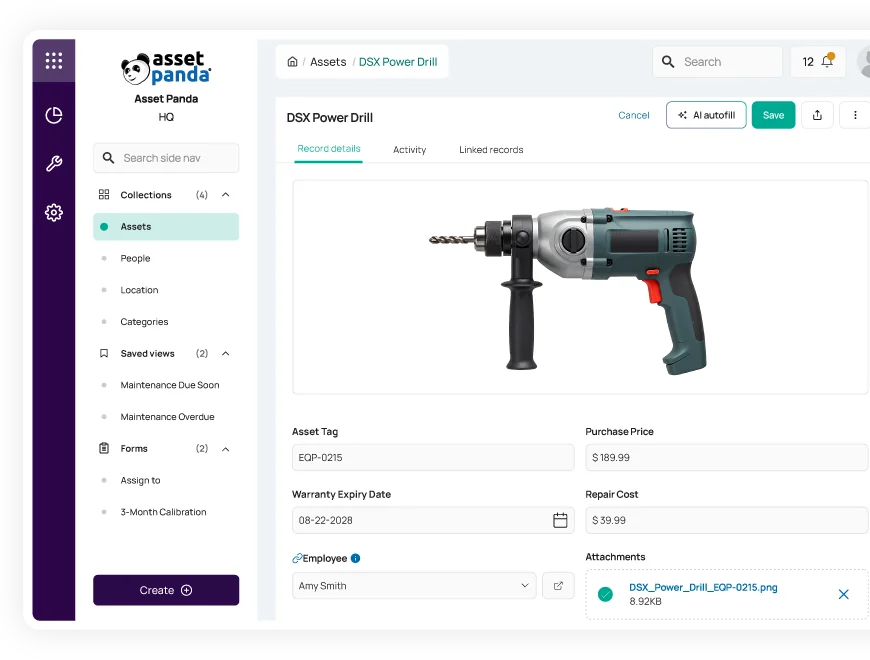
Manage everything in one convenient system
Track your assets, parts inventory, and repairs in one place
Create a single source of truth for everything you rely on in our centralized repair tracking software. Beyond tracking your assets and repair tickets in real time, Asset Panda’s agnostic system also allows you to manage the tools, equipment, and parts inventory you need to perform repairs.
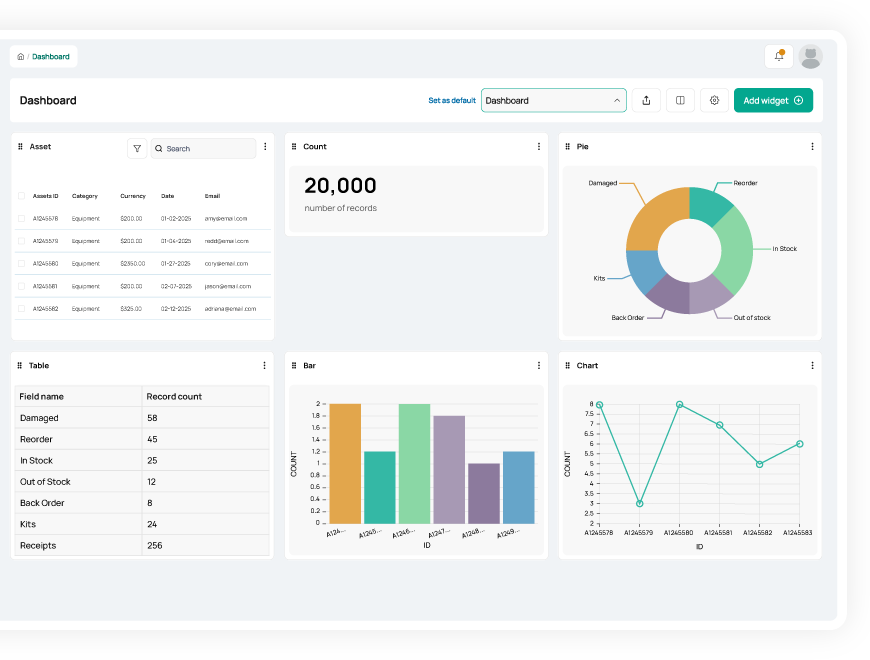
Make more informed decisions
Increase productivity and uptime with custom alerts and reports
Gain the actionable insights you need to keep your team productive with real-time notifications and automated reports.
- Generate reports with virtually unlimited filters and set automated reporting schedules
- Create custom notifications to alert you of new repair requests or low inventory levels to maximize efficiency
- Track the full lifecycle of your assets to optimize utilization and forecast future purchasing needs
Useful features for repair tracking

Asset assignment

Barcode tracking

Multi-account structure

Full lifecycle history

Maintenance tracking

Asset inspection

Repair tracking

Signature capture

Asset kitting

Tool tracking

Record-level attachments

Contract management

Unlimited users

Automations

Robust reports

Action-based forms

Notifications

Custom fields

Field requirements

Asset listing view

iOS and Android Compatible

Offline mode

Full integration with web app

Built-in barcode scanning

GPS pindrop

Mobile actions

Reporting access

Quick asset addition

User specific views

Sortable columns

Global & faceted search

Mobile and web apps

Data import

Easy record replication
Unlimited users

Bulk asset reallocation

Amazon AWS hosting

TLS 1.2 Encryption

Robust roles and permissions

CHG Healthcare saves over 28 hours per week
“I’d tried other ticketing systems and looked at other asset management systems and they were just so
rigid. The way I can customize Asset Panda really sold us on it.”
Chris Loving
Facilities Manager II
Enhanced Accountability Saves Track Utilities Hundreds of Hours Each Year
“Since Track Utilities has started using Asset Panda we are now able to keep tools with the appropriate crews and make sure they are returning tools after being used. The ability to keep people accountable and take ownership of the tools they work with has paid for the cost over and over again”
Brian Bruni
Asset Management

On-Wing Services Team saves over 4,000 hours per year
“With its flexibility and all of the ways we can use this tool, Asset Panda affects every aspect of our operations. It’s the foundation of the way we’re doing a lot of things now.”
Tony Ross
On-Wing Services Quality Director
Related repair resources
Frequently asked questions
How can Asset Panda help our team transition from a reactive approach to a proactive, preventive maintenance schedule?
Asset Panda helps teams move from reactive to proactive maintenance by using scheduled automations and custom date fields. You can track each asset’s Next Service Date and configure an automation that runs daily to notify technicians when preventive maintenance is coming due. When service is performed, a technician completes a maintenance form—capturing notes, costs, and signatures—which is logged in the Activity Stream and builds a complete maintenance history. This reminder-based approach keeps teams ahead of upcoming service needs and reduces costly reactive repairs.
How can I track maintenance based on both time (service date) and usage (mileage, hours, or cycles)?
Asset Panda can track maintenance needs based on both time and usage by combining custom fields with Scheduled Automations. You can create fields such as “Next Service Date,” “Odometer Reading,” or “Hours of Use,” then configure automations that run daily to notify your team when a service date is approaching or when a usage value exceeds a defined threshold. Technicians log the completed maintenance through a service form, creating a permanent record in the Activity Stream. This approach ensures maintenance is performed on time and based on actual equipment usage.
Is there a way to generate service reports or repair receipts that can be printed and signed off by the technician?
Yes. Technicians can complete a repair form that includes a required Signature field, and that signed submission is stored directly with the asset record. After the repair is logged, you can view the submitted form and manually export the record details as a PDF if a printed repair report or sign-off document is needed. This provides a verifiable, printable record of the service performed.
Can I set up an automated alert for when a piece of equipment has accrued excessive repair costs?
Yes, but with a caveat. Asset Panda can track repair costs and notify you when a cost threshold is exceeded, as long as you maintain a numeric field on the asset (such as “Total Repair Cost”) that reflects the current cumulative spend. Repair and maintenance events are logged in a linked Repairs collection with cost fields, and reports or dashboards can summarize these costs by asset. You can then configure an Automation to alert management when the Total Repair Cost field for an asset rises above a defined threshold, signaling that it may be more cost-effective to replace rather than continue repairing that equipment.
How do I ensure the repair history remains attached to the asset even if the repair log was a duplicate record?
To ensure repair history remains attached to the correct asset, duplicates must be handled carefully. Repair and maintenance records are linked to a specific asset record, so before deleting a duplicate asset, administrators should reassign any linked repair records to the correct asset record. Once the repair history is properly linked, the duplicate asset can be safely removed. The remaining asset’s Activity Stream and linked repair records then preserve a complete and accurate maintenance history.
How can Asset Panda track accrued repair costs against an asset's book value to inform capitalization decisions?
Asset Panda supports capitalization analysis by centralizing both depreciation data and repair history for each asset. When depreciation fields are configured, the system calculates current book value, and repair or maintenance costs can be tracked through linked repair records. Saved Views, dashboards, or exports can then be used to review total repair spending alongside book value, allowing finance and audit teams to evaluate repair costs versus asset value and make informed capitalization or replacement decisions.
Learn more from a solution specialist
Schedule a demo to find out how you can transform your workflows with Asset Panda Pro
Contact our team at (888) 928-6112
