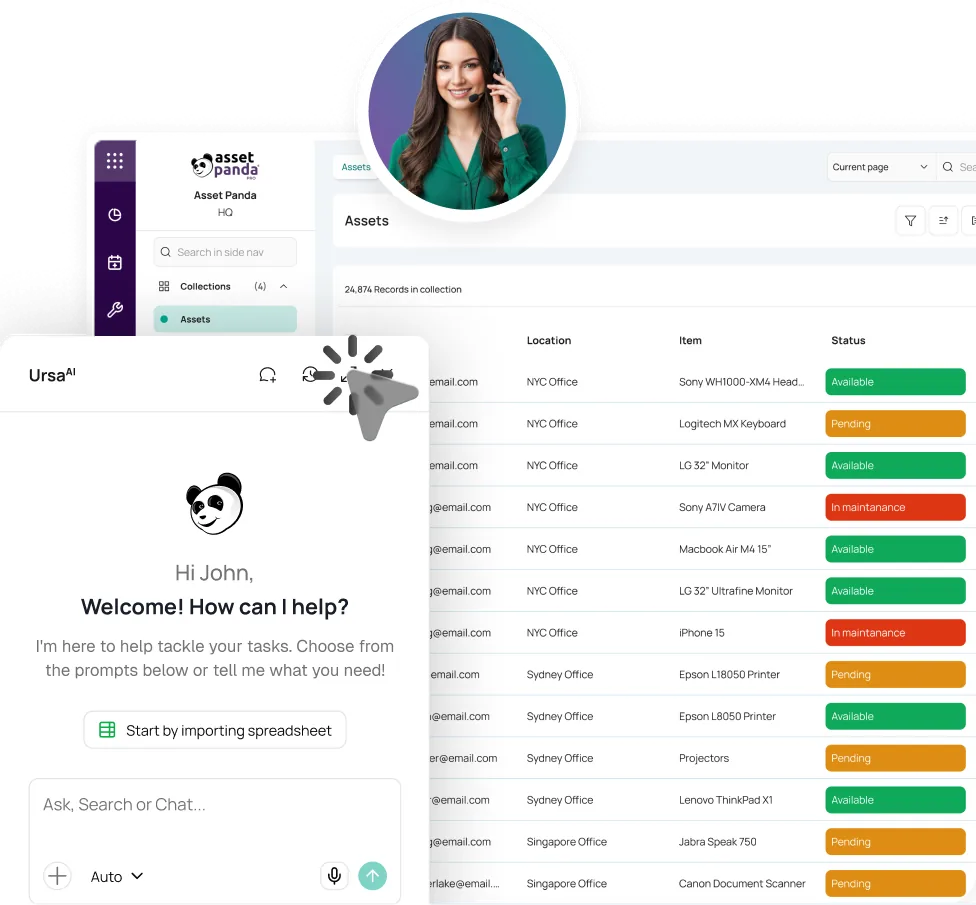



Bring the Record Together
Import Excel or CSV files, connect existing systems, standardize key fields, and give each asset a reliable identity.


Found it in your asset records.
Dell Latitude 7450
LT-02418
 Rachel KimMarketing •Floor 3In Service
KNOW WHAT YOU HAVE. KNOW WHO HAS IT.
Asset management software should settle the question, not start a search. Asset Panda goes beyond asset tracking with inspections, tickets, audits, and lifecycle history.
Trusted across departments and locations.





EVERY TEAM HAS A LIST. NO ONE HAS THE ANSWER.
Departments build separate lists, names drift, and the latest update stays with whoever remembers it. A routine question becomes a cross-team investigation.

One system of record. Different teams, views, and processes.
Asset Panda connects the people, places, documents, actions, and history around an asset without forcing every department into one rigid setup.
FROM SEPARATE LISTS TO A WORKING RECORD
Standardize the essentials, preserve local flexibility, and let each scan, assignment, return, search, and ticket strengthen the same asset management platform.
Import Excel or CSV files, connect existing systems, standardize key fields, and give each asset a reliable identity.
Give each department the collections, forms, roles, permissions, and views it needs, without code or custom development.
Scan, assign, transfer, return, sign, photograph, and verify from a phone. Work offline and sync later.
Use global search, dashboards, reports, inspections, and tickets to surface gaps and give the next step an owner.
BEYOND A STATIC ASSET REGISTER
Track, search, inspect, ticket, audit, and report from the same record while each department sees the fields, permissions, and views it needs.
Keep asset inventory, assignments, locations, status, costs, and files in one searchable record.
Explore Inventory ManagementAssign assets to a person, team, client, or site. Capture due dates, returns, signatures, and handoffs.
Scan to look up, check in, check out, move, and count assets, even when the team is working offline.
Explore Asset Tags & LabelsRun inspections from the asset record, surface issues, and turn failed checks or missing information into assigned tickets.
Explore Help Desk TicketingUse fields, forms, approvals, permissions, notifications, and automations that reflect each team’s process.
Explore IntegrationsRun mobile audits, preserve change history, and schedule reports from the current record.
Explore Mobile Asset Auditing




ASSET INTELLIGENCE FOR THE QUESTIONS PEOPLE ACTUALLY ASK
UrsaAI uses the context of your Asset Panda records and permissions, helping authorized users find answers, build processes, and turn gaps into action.
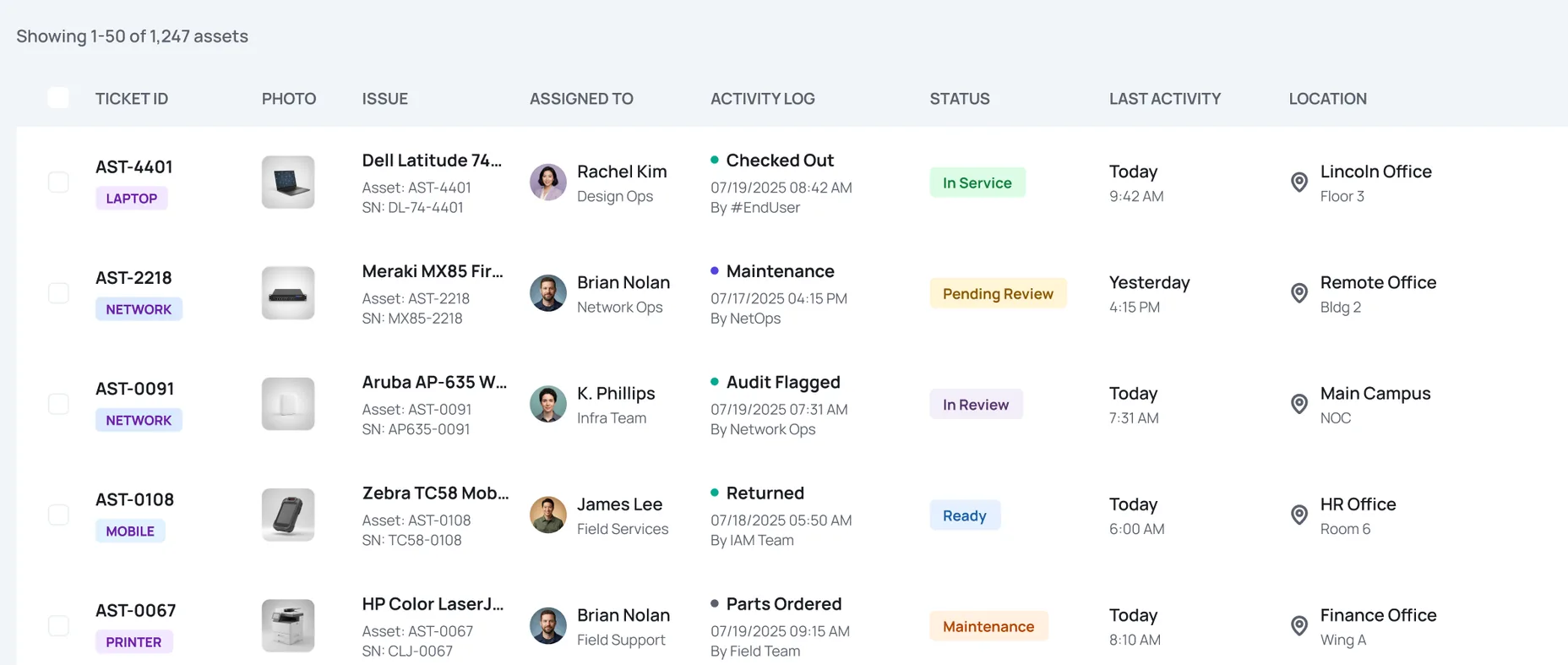
 AST-4401Dell Latitude 7450
PROVEN ACROSS ORGANIZATIONS THAT OUTGREW THE SPREADSHEET

“Now we have one centralized software platform for all of our offices abroad and here at the University home office.”
IT Manager, Stanford University



“We’re able to customize many of the various functions to support our needs without having to go to an IT development team.”
Sr. Project Manager, Schneider Electric
“We have less missing and unreturned assets. Employees are more accountable and responsible for the assets they are using.”
Lead Engineer/Architect, EMEA Headquarters, Univar







ONE PLATFORM. DIFFERENT TEAMS. THE SAME ANSWER.
Connect assets, departments, service requests, funding details, and audit history across a city or county.
Give facilities, operations, clinical engineering, and compliance teams the asset context they need without creating another silo.
Connect assets to departments, campuses, facilities, users, and funding sources while preserving institution-wide visibility.
Cloud-based asset management software keeps a reliable record of what an organization owns, who is responsible, where each item is recorded, and what has happened to it. Asset Panda connects that record to mobile work, search, tickets, audits, reporting, and AI-assisted answers.
Asset tracking software establishes identity, assignment, and recorded location. Asset management adds the processes around that foundation: permissions, documents, inspections, tickets, reporting, integrations, and historical context.
Yes. Import Excel or CSV files, map columns to the fields you need, and use a unique ID or serial number to help prevent duplicates. AI-assisted column mapping helps speed up the import.
Yes. Administrators can manage collections, fields, forms, roles, views, approvals, notifications, and automations without custom code. Each team can follow its own process within the same account structure.
Use a phone to look up, assign, transfer, return, photograph, and verify assets. Offline mode can capture work for later sync. Assignments, transfers, and mobile scans update the recorded location.
Yes. Asset Panda offers native integrations, an API, webhooks, SFTP, and automation options. It can complement existing systems while preserving an operational history around each asset.
SEE THE RECORD YOUR TEAMS CAN ACT ON
We’ll show how assets, people, places, permissions, global search, tickets, and reporting come together in one connected system.
Book a Demo