

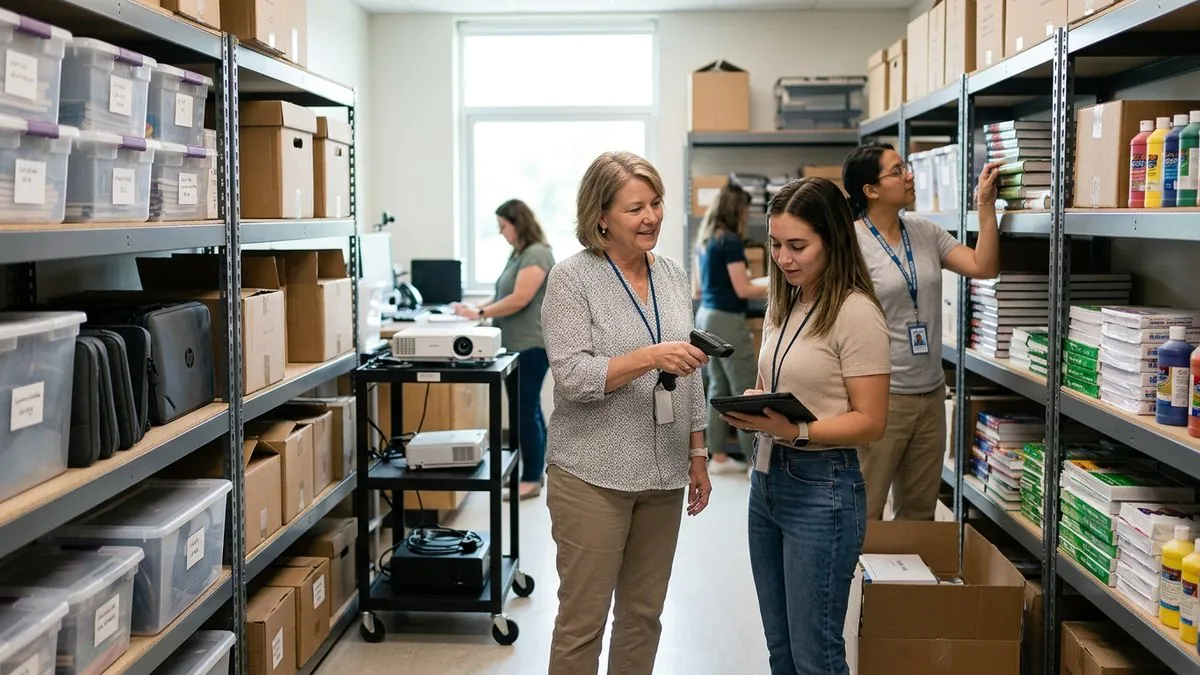
Quick Answer: Effective classroom inventory management requires a centralized, cloud-based tracking platform that gives Asset Managers real-time visibility into every device, piece of furniture, and instructional material across classrooms and campuses. The key steps are: choosing configurable software with mobile barcode scanning, customizing workflows and reports, tagging every asset, and adding faculty and students to the system. This reduces lost items, improves accountability, and supports budget and compliance requirements.
From Smart Boards to bookshelves, it’s vital for education Asset Managers to track every classroom inventory item to maintain effective learning environments. With valuable assets that change hands frequently and depreciate over time, K-12 and charter schools need an accurate inventory tracking system to maintain transparent records on all their assets. This not only ensures that students and teachers have the tools they need today but also helps administration secure funding for future classroom inventory purchases.
To ensure accurate asset inventory records and keep classrooms running smoothly, spreadsheets and other manual asset tracking methods just don’t cut it. In this article, we’ll discuss common challenges that occur without proper classroom inventory management as well as tips to set up your inventory system to save time and boost operational efficiency.
Challenges Asset Managers Face Without Classroom Inventory Tracking
Whether your school relies on spreadsheets or outdated asset management software, the wrong inventory tracking system costs Asset Managers like you valuable time. Without clear visibility into the state of your asset inventory, it’s difficult to ensure that students and teachers have the classroom resources they need to succeed, especially if you’re managing assets across a larger school or district. Some key challenges of improper classroom inventory tracking include:
Lost or damaged items
A lack of real-time updates can cause many issues when it comes to managing your asset inventory, the most common of which are missing or damaged items. With inventory items switching classrooms or being used by different students within a classroom, it’s difficult to keep up with each asset’s movements with manual tracking methods, especially when the assets leave campus, like when a student brings home their assigned laptop. More often than not, educators don’t realize assets are lost or damaged until the time they’re needed. These unexpected discrepancies not only warrant unexpected spending for a school or district but, more importantly, disrupt classroom environments and delay lesson plans.
Poor accountability
Manual inventory tracking methods make it difficult to maintain up-to-date records, including where or who an asset is assigned to. Without the ability to track inventory items back to specific classrooms, educators, or students, it is nearly impossible to hold people accountable for lost or damaged items and accurately manage asset lifecycles.
Budgeting and compliance issues
Charter schools especially run on tight budgets as compared to their K-12 counterparts, which leaves little wiggle room for sudden Chromebook replacements or screen repairs. As classroom inventory items go missing or need repairs, it can be quite a feat for Asset Managers to find the budget for these unexpected, additional purchases. Outdated classroom inventory data not only makes accountability difficult but also hinders schools’ ability to proactively manage assets and forecast replacements or repairs. Manual inventory tracking methods can’t provide detailed asset record-keeping, which is necessary for grant compliance requirements and necessary for future funding.
4 Actionable Tips to Optimize Your Classroom Inventory System
While there are various operational and financial setbacks to improper classroom inventory management, the right tracking system can save educational Asset Managers lots of time and money.
Before building out your workflows, it helps to start from a simple classroom inventory template or sample list that captures the categories your school actually manages: devices, textbooks, instructional materials, furniture, and tools. Once that baseline class inventory is defined, you can move it into a configurable asset tracking platform built for education, so records stay current as items move between classrooms, campuses, and students.
1. Implement the right software
The first step to improving your classroom inventory tracking is to choose the right platform to host all your assets, people, and processes. Whether you currently rely on spreadsheets or another manual system, it’s vital that your new solution gives you real-time visibility into your assets as well as detailed historical records. As you search for the right software for your school or district, keep these considerations in mind:
- Platform customizability: From iPads to gym equipment, your school manages many types of assets. Ensure you choose a highly configurable solution that allows you to customize your asset categories and build out the workflows you already use.
- Unlimited users: While Asset Managers and IT Directors will do the bulk of classroom inventory management, getting the rest of your faculty on the same page helps lighten the workload and improve accountability. With unlimited users and customizable permissions, you can easily import all your district’s teachers so they can see which assets are in their classroom, request inventory items, and even submit repair tickets. Be sure the platform you choose has this critical feature.
- Multi-tenant capabilities: While unlimited users help get everyone on the same page, multi-tenancy empowers you to manage various departments or schools within unique accounts under one centralized instance. This makes it especially easy to track items from classroom to classroom and collaborate with other Asset Managers, IT Directors, and Finance Officers.
- A mobile app with built-in barcode technology: Although a streamlined classroom inventory system will give you time back in your day, a platform that offers a mobile app with built-in barcoding will vastly improve your time savings. By creating unique asset tags and scanning them directly on your phone, your team can effortlessly find and update inventory records. This should be a must-have for any asset management platform.
2. Customize your workflows and reports
Once you’ve chosen the right classroom inventory solution for your school, it’s essential to build out all the workflows you’ll need up front. From check-in/checkout to audit workflows, ensure that your team will have everything they need to make changes to assets and maintain accurate records.
Plus, create reports for the metrics that matter most to your school, like asset utilization, audit results, and completed service tickets. With a system like Asset Panda, setting up automated reporting schedules to further enhance asset visibility among school administrators is simple and seamless. With consistent record-keeping and reporting, Asset Managers and IT Directors can spend less time hunting down items, while Finance Officers can access the data they need for balance sheets and funding compliance and make intelligent, data-driven budget decisions.
3. Tag your assets
While your customized platform and workflows will undoubtedly save you time managing classroom inventory, tagging your assets with barcodes can streamline your processes even further. Using built-in barcode technology, you can generate a unique asset tag for each classroom inventory item. When it comes time for you to assign an asset, send it for repair, or conduct an inventory audit, you can quickly scan the item directly on your mobile phone. This not only saves you immense amounts of time but also enhances data accuracy by eliminating the need for manual data entry. With these valuable time savings, your Asset Management team can do what it does best: focus on ways to create the best learning environment possible for students and educators.
Barcode tagging also replaces the pen-and-paper inventory audits that many school IT teams still rely on. Auditors who have done both consistently report that paper checklists are slow, error-prone, and painful to reconcile. With built-in barcode scanning on a mobile app, your team can walk a classroom, scan each asset tag, and update location, condition, and assignment in real time. This is especially useful for school hardware tracking, tool tracking, and instructional materials tracking across multiple campuses.
4. Add faculty and students
Accountability is a crucial part of classroom inventory management, and adding all your students and staff to your system ensures transparency and seamless assignment. With unlimited users and custom roles, you can easily add all the teachers across your district and assign them the right permissions so they can make necessary inventory requests or submit repair tickets. This also allows you to associate teachers with a certain classroom and assign assets to specific teachers, like laptops.
When you add teachers to your classroom inventory system, you can pull up any staff member and instantly see every device assigned to them. For example, if you search for a teacher, you can view all of the Chromebooks, iPads, projectors, or other classroom equipment currently checked out under their name. This teacher-level view of account management equipment makes one-to-one assignments, returns, and end-of-year audits far easier than digging through spreadsheets.
Just as important as adding your faculty to your classroom inventory system is importing your student directory. While you won’t want to add them as actual users in your platform, it’s vital to add your student directory to a category within your system (similar to how you set up categories for IT Assets, Campuses, etc.). Having students in the system makes it simple and painless to assign one-to-one learning devices to unique students and increase accountability.
A common question from schools evaluating a school inventory management system is how library staff or classroom aides interact with the platform during checkout. In Asset Panda, users have to be signed in to manipulate any records, so a librarian or teacher signs into Asset Panda first and then scans the asset tag to find the student or staff member under the issue-to field. This keeps every classroom inventory transaction tied to an authenticated user and preserves a clean audit trail.
Tracking Classroom Inventory with Asset Panda
It’s no secret that classroom inventory management impacts everyone in a K-12 or charter school setting, from students to teachers to administrators. If your Asset Management department is still struggling with a manual, outdated inventory tracking system, Asset Panda can help.
Our proven, cloud-based software helps schools and districts of all sizes effectively manage their classroom inventory. Keep track of everything from iPads to band instruments in our highly customizable platform. Plus, boost transparency and collaboration by managing all your departments or campuses in one centralized place. With Asset Panda’s robust classroom inventory software, your school can save valuable time and resources to pour back into students’ education.
Frequently Asked Questions
What is classroom inventory management?
Classroom inventory management is the process of tracking, organizing, and maintaining all physical assets in a school setting, including devices like Chromebooks and iPads, furniture, textbooks, instructional materials, and equipment. A dedicated tracking system gives Asset Managers real-time visibility into where every item is, who has it, and what condition it is in, across classrooms and campuses.
Why can't schools just use spreadsheets to track classroom inventory?
Spreadsheets require manual data entry, which is time-consuming and prone to human error. They don’t update in real time, can’t send automated alerts, and make it difficult to track asset assignments, audit history, or repair records at scale. As a school or district grows, spreadsheets become a bottleneck that slows down Asset Managers and creates gaps in accountability and compliance documentation.
How does barcode scanning improve classroom inventory tracking?
Barcode scanning lets your team update asset records instantly using a mobile device, without typing anything manually. Each asset gets a unique tag, and a quick scan pulls up its full record: location, assigned user, condition, and history. This speeds up check-in and checkout, simplifies audits, and reduces the data entry errors that are common with paper-based or spreadsheet tracking.
How do schools handle one-to-one device programs in an asset tracking system?
With a platform like Asset Panda, schools can import their student directory as a category within the system and then assign individual devices directly to specific students. This creates a clear record of which student has which device, making it easy to manage returns, identify missing items, and maintain accountability throughout the school year and at year-end audits.
What should schools look for when choosing classroom inventory software?
Key features to prioritize include: a highly configurable platform that supports your existing asset categories and workflows, unlimited users with customizable permission levels, multi-tenant capabilities for managing multiple campuses or departments, and a mobile app with built-in barcode scanning. Automated reporting and audit trail features are also important for grant compliance and budget planning.