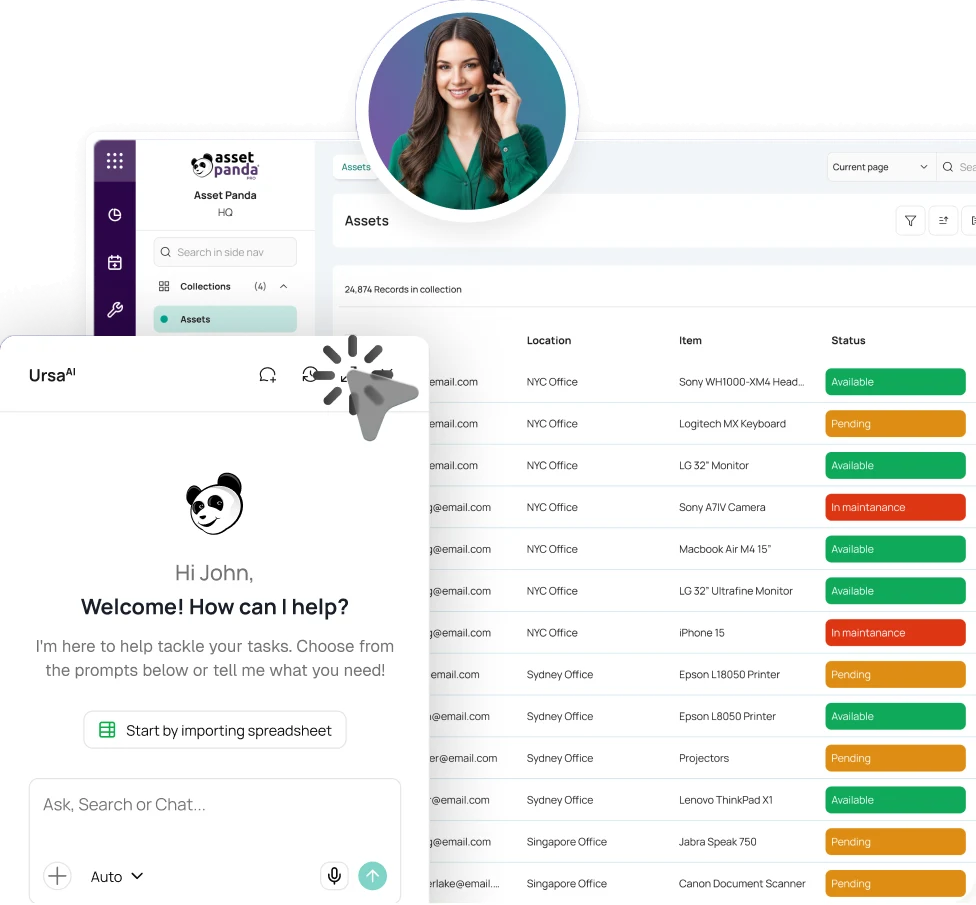
Talk with a barcode expert
Connect with an asset tag expert to see how easy it is to generate unique barcode labels and scan them instantly with your mobile device.
THE TAG HAS ONE JOB: STAY WITH THE ASSET.
Asset Tags & Barcode Labels
A faded label or duplicate ID can turn tracking back into guesswork. Asset Panda helps teams create barcode and QR asset tags suited to how and where equipment is used.


Trusted by teams that need physical asset IDs to stay legible, easy to scan, and matched to the correct asset.





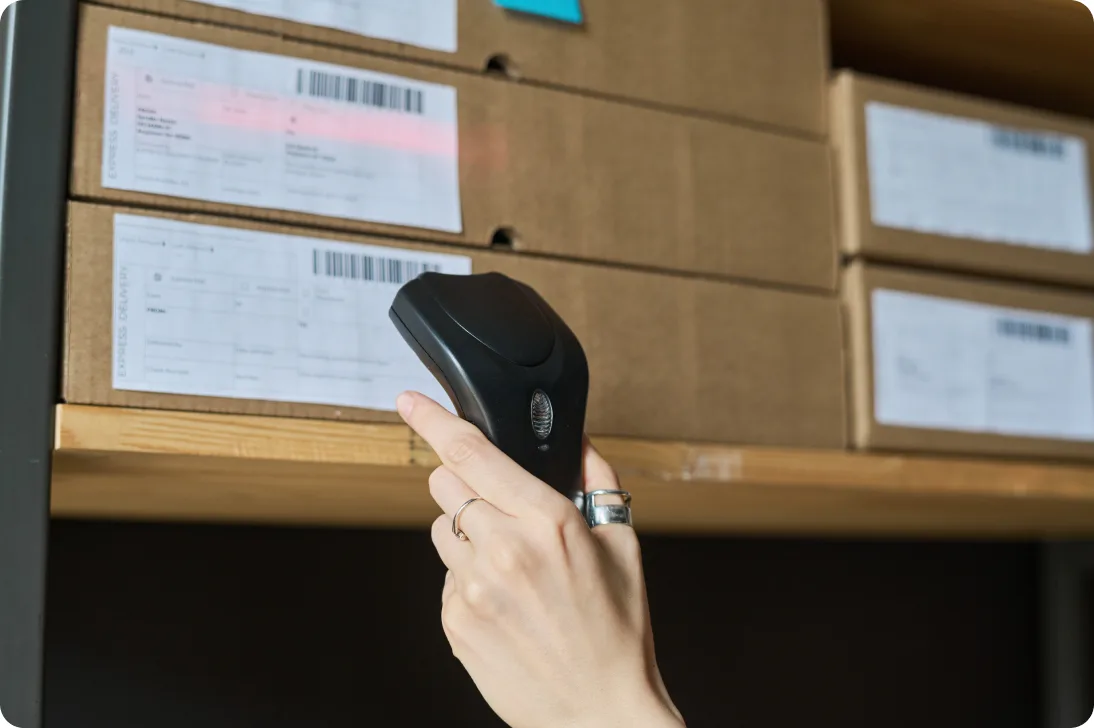
Give every asset one scannable identity.
Asset Panda supports repeatable barcode and QR labels, reusable templates, and more durable tag options when paper is not enough.
FROM NEW ASSET TO SCANNABLE IDENTITY
Set identifiers, build labels, and verify asset record scans.
Decide What Needs a Tag
Prioritize assets that are valuable, mobile, shared, frequently audited, or costly to replace. Existing identifiers can stay in use when they already meet the need.
Build the Label
Start with a sheet and label template, set a supported barcode or QR format, and add the fields, text, or image your team needs on the printed label.
Match the Material to the Asset
Use light-duty labels when appropriate, or move to a more durable material when the surface or handling demands it.
Apply and Confirm the Match
Place the identifier where it can be read and scanned, then scan it with Asset Panda to confirm the physical item opens the intended record before normal use.
THE IDENTIFIER SHOULD FIT THE ASSET.
Make labels readable, consistent, and tied to the right asset.
Barcode & QR Code Generation
Build supported 1D or 2D identifiers in Asset Panda and tie each code to the asset it identifies.
Custom Label Templates
Set sheet dimensions, build reusable label layouts, and include selected asset fields, text, or an image on the printed label.
Automatic Sequences & Record-Based Labels
Build batches of incrementing identifiers for new tagging projects or print labels from field values already stored in Asset Panda.
In-House Printing for Light-Duty Use
Prepare print-ready label output for the printer and sheet stock that match your saved template dimensions, making routine office or classroom tagging easier to repeat.
Durability for Field & Facility Assets
When paper or light-duty labels are not enough, work with an asset tag expert to select options suited to the asset, surface, handling, and expected exposure.
Scan-Ready Asset Tags
Once the tag is applied, scan it from the Asset Panda mobile app to open the matching asset profile and move into assignment, audit, inspection, repair, or other authorized work.
Explore Barcode TrackingTHE TAG IDENTIFIES IT. THE RECORD EXPLAINS IT.
Turn a physical identifier into the starting point for the asset's history.
The label itself can stay simple. After a scan, authorized users can work from the matching Asset Panda record and use UrsaAI to find supporting context in available asset data and approved company knowledge.
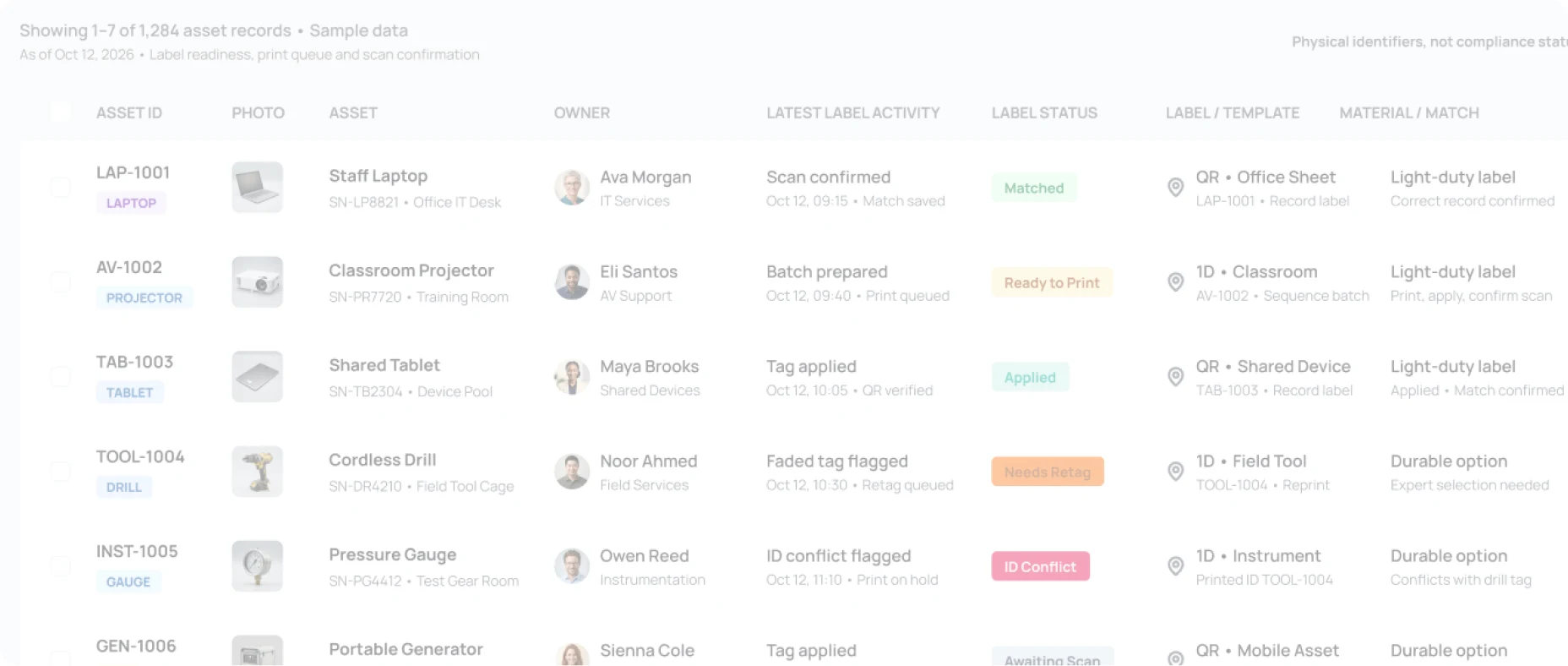






- LAP-1001MATCHED
- AV-1002READY TO PRINT
- TOOL-1004NEEDS RETAG
- 1,284 assetsAll asset classes
- 1,042 scan matchedCorrect record confirmed
- 156 print queueReady to print
- 47 need retagDamaged or faded tags

- Use the tag to reach the current asset profile instead of printing changing details on the label.
- Search assignments, locations, documents, inspections, tickets, repairs, and history tied to that asset.
- Surface missing information or upcoming dates, then let the authorized team decide the next action.
WHEN THE TAG BECOMES PART OF THE WORK.
See how teams strengthen accountability as equipment moves.

Barcode labels and scanning in eight global offices.
“Asset Panda also allows us to easily create and print barcode labels for our assets.”
IT Manager, Stanford University



Barcoding made a large school system easier to manage.
“The barcode scanning has been most beneficial to us in the short time we have migrated to the platform.”
Computer Technician, Conseil scolaire catholique de district des Grandes Rivières


No asset losses reported after tagging began.
“Our restaurants have reported no asset losses since tagging began.”
Director of Loss Prevention, BLD Brands / Spaghetti Warehouse









THE RIGHT TAG CHANGES WITH THE ENVIRONMENT.
See how asset tagging fits schools, jobsites, and production operations.
K-12 School Districts
Tag laptops, classroom technology, AV equipment, and shared assets between schools, then scan existing or new identifiers from a phone or tablet.
Construction
Use asset tags on tools, equipment, vehicles, and field assets that move among jobsites, yards, crews, and storage locations.
Manufacturing
Identify tools, gauges, test equipment, machines, and mobile production assets with labels built for scanning in production settings.
Asset Tags & Barcode Labels FAQ
What is an asset tag?
An asset tag is a physical identifier attached to equipment, tools, devices, furniture, vehicles, or other assets. It may contain a barcode, QR code, serial-style ID, text, or other identifying information that helps users match the physical item to the correct asset record.
Can Asset Panda print asset tags with barcodes or QR codes?
Yes. Asset Panda includes a Barcode Generator that can build supported barcode and QR labels from saved templates, automatic sequences, or field values already stored in asset records. The resulting labels can be printed using the selected template dimensions.
Can custom asset labels include text, images, and asset fields?
Yes. Label templates can include the barcode or QR code plus selected Asset Panda fields, text, and an image. Teams can save sheet and label templates so the same layout can be reused instead of rebuilding it for every print run.
Can Asset Panda set up sequential tags or print labels from existing records?
Yes. Teams can set up automatically incremented identifiers for new tagging projects or build labels from field values already stored in Asset Panda. This supports both new deployments and organizations with established asset-number conventions.
Do we have to replace existing barcodes, QR codes, or serial numbers?
Not necessarily. Existing barcodes, QR codes, asset tags, and manufacturer serial numbers can remain useful when they are associated with the correct Asset Panda records. New Asset Panda labels can be added where a dedicated internal identifier is needed.
What type of asset tag material should we use?
It depends on the asset, surface, and expected exposure. Asset Panda supports in-house printing for light-duty labels, while an asset tag expert can help teams select more durable options for harsher handling.
Can asset tags be scanned with a phone or tablet?
Yes. Asset Panda supports mobile barcode and QR scanning from iOS or Android devices. After scanning the identifier, authorized users can open the matching asset profile and continue into the workflows available to them.
How is Asset Tags & Barcode Labels different from Barcode Tracking Software?
Asset Tags & Barcode Labels focuses on label setup, printing, material selection, and application. Barcode Tracking Software focuses on what happens after the scan, such as assignments, transfers, audits, inspections, tickets, repairs, and other asset workflows.
GIVE EVERY ASSET AN ID PEOPLE CAN ACTUALLY USE.
Give it an ID. Apply the tag. Scan when it moves.
See how Asset Panda can help your team prepare barcode and QR labels, match tag options to how the asset is used, and turn each identifier into a reliable starting point for asset tracking.
Free Demo