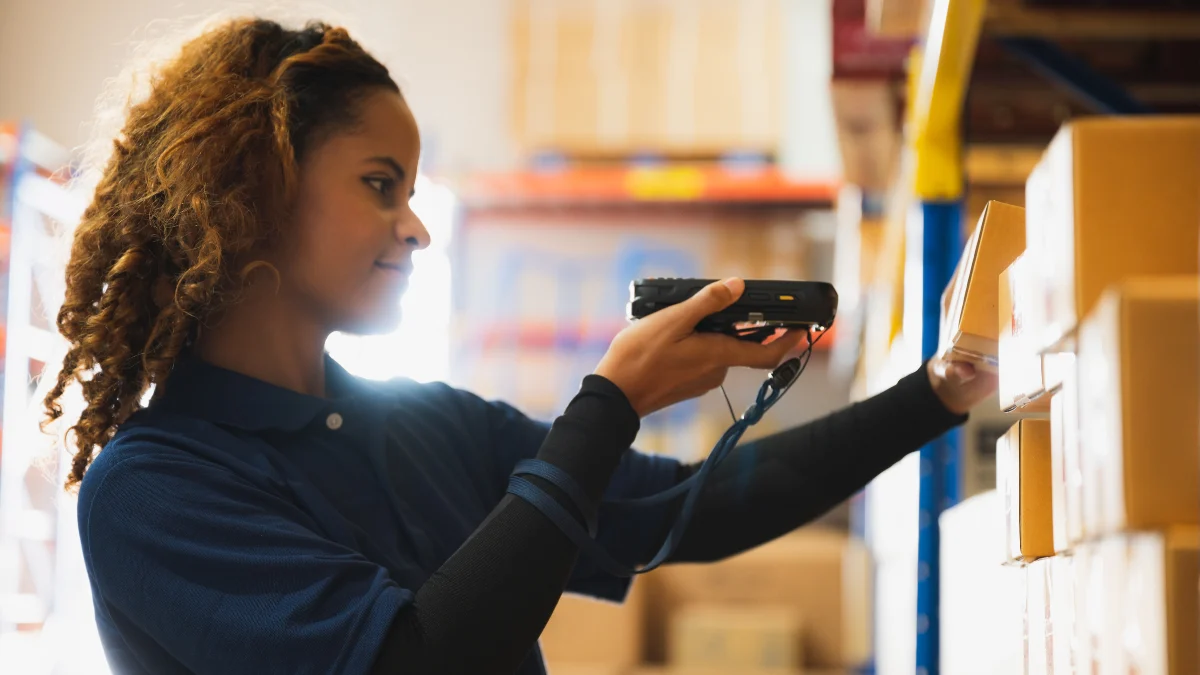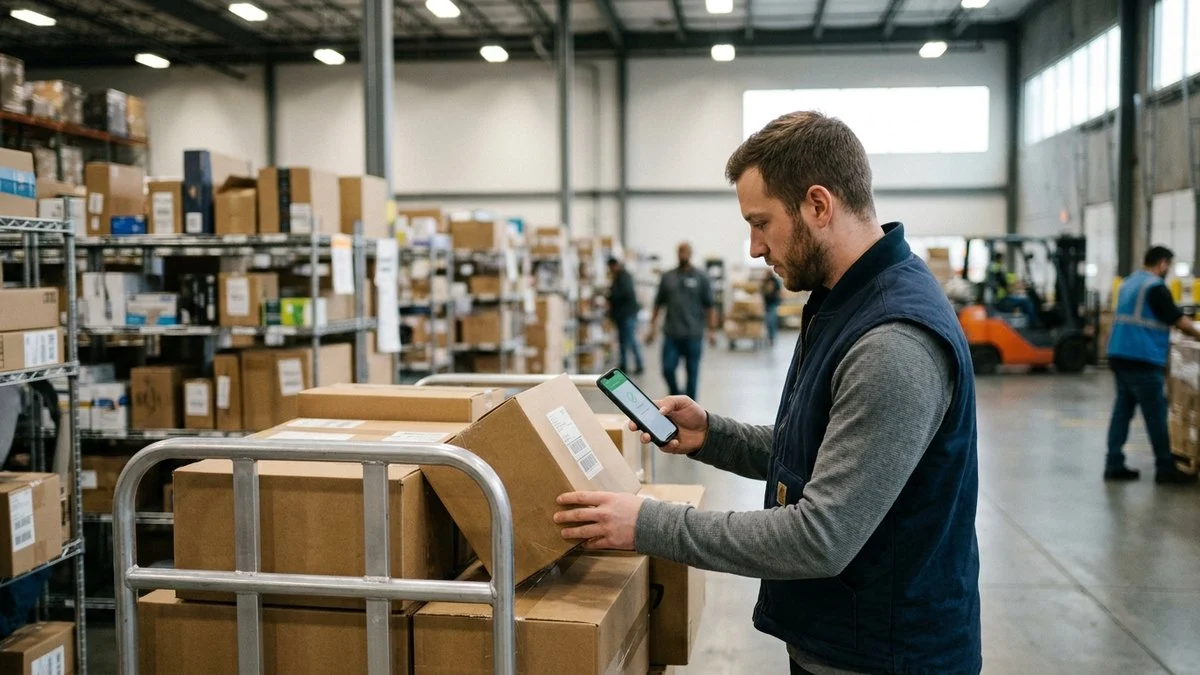
Across industries like healthcare, education, construction, and retail, one simple tool powers faster workflows and smarter inventory: the mobile barcode scanner. As the concept of mobile barcode scanning becomes more popular among organizations of all sizes, many people still ask: how does a mobile barcode scanner work, especially when it comes to real-time data syncing, asset tracking, and secure cloud management?
Whether you’re managing IT equipment or auditing machinery across multiple job sites, a mobile barcode scanner can transform how you handle inventory and assets. Below, we’ll explore the key components that make mobile barcode scanning effective, from the technology behind barcodes to how the process works on a mobile device, and how asset tracking platforms like Asset Panda are leading the way in enabling real-time visibility and control over assets from virtually anywhere.
Key takeaways
- What barcodes enable: They’re machine-readable IDs that link a physical item to its digital asset record for fast, reliable tracking.
- How mobile scanning works: A phone/tablet camera captures the code, decodes it, pulls up the matching asset record, and syncs any updates to the cloud in real time.
- Why use phones over dedicated scanners: Lower cost and fewer devices to manage, with quick, accurate scans plus real-time visibility (and offline support) for teams on the go.
What Is a Barcode?
A barcode is a machine-readable symbol used to store and transmit information. It acts as a unique identifier for an item, allowing users to instantly retrieve or update data through a scanning device. While they’re often associated with retail, barcodes are essential to modern asset tracking because they provide a fast and accurate way to label, locate, and manage physical items.
Each barcode links to an asset’s digital profile, which might include relevant information such as purchase date, location, maintenance records, depreciation data, or warranty status. Barcodes are inexpensive to create and easy to print, which makes them especially practical for businesses looking to track large quantities of assets on a budget.
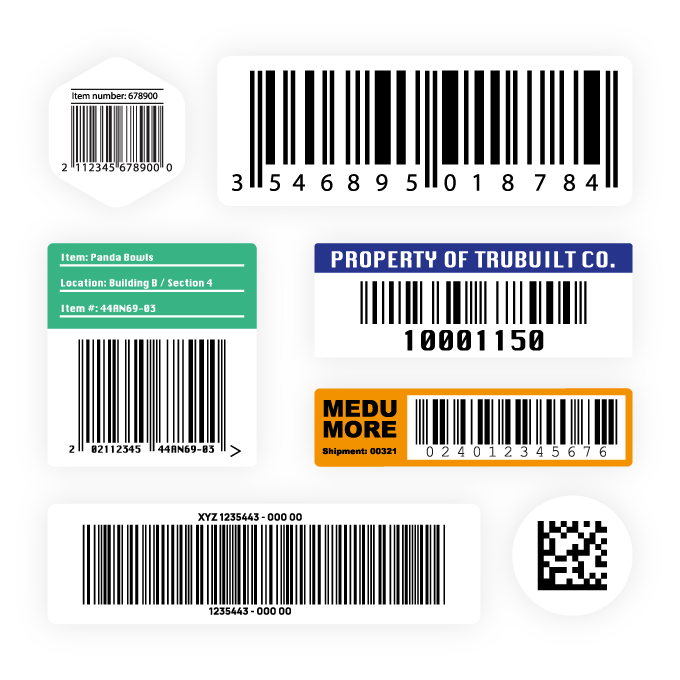
The familiar patterns you see on a barcode – lines, squares, or dots – represent encoded data that a scanner translates into information. That encoding style varies based on the type of barcode used.
What Are the Different Types of Barcodes?
Barcodes fall into two main categories: 1D (one-dimensional) and 2D (two-dimensional). These formats determine how the data is structured, how much data can be stored, and which type of scanner or app is needed to read them.
1D Barcodes
These are the traditional barcodes most people recognize, lines of varying widths spaced apart. They’re commonly found on consumer products and are ideal for storing short strings of data, like a serial number or item ID.
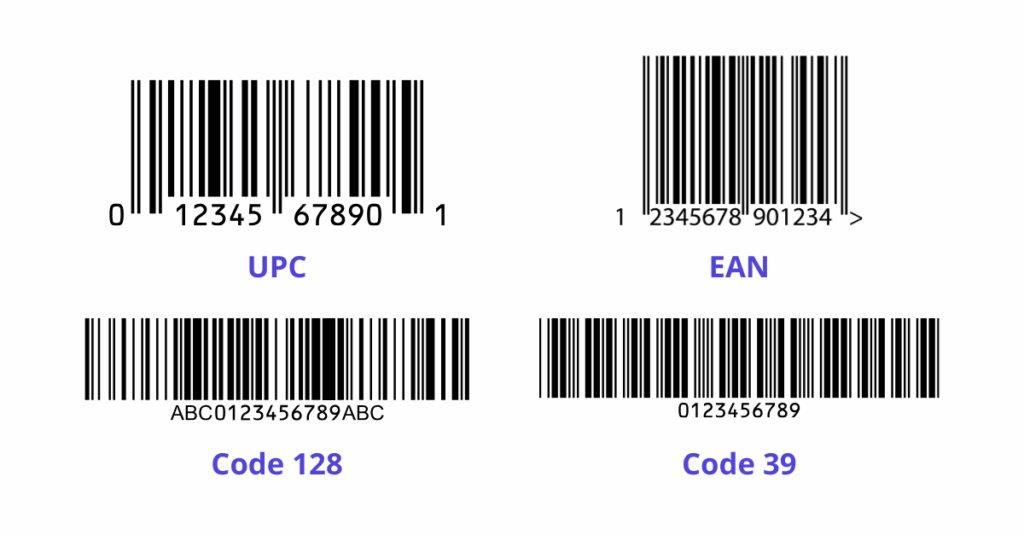
Popular 1D barcode types include:
- UPC (Universal Product Code): Widely used in retail for tracking sales.
- Code 128: Compact and high-density; often used in logistics.
- Code 39: Frequently used in manufacturing, defense, and automotive.
- EAN (European Article Number): A variation of UPC used internationally.
2D Barcodes
2D barcodes are more complex and can store far more data in a smaller space. Instead of just vertical lines, these use patterns of dots, squares, or other shapes arranged both horizontally and vertically.
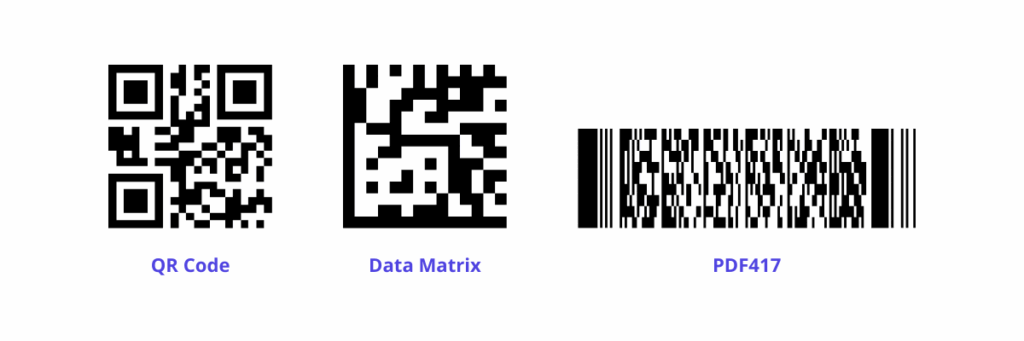
Common 2D barcode types include:
- QR Code: Easily scanned by mobile phones, QR codes are used for everything from menus to payment systems.
- Data Matrix: Highly compact and often used in healthcare and electronics.
- PDF417: A stacked linear barcode used on ID cards and boarding passes.
Asset Panda’s scanning technology supports the above barcode types. This wide compatibility ensures that the system fits a broad range of business needs without requiring new hardware or re-tagging.
What Happens When You Scan a Barcode?
Learning how a mobile barcode scanner works means looking at the process that unfolds each time a scan is performed. Though it takes only seconds to capture a wealth of important information about an asset, understanding how to use a barcode scanner reveals just how much happens in the background to deliver accurate, real-time data.
Each scan connects the physical world to your digital system, translating printed codes into actionable information. This seamless process is what makes mobile scanning such a reliable tool for asset management at scale.
Here’s what happens during a typical scan:
- Image Capture: The user opens a scanning app (like Asset Panda’s mobile app) and aligns the barcode within the device’s camera frame. The app automatically captures the image.
- Decoding: Software within the app analyzes the pattern of the barcode, whether linear bars or QR-style squares, and converts it into digital data.
- Data Matching: The decoded information is sent to the cloud or the app’s local database. It matches the barcode to the correct asset profile.
- Display and Interaction: The asset’s record opens instantly. The user can then view or edit details such as location, condition, or maintenance status, or take actions like check-in/checkout.
- Real-Time Syncing: Any changes made are synced to the cloud, making updates immediately available across teams, locations, and devices.
This process enables your teams to manage assets more quickly and with greater accuracy than manual entry.
Scanning Barcodes on Your Mobile Device
One of the biggest shifts in asset management is the move from bulky, expensive scanning hardware to everyday mobile devices. A mobile barcode scanner doesn’t need to be a specialized tool. It can be your very own smartphone or tablet running the right app.
Asset Panda’s mobile platform is a prime example. Available for iOS and Android, the app turns a device’s built-in camera into a high-powered barcode scanner. Designated users open the app, scan a barcode, and gain immediate access to that asset’s profile. This data is accessible anytime, anywhere, whether you’re in the office, a warehouse, a hospital, or out in the field.
This level of accessibility means that team members no longer need to rely on a central desktop or check-in kiosk to log updates. Instead, they can scan and work with assets directly on-site, improving speed, visibility, and accuracy. For businesses with distributed teams, multiple locations, or high asset volumes, mobile scanning ensures nothing gets overlooked.
Even better, Asset Panda’s barcode scanning feature is built into a full suite of asset management tools. Scanning is just the starting point. You can also schedule maintenance, track depreciation, set alerts when asset quantities are low and need to be reordered, generate audit reports, and much more.
5 Benefits of Mobile Barcode Scanning
Mobile barcode scanning isn’t just about convenience; it’s a strategic upgrade that helps organizations work faster, smarter, and more efficiently. Whether you’re tracking IT equipment across departments or auditing assets across multiple locations, using a mobile barcode scanner offers several compelling advantages.
1. Speed and Efficiency
Scanning barcodes with a mobile device reduces the time it takes to locate, identify, and update asset records. Instead of manually entering serial numbers or flipping through spreadsheets, which are prone to errors, team members can capture data in seconds with a quick scan.
2. Improved Accuracy
Manual data entry leaves room for typos and mislabeling. Mobile scanning removes that risk by pulling directly from encoded barcode data, ensuring that records are accurate and up to date. Fewer errors mean fewer delays and more trust in your data.
3. Cost Effectiveness
Traditional scanning equipment can be expensive and difficult to scale. By turning smartphones or tablets into scanners, businesses eliminate the need for proprietary hardware. This makes it easy to roll out scanning capabilities across teams and locations without a major investment in equipment that is easy to use and obtain.
4. Real-Time Visibility
Every scan feeds directly into a centralized asset management platform like Asset Panda. That means updates are readily available as they happen, giving you and your employees real-time, better visibility into asset status, movement, and usage patterns.
5. Flexible, On-the-Go Use
Whether your team is on a construction site, in a school building, or traveling between offices, mobile scanning allows them to work from anywhere. Asset Panda’s app supports cloud syncing, offline mode, and customizable workflows, making mobile tracking possible in virtually any environment.
If you’re already using mobile devices for communication and productivity, integrating barcode scanning is a natural extension, and one that adds control and confidence to your asset tracking efforts.
Why Barcodes Still Matter in Modern Asset Management
With the rise of RFID (Radio Frequency Identification), NFC (near-field communication), and other emerging tracking technologies, you might wonder why barcodes remain so popular. The answer is relatively straightforward: they work, and they work well.
Barcodes are affordable, easy to deploy, and compatible with virtually all mobile devices. They don’t require power or batteries, and they’re quick to scan even at scale. For organizations seeking fast, reliable, and low-friction solutions, barcode scanning is still the gold standard.
As organizations of all shapes and sizes dive deeper into why barcodes are used in asset tracking, they are discovering how barcodes offer the ideal blend of simplicity and functionality, especially when paired with flexible cloud platforms. They provide the structure businesses need to manage inventory without introducing unnecessary complexity and the potential for errors.
Integrating Barcode Scanning Into Asset Tracking
The value of a mobile barcode scanner becomes even more apparent when it’s integrated into a broader asset management system. Instead of scanning for identification only, businesses can gain a better understanding of how much asset tracking is really costing and how to improve multi-site tracking. This knowledge, combined with the data captured via the scan, can be used as a gateway to track everything an item has been through, from purchase and location deployment to repair and retirement.
With Asset Panda, the process starts by labeling physical assets. Using barcode labels tailored to your environment (durable, weather-resistant, tamper-proof, etc.), each asset is uniquely tagged. Once scanned into the system, it can be assigned to a location, a user, or a department. You can track items that are checked out or checked back in, record maintenance activity, flag replacements, and monitor asset performance over time.
For teams that track very specific asset types, mobile scanning also supports the setup work that has to happen before assets move through the system. You can define asset categories in the software, tag them with the right barcodes, and use filters to pull the exact group you need during scans, imports, or data pushes. That structure keeps mobile scanning accurate when different asset types follow different workflows.
All of this supports a stronger asset lifecycle strategy. Rather than reacting to breakdowns or missing equipment, teams can proactively manage assets using real-time data collected via mobile scanning.
Smarter Asset Tracking with Asset Panda’s Mobile Barcode Scanner Tools
So, how does a mobile barcode scanner work in a real-world context? It starts with capturing an image, decoding the data, and syncing that information to a centralized platform, and it all can be done within seconds. But the real power lies in what happens next: teams gain immediate visibility, accountability, and control over their assets.
Asset Panda brings this process to life with a mobile-first platform designed to handle everything from barcode scanning and data entry to advanced reporting and lifecycle tracking. By integrating the mobile barcode scanner into a comprehensive management system, Asset Panda helps businesses work smarter, faster, and more securely.
To learn how Asset Panda’s mobile asset management and barcode scanning software can serve your organization, schedule your demo today.
Frequently Asked Questions
Do I need to buy barcode labels for asset tracking?
Not at all. With Asset Panda you can easily print your own labels with the barcode generator built into the web app.
If you need barcodes that can stand up to heat, moisture, chemicals or other environmental hazards, you will likely need to purchase separate durable labels.
Do barcode scanners work with Excel?
Yes. A barcode scanner can work with Excel because the scanner acts like a keyboard, sending the scanned code’s text (numbers/letters) directly into any cell that’s active. However, it only transfers the codes text, no other data is integrated.
How far away can a mobile device scanner read?
The range of a mobile scanner varies significantly by device type, with standard smartphone cameras capturing details up to a few feet, traditional barcode scanners ranging from a few inches to several feet, and specialized long-range scanners reaching 10 to 40 feet or more.
Key factors influencing read distance include the scanner’s technology (e.g., 1D laser, 2D imager, or RFID), the size and quality of the code or tag, and the environment.
Can a mobile barcode scanner help track quantity on hand for resale or consumable inventory?
Yes. When you scan an item out, the system can calculate quantity on hand as the starting quantity minus the number sold or issued. That makes mobile scanning useful not just for fixed assets but also for reseller inventory and consumables where the count needs to update every time an item leaves the shelf.
Can multiple users scan the same asset at different locations?
Yes. Because Asset Panda syncs data to the cloud in real time, multiple team members can scan the same asset from different locations without creating conflicting records. Each scan logs who performed it, when, and where, so your audit trail stays clean and every update is visible to the whole team as soon as it happens.
What happens if I scan a barcode that isn’t in the system yet?
If a scanned barcode doesn’t match an existing asset record, Asset Panda can prompt the user to create a new asset on the spot. This makes it easy to add items to your inventory during a walk-through or receiving process without having to return to a desktop later. The new record is created, saved, and synced immediately.
Is mobile barcode scanning reliable in low-light or outdoor environments?
Modern smartphone cameras handle a wide range of lighting conditions, and most scanning apps, including Asset Panda’s, use the device’s built-in flash or torch to assist in dim settings. For outdoor use, high-contrast barcode labels and proper label placement go a long way toward ensuring reliable reads. If your team regularly works in harsh or low-visibility environments, durable, high-contrast labels are worth the investment.