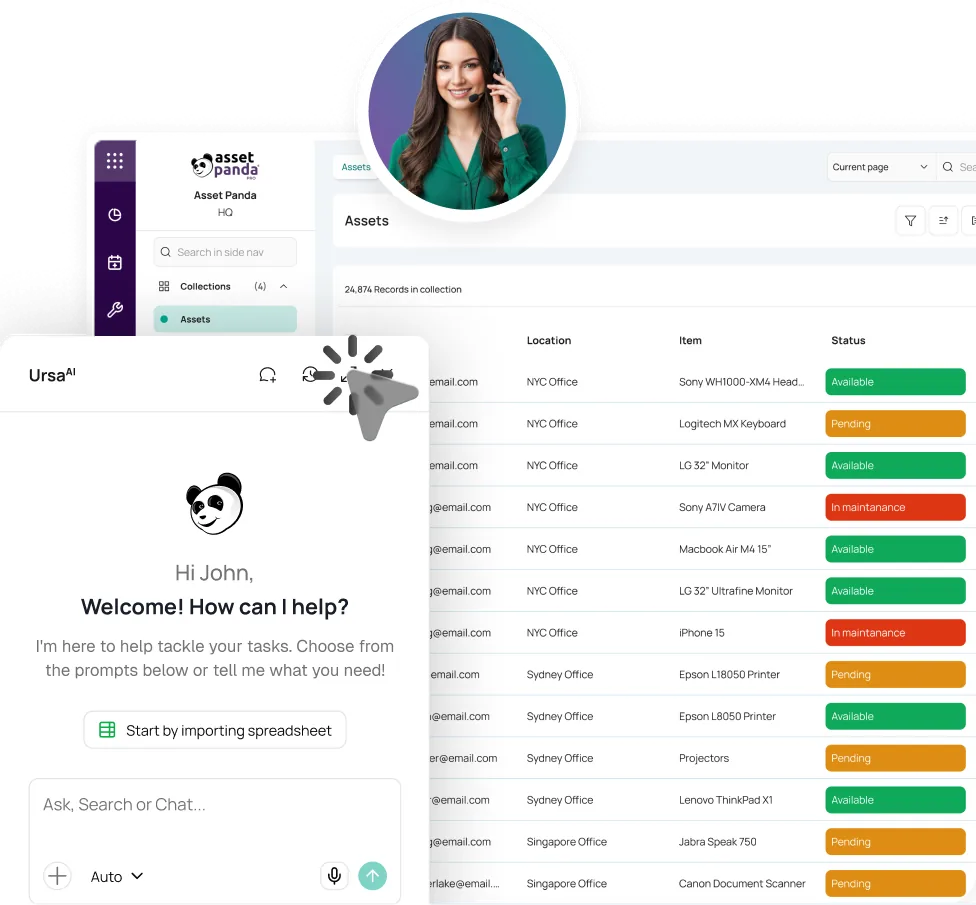

KNOW WHO HAS IT BEFORE THE OFFBOARDING TICKET CLOSES.
IT Asset Management Software
ITAM software should connect each device to its user, service history, warranty, and replacement date. Asset Panda follows that record from deployment through return.



Trusted where every device, user, and handoff matters.





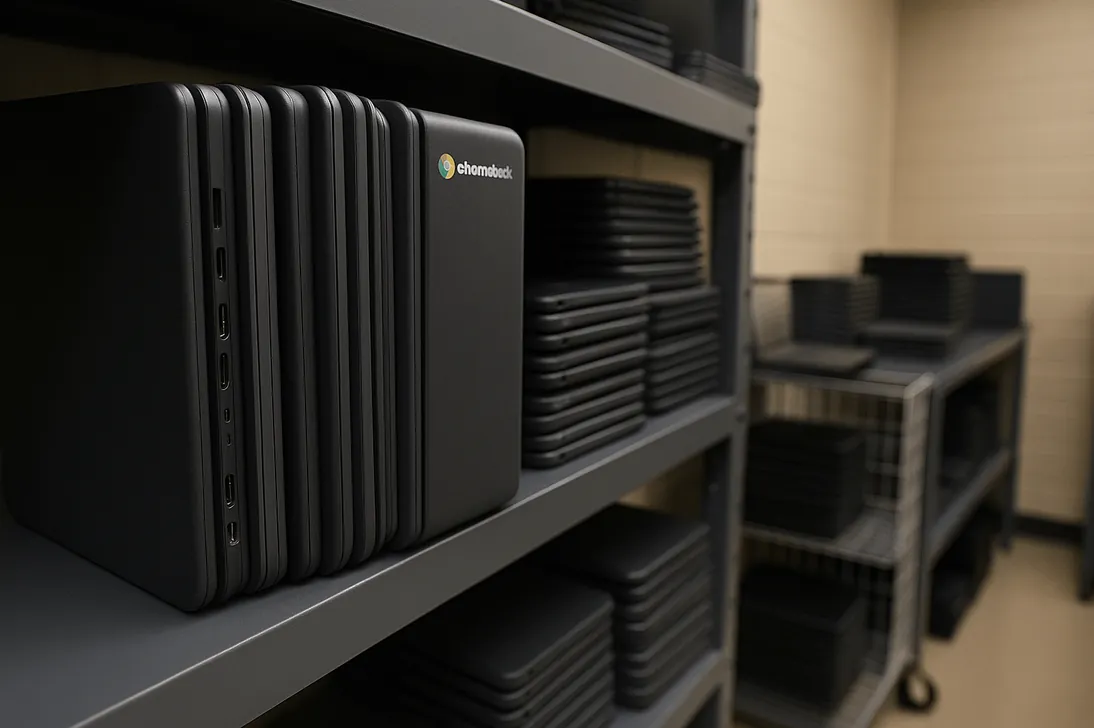
A single system of record from deployment through recovery.
Asset Panda connects the device, user, assignment, service history, warranty, and lifecycle decisions while your identity, MDM, and help desk systems keep doing their jobs.
FROM PROVISIONING TO RECOVERY
Make every device handoff update the IT record.
Start with the systems IT already uses. Bring directory, MDM, service desk, and mobile scan data into one working history without custom code or a developer project.
Sync Users and Devices
Import your list or connect Entra ID, Okta, Google Workspace, Intune, Jamf, Kandji, and other supported tools.
Assign and Deploy
Check out each device to a user or location, capture acceptance, and preserve the handoff.
Support and Verify
Link tickets, repair details, photos, and audits to the device record. Work offline with downloaded records and sync later.
Recover, Refresh, Retire
See what a departing user still holds, record the return, and use age, warranty, and history to decide what happens next.
IT CONTROL THAT CONNECTS THE STACK
Turn scattered device data into decisions.
Use IT asset tracking software to connect identity, assets, custody, service, and lifecycle context in one searchable record.
Global Search and IT Asset Records
Find laptops, servers, network equipment, and other IT assets by serial number, asset tag, user, status, or location. Keep assignments, tickets, documents, and history on the same record.
Explore Asset IntelligenceIdentity and Endpoint Integrations
Sync users and devices from Entra ID, Okta, Google Workspace, Intune, Jamf Pro, Kandji, Apple Business Manager, Hexnode, and other supported tools.
Explore IntegrationsAssignment and Offboarding
Check devices in and out with mobile scans, signatures, dates, and assignment history. Pull a user’s assigned devices before the offboarding ticket closes.
Ticket and Service Context
Connect devices to tickets through Zendesk, ServiceNow, Freshservice, Jira, or Asset Panda workflows. Give technicians the history behind the issue.
Explore Help Desk TicketingWarranty, License, and Refresh
Track warranty terms, license keys, seats, expirations, device age, and end-of-life dates. Use alerts and views before renewal or replacement is overdue.
Explore Lifecycle ManagementMobile Audits and Evidence
Scan with a phone, verify devices, attach photos or documents, and preserve who changed what and when. Download the needed records first for offline work, then sync after reconnecting.
Explore Mobile Asset Auditing




IT ASSET INTELLIGENCE FOR THE QUESTIONS BEHIND THE TICKET
Ask who has it. See what changed. Assign what happens next.
UrsaAI works inside Asset Panda with the context of your IT records, permissions, tickets, and files. Ask plain-language questions about IT assets, assignments, dates, status, and history without building a report first.
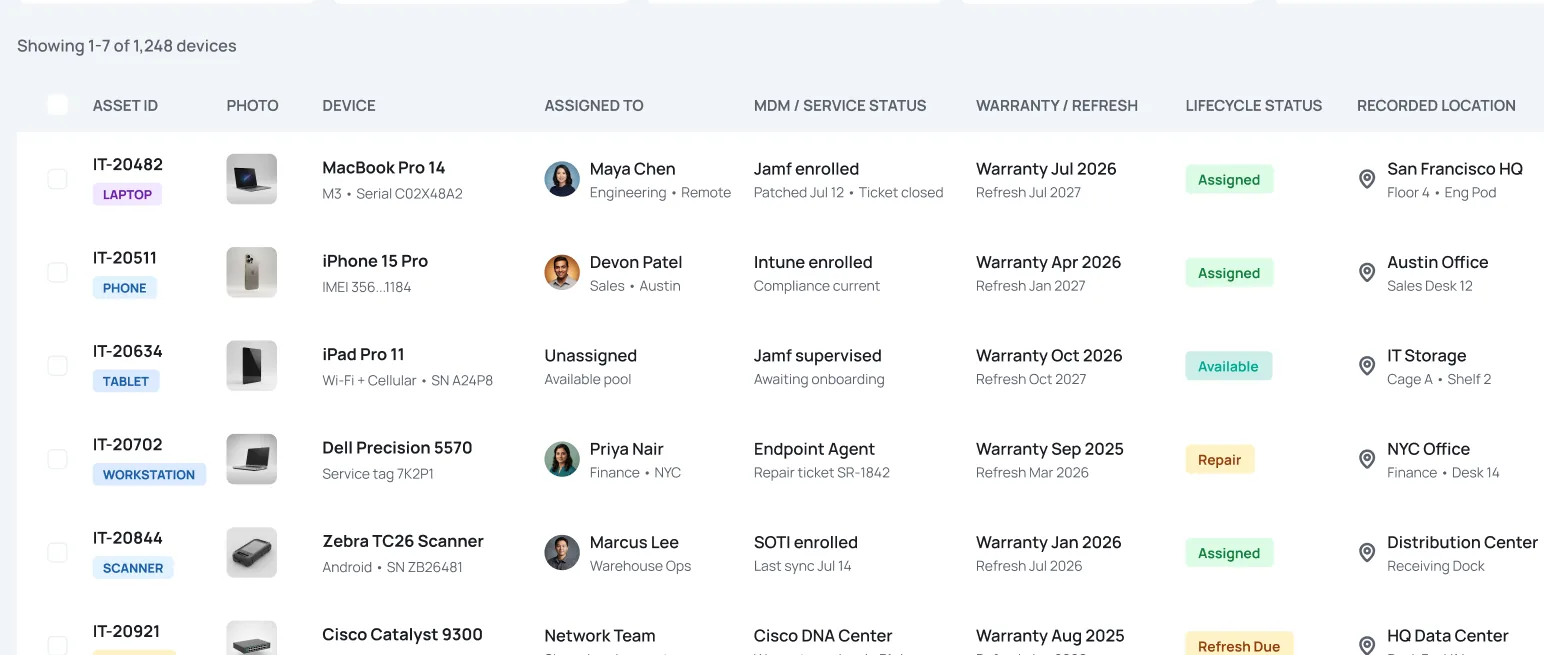
- IT-20482LAPTOP
- IT-20511PHONE
- IT-20634TABLET
- IT-20702WORKSTATION
- 1,248 total devices
- 1,086 assigned
- 17 return overdue
- 26 warranty alerts
 IT-20482MacBook Pro 14
 Maya Chen
- Find devices by user, serial number, asset tag, status, recorded location, or assignment
- Surface warranty, end-of-life, return, and renewal dates that need attention
- Retrieve assignment, ticket, repair, and audit history in plain language
- Turn missing documentation or assignment gaps into an assigned ticket
- Keep access and lifecycle decisions with the IT teams responsible for them
PROVEN WHERE DEVICES MOVE FASTER THAN THE LIST
Faster handoffs. Clearer support. Fewer device gaps.

2 to 3 hours saved per administrator, per day.
“On average, we save anywhere from 2-3 hours per day per administrator/major user of the software.”
Systems Administrator and Service Desk Intern, Avalara



Countless hours saved across onboarding, purchasing, and deployment.
“Asset Panda saves time and has let our team work in a transparent and seamless fashion.”
Ripple IT, Ripple

Almost one hour saved every day.
“I save almost an hour of time in my day when it comes to asset tracking.”
IT Support Technician I, Hockinson School District








ONE IT RECORD. DIFFERENT WORKDAYS.
Support every device handoff without rebuilding the list.
K-12 School Districts
Track devices by student, staff member, school, and district. Support rollouts, returns, repairs, and summer audits from one record.
Higher Education
Connect devices to users, departments, campuses, service history, and refresh plans across decentralized IT teams.
MSP IT Asset Management
Separate assets by client, manage assignments and service history, and retain portfolio-wide visibility without mixing client records.
IT Asset Management Software FAQ
What is IT asset management software?
IT asset management software, also called ITAM software, connects devices and software records to users, assignments, service history, warranty and license dates, audits, and lifecycle decisions. IT asset tracking is part of that process, helping teams maintain custody, location, and handoff history for individual devices.
How is IT asset management different from MDM?
MDM manages device enrollment, policy, security settings, and technical status. Asset Panda connects the device to its user, physical custody, tickets, documents, audits, and lifecycle history. It complements MDM instead of replacing it.
Can Asset Panda track servers and network equipment?
Yes. Asset Panda can track servers, switches, routers, access points, telecommunications hardware, and other IT equipment alongside laptops and mobile devices. Teams can maintain location, status, documentation, service history, warranties, and lifecycle details in one record.
Does Asset Panda integrate with Intune, Jamf Pro, Kandji, Apple Business Manager, Entra ID, Okta, and Google Workspace?
Yes. Asset Panda supports integrations with endpoint and identity tools including Intune, Jamf Pro, Kandji, Apple Business Manager, Entra ID, Okta, and Google Workspace, along with service platforms such as ServiceNow, Zendesk, Freshservice, and Jira. Data direction and available fields vary by integration, so confirm your required flow during the demo.
How can IT find devices assigned to a departing employee?
Sync or import user records, search the employee, and use saved views to see assigned devices and return status before the offboarding ticket closes. The final return still follows your organization’s offboarding process.
Can Asset Panda track software licenses, warranties, and refresh dates?
Yes. Track license keys, seats, vendors, expirations, warranty terms, purchase dates, device age, and end-of-life dates. Use views, notifications, and scheduled reports to surface upcoming renewals and refresh candidates.
Can we import our existing IT asset list without custom code or a developer?
Yes. Import Excel or CSV data, use UrsaAI column mapping, and start with the records, fields, forms, permissions, views, and notifications your team needs. No custom code or developer-led build is required.
SEE YOUR DEVICE LIFECYCLE IN ONE VIEW
Stop Closing Offboarding Tickets With Devices Still Missing.
Bring your current device list. We’ll show how users, assignments, tickets, warranties, and refresh decisions stay connected from deployment through return.
Free Demo