


Mobile Asset Audit Software
Conduct Audits From Anywhere, Anytime
Save time and boost efficiency with our mobile asset audit software with built-in barcode technology.
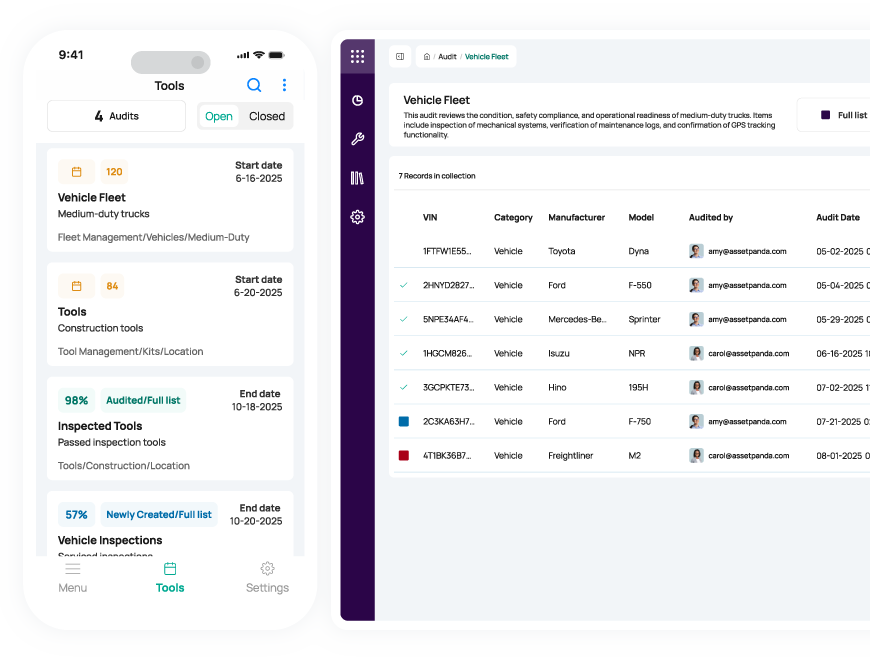

AI Enhanced
Improve your efficiency with the power of Asset Panda Intelligence.
Fast Time to Value
Achieve high ROI and user adoption with our intuitive interface.

Seamless Mobile Audits
Easily perform audits using our mobile app with built-in barcode technology.
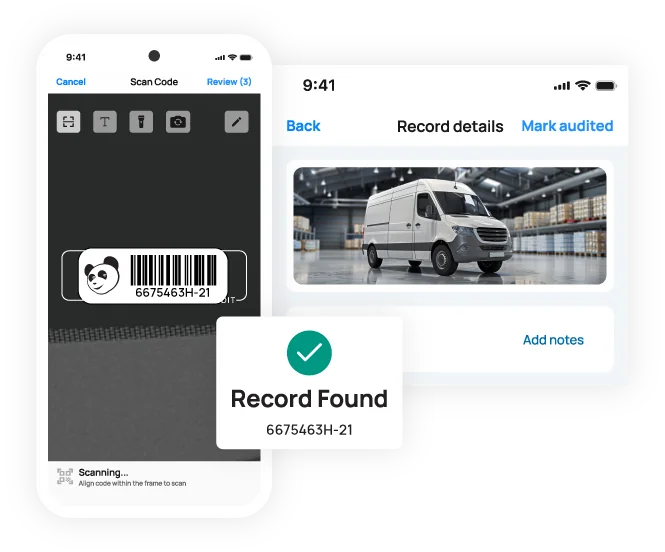
Perform audits directly on your mobile device
Audit your asset inventory using our mobile app with built-in barcode scanning
Enable your team to conduct audits quickly and easily with our mobile asset audit solution. From the office to the warehouse, your employees can perform audits from anywhere using our mobile app with available offline mode.
With built-in barcode technology, your team can save valuable time by scanning items instantly. Generate and print your own unique barcode labels in our asset audit software, and scan barcodes with your mobile device’s camera – no third-party scanners required.
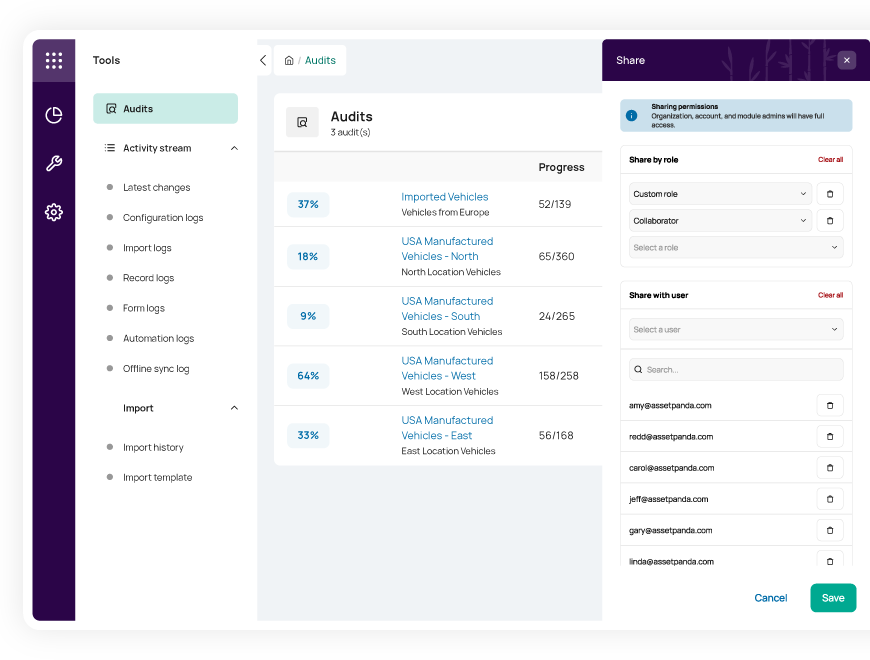
Easily customize and schedule audits
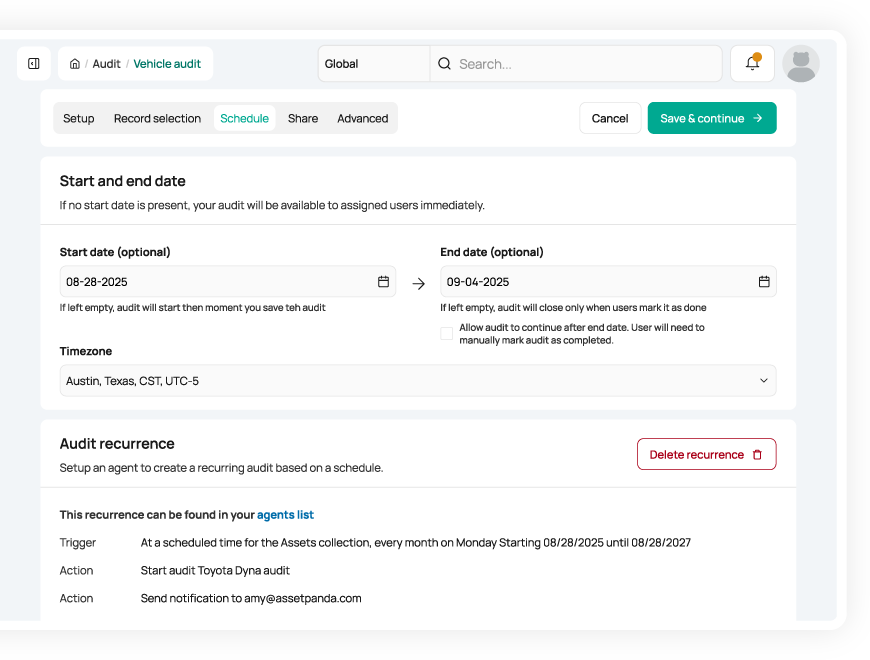
Build custom audits and assign them to available employees
Create, assign, and report on your audits in our intuitive asset audit software. Customize audit checklists for specific locations or asset groups and set notification schedules to alert you of routine audit dates.
Beyond tracking numerous asset types and locations, our centralized asset audit software also allows you to add unlimited users and assign custom roles and permissions. With clear visibility into everyone’s workload, you can streamline audit scheduling and stay on track.
Optimize data accuracy
Reduce manual entry and ensure your records stay up to date
Our mobile asset audit app with built-in barcode technology not only saves your team time but also reduces manual entry and improves data accuracy. With streamlined processes, your team can easily conduct routine audits and ensure your data stays up to date.
With accurate asset data at your fingertips, you can proactively manage upcoming maintenance dates, optimize asset utilization, and better forecast future purchasing needs.
Useful features for mobile audits

Asset assignment

Barcode tracking

Multi-account structure

Full lifecycle history

Maintenance tracking

Asset inspection

Repair tracking

Signature capture

Asset kitting

Tool tracking

Record-level attachments

Contract management

Unlimited users

Automations

Robust reports

Action-based forms

Notifications

Custom fields

Field requirements

Asset listing view

iOS and Android Compatible

Offline mode

Full integration with web app

Built-in barcode scanning

GPS pindrop

Mobile actions

Reporting access

Quick asset addition

User specific views

Sortable columns

Global & faceted search

Mobile and web apps

Data import

Easy record replication
Unlimited users

Bulk asset reallocation

Amazon AWS hosting

TLS 1.2 Encryption

Robust roles and permissions

Full Audit Visibility for Management at Sancon Commissioning
“...because all of the data is stored in one central location and is accessible to all allocated users, management is able to see that audits are being conducted as well. The data collected enables us to do important comparisons for billing and budgeting.”
Brian Douglas
Vice President

Smarter Spending for Paperlyte Through Equipment Audits
“When it comes to budget planning or even an audit, we can see what and how our equipment is being used, or not used, and how we can better spend our money on assets that will benefit our employees and customers in the future.”
James Claxton
Producer/Director

Easier, More Consistent Audits for Denver Seminary
“Our accounting team is also seeing greater benefits after we implemented Asset Panda into our daily operations. Audits across the board are much easier to do, and we can conduct them more often than we did with Excel.”
Jason Adams
IT Director

Reduced Travel Costs with Remote Audits for Continental Floral Greens
“Every month I can set up a scheduled report for each location showing the depreciation of our assets, a listing of what we have, and even write off assets that are no longer useful. I can audit our locations remotely, saving the company time and money from unnecessary travel.”
Christopher Smith
Director of IT
Related mobile auditing resources

Frequently asked questions
How does the Asset Panda mobile app work in 'offline mode' for conducting audits in remote locations with no connectivity?
The Asset Panda mobile app fully supports offline auditing. Before heading into a remote area, users download the necessary asset data to their device. During the audit, they can scan barcodes, take photos, capture signatures, and add notes—all of which are stored locally on the device without requiring connectivity. When the device reconnects to Wi-Fi or cellular service, the app automatically uploads and syncs all offline audit activity to the central database, ensuring accurate and complete audit records.
Can I generate an 'unlisted items' report from an audit to easily identify assets that shouldn't be in a specific location?
Yes. Asset Panda’s Mobile Audit tool automatically identifies “unlisted items” by comparing the assets scanned during an audit to the list of assets expected in that location. Items that are scanned but not on the expected list—or items that were expected but not scanned—are flagged as discrepancies. After completing the audit, you can view or export these results to create a clear report of assets that are unexpectedly present or missing, making it easy to identify and investigate potential location issues.
How can I reduce the manual data entry errors that commonly occur during physical inventory audits?
Asset Panda reduces manual data entry errors during physical inventory audits by relying on barcode scanning instead of typed inputs. Auditors simply scan the asset’s barcode—online or offline—which instantly pulls up the correct record and eliminates the risk of mistyping asset IDs or serial numbers. This ensures every audit update is applied to the right asset and significantly improves data accuracy and integrity.
Can I require a location manager's signature directly on the mobile device to confirm the audit results?
Yes. Asset Panda can capture a location manager’s signature on a mobile device by using a custom sign-off form. While the Mobile Audit tool itself does not collect signatures, you can create an “Audit Confirmation” form with a required Signature field. After completing the audit, the manager signs directly on the mobile screen and submits the form. This submission is stored with the audit records and logged in the Activity Stream, providing verifiable proof of review and acknowledgment.
What is the fastest way to move over all existing asset images and documents to ensure they are available on the mobile device for verification?
The fastest way to move existing images and documents into Asset Panda is to upload them directly to each asset record or automate the process using the Open API. Attachments cannot be imported through the bulk Data Import tool. Instead, you can manually upload files through the web interface or build an API integration that programmatically uploads documents and images to the appropriate asset records. Once uploaded, these attachments become immediately available in the mobile app, enabling auditors to verify asset condition and documentation in the field.
How does a mobile audit provide real-time, tamper-proof location data required for accountability audits?
Mobile audits in Asset Panda enhance accountability by creating an immutable record of which assets were scanned, who performed the audit, and when it occurred. As each item is scanned, the audit tool logs the event and records it in the audit results and the Activity Stream once synced. While the Mobile Audit tool does not capture GPS coordinates, it does provide a tamper-proof record of audit findings—showing which assets were present, missing, or unexpected—helping organizations validate asset presence during accountability reviews.
Learn more from a solution specialist
Schedule a demo to find out how you can transform your workflows with Asset Panda Pro
Contact our team at (888) 928-6112
