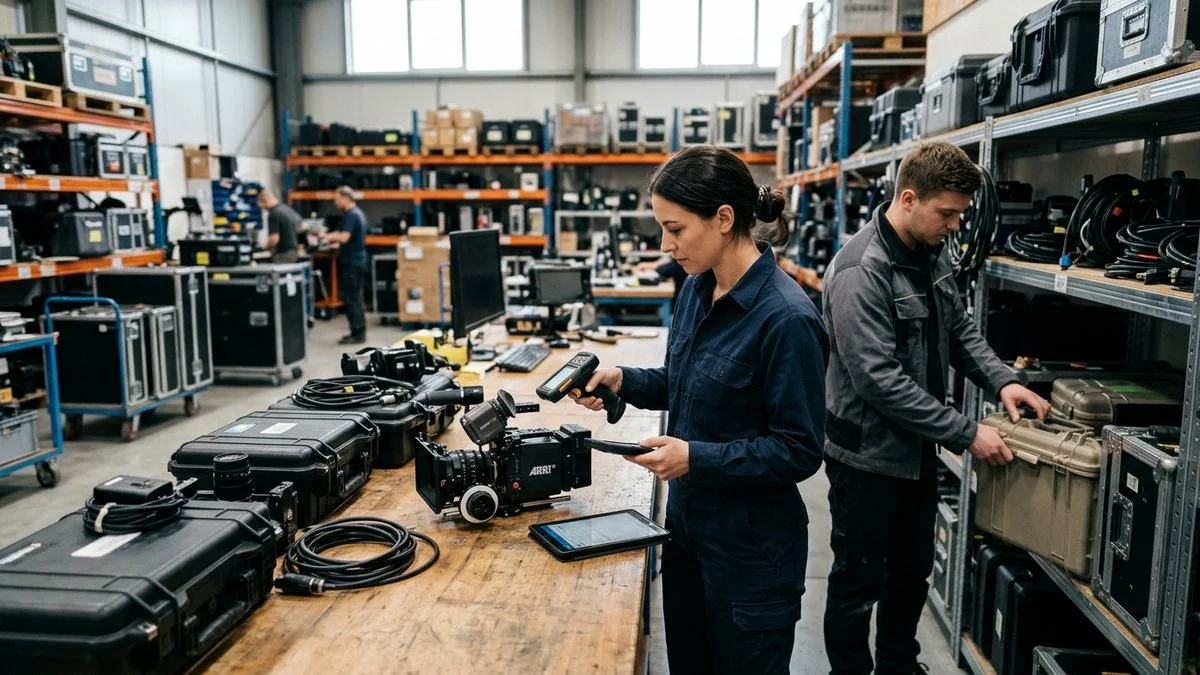
Field teams and operations managers face a persistent problem: inspection data collected on paper or in disconnected apps rarely makes it back to the asset record where it belongs. Photos get lost in email threads, technicians fill out forms that never sync to a central system, and auditors ask for documentation that nobody can find. AI visual inspection software addresses this by connecting photo capture, form completion, and asset recordkeeping into a single workflow. The nine platforms below represent the strongest options available in 2026 for buyers evaluating this category.
Key Takeaways:
- Photo-to-record automation is the defining capability: look for tools that can identify an asset from an uploaded image and create or update its record automatically, not just attach a photo to a ticket.
- Offline functionality matters more than most buyers realize during demos. Field inspections happen in server rooms, warehouses, and remote sites where connectivity is unreliable.
- Form flexibility determines long-term adoption. A platform that forces a rigid inspection template will be abandoned by technicians who work across multiple asset types or departments.
- Integration depth with your existing CMMS, ERP, or IT asset management system should be confirmed before purchase, not assumed from a marketing page.
- Audit readiness requires timestamped, tamper-evident records. Confirm how the platform stores inspection history and whether that history is exportable for compliance reviews.
| Software | Pricing Model | Primary Focus | Mobile App | Offline Mode |
|---|---|---|---|---|
| Asset Panda | Per inspection | Cross-department asset lifecycle management | iOS and Android | ✓ |
| Truepic | Per user | Photo authentication and tamper-evident visual evidence | iOS and Android | Limited |
| Fast Field | Per user | Mobile field data collection and form workflows | iOS and Android | ✓ |
| Field Eagle | Per user | Recurring infrastructure inspection management | iOS and Android | ✓ |
| Field Inspection | Per user | Lightweight mobile inspection checklists | iOS and Android | ✓ |
| Inspect Point | Per user | Fire and life safety inspection compliance | iOS only | Limited |
| Fluix | Per user | Document workflow automation for field teams | iOS and Android | ✓ |
| GoCanvas | Per user | Broad mobile forms and operational data collection | iOS and Android | ✓ |
| True Context | Per user | Enterprise field workflow management | iOS and Android | ✓ |
How We Evaluated
Each platform was assessed on four criteria: the depth of its AI-assisted image capture and analysis capabilities, the flexibility of its inspection form builder, its ability to connect inspection results to a persistent asset record, and the practicality of its mobile experience for field technicians. Pricing tiers, customer counts, and integration claims were not used as ranking factors because they change frequently and vary by contract. Buyers should verify current pricing and integration availability directly with each vendor.
1. Asset Panda — Asset Tracking Built Around the Inspection Workflow






Asset Panda is a configurable asset tracking and management platform that treats inspection as a core workflow rather than a bolt-on feature. Teams use it to track physical assets across their full lifecycle using inspection forms, photo capture, and AI-assisted image analysis feeding directly into each asset’s permanent record.
Why Use Asset Panda?
Asset Panda’s inspection capability is designed to handle both structured asset inspections and general-purpose form workflows. A facilities team can build an HVAC inspection form with the exact fields their technicians need, while an IT team can configure a completely different form for hardware audits, all within the same platform. The Ursa inspection feature, currently in development, extends this further: technicians can upload a photo of an asset and the system uses AI to identify what it is looking at, create a record for that asset, and log the inspection result against it. That closes the loop between what a technician sees in the field and what the asset database actually contains.
For operations buyers who have struggled with inspection data that never makes it back to a central system, this matters. The platform is built so that the person filling out the form in the field and the manager reviewing asset history in the back office are working from the same record, not two separate systems that need to be reconciled later.
Asset Panda also supports barcode and QR code scanning, custom workflows, role-based permissions, and mobile access for field teams. The platform is configurable enough to support a wide range of asset types and inspection scenarios without requiring custom development.
Key Features
- AI-assisted image capture and asset identification (Ursa inspection feature)
- Configurable inspection forms for any asset type or department
- Photo upload with automatic asset record creation or update
- Barcode and QR code scanning for field identification
- Mobile app with offline capability for field technicians
- Full asset lifecycle tracking tied to inspection history
- Role-based access and custom workflow configuration
- Audit-ready inspection logs with timestamped records
Best suited for: Operations, facilities, and IT teams that need inspection results to feed directly into a central asset record, particularly organizations managing large inventories of physical assets across multiple locations.
Request a demo of Asset Panda to see the inspection workflow in action.
2. Truepic — Photo Verification with Tamper-Evident Provenance
Truepic focuses on the integrity of visual evidence. Its core capability is capturing photos with cryptographic verification so that the image, its metadata, and its timestamp cannot be altered after the fact.
Why Use Truepic?
For buyers whose primary concern is proving that an inspection photo was taken at a specific place and time and has not been edited, Truepic addresses that problem directly. The platform is used in insurance, property, and compliance contexts where the authenticity of visual evidence is as important as the evidence itself.
Key Features
- Cryptographic photo authentication and tamper detection
- Verified metadata capture including location and timestamp
- API access for integration into existing inspection workflows
- Compliance-oriented audit trail for visual evidence
Best suited for: Insurance, property, and compliance teams that need legally defensible photo evidence with verifiable provenance.
3. Fast Field (QuickBase) — Flexible Field Data Collection
Fast Field, now part of the QuickBase ecosystem, provides mobile form and data collection tools designed for field operations teams that need to capture structured information outside the office.
Why Use Fast Field?
The platform supports drag-and-drop form building, photo capture within forms, and offline data collection. Teams that already use QuickBase for operations management may find the integration straightforward.
Key Features
- Drag-and-drop mobile form builder
- Photo and signature capture within forms
- Offline data collection with sync on reconnect
- Integration with QuickBase workflows and data tables
Best suited for: Field operations teams already invested in the QuickBase platform that need a mobile data collection layer.
4. Field Eagle — Inspection Management for Infrastructure Teams
Field Eagle is built for organizations that conduct recurring inspections of physical infrastructure, including utilities, facilities, and industrial equipment.
Why Use Field Eagle?
The platform supports scheduled inspection workflows, deficiency tracking, and reporting. It is oriented toward teams that need to manage inspection programs across many assets over time, with a focus on tracking what was found and what corrective action followed.
Key Features
- Scheduled and recurring inspection management
- Deficiency and corrective action tracking
- Photo documentation within inspection records
- Reporting and compliance documentation tools
Best suited for: Utilities, facilities, and industrial operations teams managing recurring inspection programs with compliance reporting requirements.
5. Field Inspection — Lightweight Mobile Inspection Forms
Field Inspection is a mobile-first platform for building and deploying inspection checklists to field teams, with an emphasis on simplicity and fast deployment.
Why Use Field Inspection?
Teams that need to get inspection forms into the hands of field technicians quickly, without extensive configuration or IT involvement, will find the platform approachable. It supports photo capture, checklist-style forms, and basic reporting.
Key Features
- Mobile checklist and form builder
- Photo capture and annotation within inspections
- Basic reporting and export capabilities
- Fast deployment with minimal setup
Best suited for: Small to mid-size teams that need a straightforward mobile inspection checklist tool without complex configuration requirements.
6. Inspect Point — Fire and Life Safety Inspection Software

Inspect Point is purpose-built for fire protection and life safety inspection contractors. It handles the specific compliance, reporting, and deficiency documentation requirements of that industry.
Why Use Inspect Point?
The platform includes pre-built inspection forms aligned to fire and life safety codes, deficiency tracking, customer-facing reporting, and invoicing tools. It is a vertical solution rather than a general-purpose inspection platform.
Key Features
- Pre-built fire and life safety inspection forms
- Code-referenced deficiency documentation
- Customer-facing inspection report generation
- Invoicing and service agreement management
Best suited for: Fire protection contractors and life safety inspection companies that need a compliance-ready vertical solution.
7. Fluix — Document Workflow Automation for Field Teams
Fluix automates document-heavy workflows for field operations, including inspection forms, approvals, and compliance documentation, with a focus on reducing manual paperwork.
Why Use Fluix?
The platform is well suited to teams that manage inspection workflows alongside other document processes such as work orders, safety checklists, and regulatory submissions. It supports PDF-based forms, e-signatures, and automated routing.
Key Features
- PDF form completion and e-signature capture
- Automated document routing and approval workflows
- Photo and annotation support within forms
- Integration with cloud storage and business systems
Best suited for: Field operations teams with document-heavy compliance workflows that span inspections, approvals, and regulatory submissions.
8. GoCanvas — Mobile Forms and Inspection Data Collection
GoCanvas provides a broad mobile forms platform that covers inspection, safety, and operational data collection across a wide range of industries.
Why Use GoCanvas?
The platform offers a large library of pre-built form templates, photo capture, barcode scanning, and dispatch capabilities. Teams that need to replace paper forms across multiple workflows may find the template library a useful starting point.
Key Features
- Pre-built and customizable mobile form templates
- Photo capture and barcode scanning within forms
- Dispatch and scheduling for field teams
- Data export and integration with business systems
Best suited for: Operations teams replacing paper-based inspection and safety forms across multiple workflows and departments.
9. True Context — Enterprise Field Workflow Management
True Context (formerly ProntoForms) targets enterprise field service and operations teams that need to manage complex, multi-step inspection and data collection workflows at scale.
Why Use True Context?
The platform supports advanced form logic, integration with enterprise systems, and analytics on field data. It is oriented toward larger organizations with established IT governance requirements and complex workflow needs.
Key Features
- Advanced conditional logic in mobile forms
- Enterprise system integration capabilities
- Analytics and reporting on field inspection data
- Role-based access and enterprise administration controls
Best suited for: Enterprise field service organizations with complex, multi-step inspection workflows and existing enterprise system integration requirements.
What AI Visual Inspection Software Actually Does
AI visual inspection software helps field teams capture, analyze, and record the condition of physical assets using images and structured forms. At its most basic, the category covers mobile tools that let a technician photograph an asset and attach that photo to an inspection record. At its most advanced, it includes AI-assisted image analysis that can identify an asset from a photo, flag visible defects or anomalies, and automatically create or update the asset’s record in a central system.
The category sits at the intersection of asset management, field service, and compliance documentation. Buyers typically come to it from one of three directions:
- They are managing a large inventory of physical assets and need better condition data
- They are running inspection programs that currently rely on paper or disconnected apps
- They are facing an audit and realize their inspection history is incomplete or unverifiable
Not every platform in this category uses AI in the same way. Some use it primarily for image authentication and tamper detection. Others use it to identify asset types from photos or to flag inspection results that fall outside acceptable parameters. Buyers should ask each vendor specifically what the AI component does and what it requires from the technician to function correctly.
How to Evaluate AI Visual Inspection Software
Key Capabilities to Look For
- AI-assisted image analysis: Can the platform identify an asset or flag a defect from a photo, or does it only store the image?
- Asset record integration: Does an inspection result update a persistent asset record, or does it exist only as a standalone form submission?
- Configurable inspection forms: Can your team build forms specific to each asset type and department without custom development?
- Offline mobile functionality: Will the app work in areas without reliable connectivity, and does it sync reliably when reconnected?
- Audit trail and tamper evidence: Are inspection records timestamped and stored in a way that supports compliance review?
- Barcode and QR code scanning: Can technicians identify assets in the field without manual data entry?
- Integration with existing systems: Does the platform connect to your CMMS, ERP, or IT asset management system?
- Role-based access: Can you control what different users see and edit based on their role?
Questions to Ask
A demo call is your best opportunity to test whether a platform actually fits your workflow. Come prepared with specific questions rather than letting the vendor run a generic walkthrough.
- How does a technician photograph an asset in the field, and where does that photo end up in the system? Is it attached to the asset record, or just stored in a folder?
- What happens when a technician loses connectivity mid-inspection? Does the app queue the data and sync later, or does the session fail?
- Can you add, remove, or reorder fields yourself when building inspection forms, or does every change require a support ticket?
- How does the platform handle multiple asset types with different inspection requirements? For example, can you have one form for HVAC units and a different form for IT hardware, managed in the same system?
- How is inspection history exported for an audit? What format does it come in, and how far back does the history go?
- What does the software’s AI component do, what does it require from the user, and what happens when it cannot identify an asset or image?
- What would the implementation timeline look like? What does your team need to provide to get the system configured to match your current workflows?
Ready to See How Asset Panda Handles Inspections?
Asset Panda connects photo capture, AI-assisted asset identification, and configurable inspection forms to a central asset record, so your team’s field work actually shows up in the system of record. If you manage physical assets across multiple locations and need inspection history that holds up to an audit, Asset Panda’s AI visual inspection software has got you covered.
Book your personalized demo today to see how our platform handles your specific asset types and inspection scenarios.
Frequently Asked Questions
What is AI visual inspection software?
AI visual inspection software combines mobile photo capture with artificial intelligence to help field teams document, identify, and assess the condition of physical assets. The AI component can range from basic image authentication to automated asset identification and defect detection, depending on the platform.
How is AI visual inspection different from a standard mobile forms app?
A standard mobile forms app captures structured data and photos but requires the technician to manually identify and categorize everything. AI visual inspection adds a layer of automated analysis: the system can interpret what is in an image, match it to an asset record, or flag conditions that fall outside normal parameters, reducing manual data entry and the risk of misidentification.
Do these platforms work without an internet connection?
Most platforms in this category offer some level of offline functionality, but the depth varies. Some queue form submissions and sync when connectivity is restored. Others limit offline use to viewing previously downloaded records. Ask each vendor to demonstrate offline behavior specifically, including what happens to photos and form data captured offline.
What types of assets can AI visual inspection software track?
The category covers a wide range of physical assets: HVAC equipment, IT hardware, vehicles, infrastructure, medical devices, and more. Platforms that use configurable forms, like Asset Panda, can be adapted to virtually any asset type. Vertical platforms, like Inspect Point, are optimized for a specific asset category and may not be practical outside that context.
How do I know if my team actually needs AI, or just better inspection forms?
Start by identifying where your current process breaks down. If technicians are misidentifying assets in the field, if inspection photos are not making it back to the asset record, or if you cannot produce a complete inspection history for an audit, AI-assisted features will address those gaps. If your main problem is paper forms and disconnected data, a well-configured mobile forms platform may be sufficient. The two are not mutually exclusive: many platforms offer both.
What should I budget for AI visual inspection software?
Pricing varies significantly by platform, number of users, and feature tier. Most vendors in this category offer per-user or per-asset pricing, with enterprise contracts negotiated separately. Request a formal quote based on your actual user count and asset volume rather than relying on published pricing, which often reflects entry-level tiers.